作者: ml3665666

  • 【Software】Renault【vwodis】Renault CLIP Registration

    Renault【vwodis】Renault CLIP Registration

    Renault【vwodis】Renault CLIP Registration

    Renault【vwodis】Renault CLIP Registration

    Renault CLIP Registration

    No keys, generators or anything else needed.

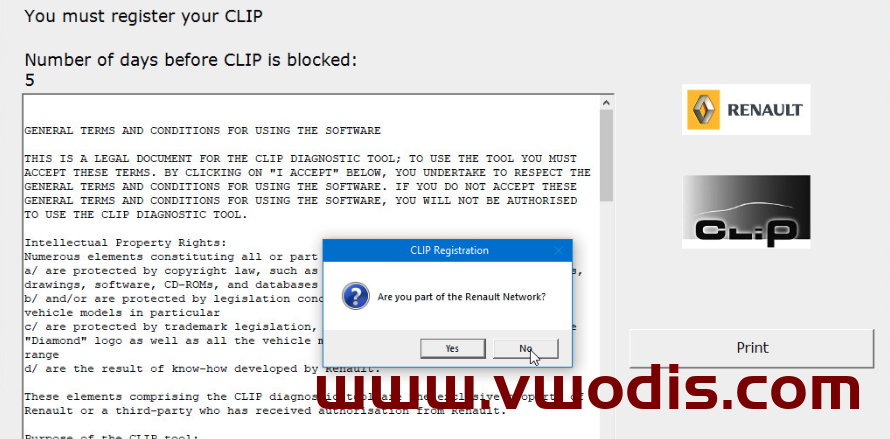
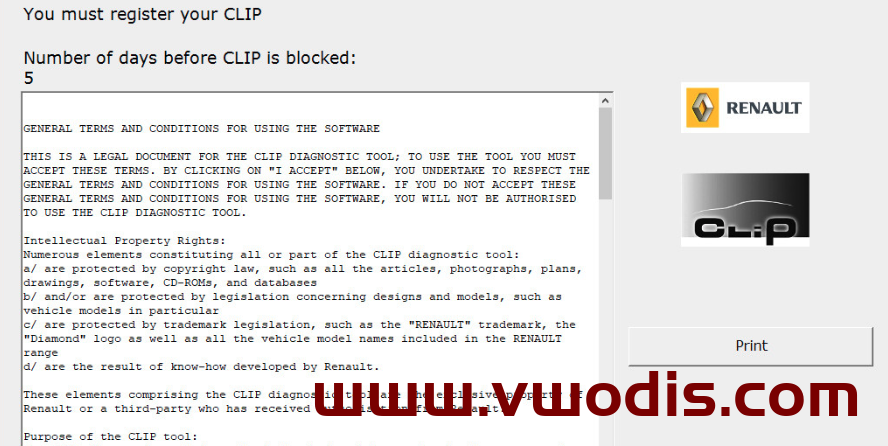
    You need to launch the “CLIP Registration” shortcut from your desktop or from Start menu > CLIP and make 3 simple clicks as in the screenshots above.
    Push “Register me now” -> No -> “Confirm” button.
    As a result, you will receive a properly activated program with a independently generated key.

    Renault CLIP version: v222 and above

  • 【软件】雷诺【一车网】雷诺CLIP注册工具-Renault CLIP Registration

    雷诺【一车网】雷诺CLIP注册工具-Renault CLIP Registration

    雷诺【一车网】雷诺CLIP注册工具-Renault CLIP Registration

    雷诺【一车网】雷诺CLIP注册工具-Renault CLIP Registration

    您需要从桌面或 CLIP >“开始”菜单启动“CLIP 注册”快捷方式,然后像上面的屏幕截图一样进行 3 次简单的单击。
    按“立即注册我”->否->“确认”按钮。
    因此,您将收到一个带有独立生成密钥的正确激活的程序。

    支持雷诺 CLIP 版本:v222 及以上

  • 【Software】Chrysler【vwodis】Chrysler Jeep Dodge RAM and North American

    Chrysler【vwodis】Chrysler Jeep Dodge RAM and North American

    Chrysler【vwodis】Chrysler Jeep Dodge RAM and North American

    Chrysler【vwodis】Chrysler Jeep Dodge RAM and North American

    Here is another one of my projects.
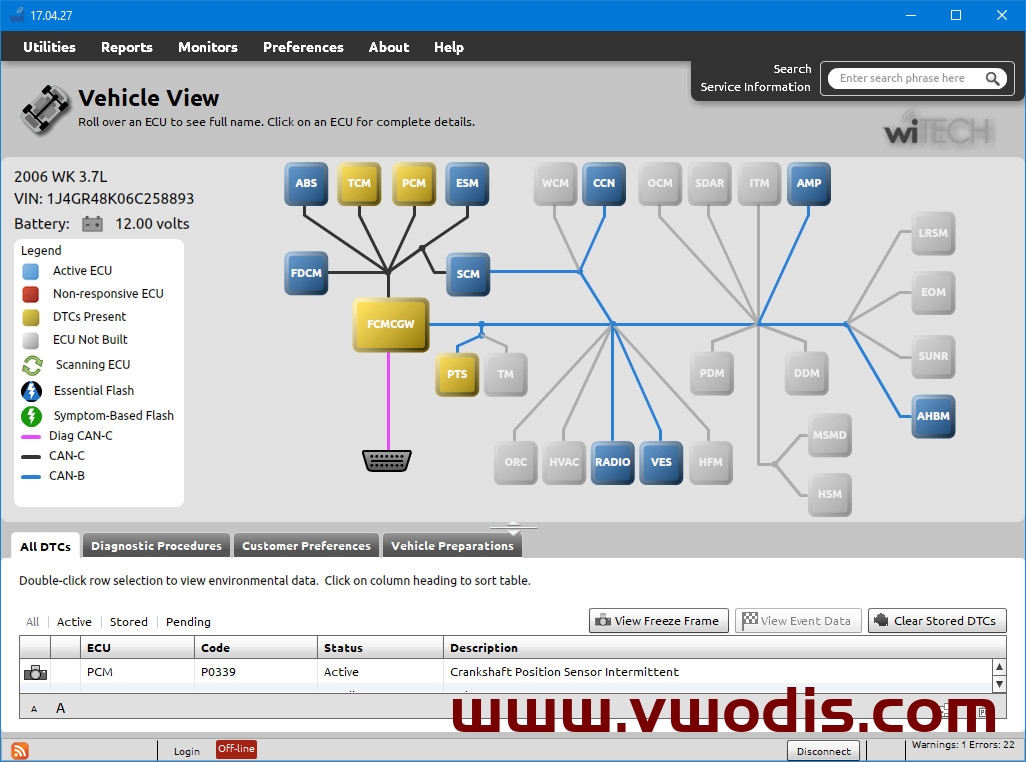
    The program was created to diagnose Chrysler, Jeep, Dodge, RAM and North American Fiat vehicles.
    wiTECH works with Micropod 2 device by default.
    Do not try to update the firmware directly through wiTECH, if your device is not original, there will be a brick.

    Vehicles from 2018 are NOT SUPPORTED!
    Online functions are not working anymore!
    wiTECH requires the Internet connection by default!

    Installation sequence:

    • Connect your computer to the Internet
    • .NET Framework 4.7 and above (must be activated in your MS Windows or installed separately)
    • Adobe.AIR.Installer.exe
    • wiTECH.v17.04.27.exe
    • DrbEnhancedEmulatorSetup.v2017.11.01.exe
    • Make sure your device is successfully recognized by wiTECH

    Activation includes:

    • Activation for NOT REGISTERED devices
    • DRB3 Emulator license
    • Unlock for vehicles supported by wiTECH 2.0
    • Unlock for the old VCI pod and STAR mobile

    wiTECH should ping blacklist servers on first start.
    Then you have about a week to work in offline mode.
    If you are planning to diagnose a vehicle and you do not have Internet in this place, the best variant is to run wiTECH at home before with enabled Internet and connected device to renew blacklists.

  • 【软件】菲亚特【一车网】克莱斯勒 吉普 道奇 RAM 和北美菲亚特汽车诊断软件WiTECH with DRB3 Emulator v17.04.27+keygen

    菲亚特【一车网】克莱斯勒、吉普、道奇、RAM 和北美菲亚特汽车诊断软件WiTECH with DRB3 Emulator v17.04.27+keygen

    菲亚特【一车网】克莱斯勒、吉普、道奇、RAM 和北美菲亚特汽车诊断软件WiTECH with DRB3 Emulator v17.04.27+keygen

    菲亚特【一车网】克莱斯勒、吉普、道奇、RAM 和北美菲亚特汽车诊断软件WiTECH with DRB3 Emulator v17.04.27+keygen

    不支持 2018 年的车辆!
    在线功能不再起作用!
    wiTECH默认需要互联网连接!

    安装顺序:

    • 将计算机连接到 Internet
    • .NET Framework 4.7 及更高版本(必须在 MS Windows 中激活或单独安装)
    • Adobe.AIR.Installer.exe
    • wiTECH.v17.04.27.exe
    • DrbEnhancedEmulatorSetup.v2017.11.01.exe
    • 确保您的设备成功被wiTECH识别

    激活包括:

    • 激活未注册的设备
    • DRB3 仿真器许可证
    • 为wiTECH 2.0支持的车辆解锁
    • 解锁旧 VCI pod 和 STAR mobile

    wiTECH 应在首次启动时将服务器列入黑名单。
    然后你有大约一周的时间在离线模式下工作。
    如果您打算诊断车辆并且您没有互联网,最好的变体是在家中运行wiTECH,然后启用互联网和连接的设备来更新黑名单。


  • 【Software】Mercedes Benz【vwodis】Mercedes Benz Zenzefi Solution V1.80.0.10

    Mercedes Benz【vwodis】Mercedes Benz Zenzefi Solution V1.80.0.10

    Mercedes Benz【vwodis】Mercedes Benz Zenzefi Solution V1.80.0.10

    Mercedes Benz【vwodis】Mercedes Benz Zenzefi Solution V1.80.0.10

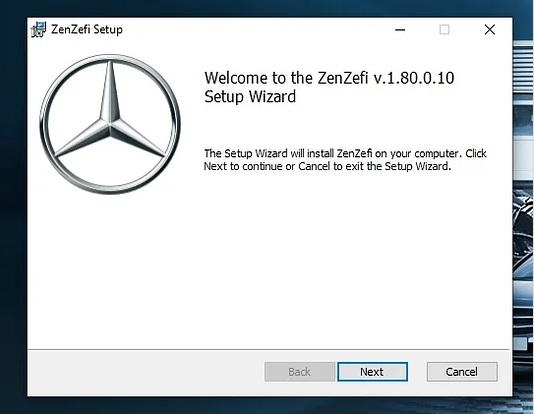
    Most of the time there are certain issues for newer cars where without Zenzefi it’s not possible to use DTS or any other services on newer cars so for that this is the solution
    1. For whom is this useful?
    – For people who are remote coding and without Xentry in the client PC or you’re own PC where Zenzefi Dont work. have trouble in connecting to the Internet.
    Terms: Installing on a Xentry System will be considered as Aftersales itself in cases when the system doesn’t work this will fix the issue up to an extent. if you are installing on a NON-Xentry System the Installation will be directly considered as Supplier/Development/Production Zenzefi

    2. On What application to be used?
    – Strictly DTS Monaco 8.14 or 16 or 9

    3. Will this work for DTS Monaco 8.14 or 16?
    – Yes! but need modification / extra files for 8.14 or 16 so Zenzefi communication and certificates can be accessed.

    4. After installing this can I code the car?
    – NO! you need to load the required certificates or else no point in using this.

    5. What is this basically?
    – Zenzefi portal for the non-xentry system where just with this and DTS Monaco your jobs can be carried out.

    6. What about login to zenzefi?
    – No need login for this (it means if you import the certificate to zenzefi portal when using dts it will work. just import certificates from your desktop and go to dts it will work out of the box (you need to have certficates with you!)

    7. Is the Zenzefi Exe Supplier/Production/Development or Aftersales?
    – its Just Aftersales. if you install on a Xentry System, if you install on a NON Xentry system its automatically taken as Supplier/production/Development. if you wanted Supplier/Production/Development Just download the Zenzefi.jar given in the below link and replace it in your installed Zenzefi folder (by first stopping Zenzefi services then backup the jar and replace it, and run the Zenzefi services.cmd once in admin and one in normal.
  • 【软件】奔驰【一车网】奔驰Mercedes Zenzefi Solution V1.80.0.10

    奔驰【一车网】奔驰Mercedes Zenzefi Solution V1.80.0.10

    奔驰【一车网】奔驰Mercedes Zenzefi Solution V1.80.0.10

    奔驰【一车网】奔驰Mercedes Zenzefi Solution V1.80.0.10

    大多数情况下,新车存在某些问题,如果没有 Zenzefi,就不可能在新车上使用 DTS 或任何其他服务,因此这是解决方案

    给出的一些问题和答案之前

    1. 这对谁有用?
    – 适用于远程编码且在客户端 PC 或您自己的 PC 中没有 Xentry 的人,Zenzefi Dont 可以工作。无法连接到 Internet。
    条款:在 Xentry 系统上安装将被视为售后本身,如果系统无法正常工作,这将在一定程度上解决问题。如果您在非 Xentry 系统上安装,则安装将直接被视为供应商/开发/生产 Zenzefi

    2。在什么应用程序上使用?
    – 严格 DTS 摩纳哥 8.14 或 16 或 9

    3.这是否适用于 DTS Monaco 8.14 或 16?
    -是的!但需要修改/额外文件 8.14 或 16,以便可以访问 Zenzefi 通信和证书。

    4. 安装后可以给汽车编码吗?
    -不!您需要加载所需的证书,否则使用它毫无意义。

    5. 这基本上是什么?
    – 用于非 xentry 系统的 Zenzefi 门户,只需使用它和 DTS Monaco,您的工作就可以执行。

    6. 登录zenzefi怎么样?
    – 无需登录(这意味着如果您在使用 dts 时将证书导入 zenzefi 门户,它将起作用。 只需从桌面导入证书并转到 DTS,它就可以开箱即用(您需要随身携带证书!

    7.Zenzefi exe是供应商/生产/开发还是售后?
    – 它只是售后。如果您安装在 Xentry 系统上,如果您安装在非 Xentry 系统上,它会自动被视为供应商/生产/开发。如果您想要供应商/生产/开发 只需下载以下链接中给出的Zenzefi.jar并将其替换到已安装的 Zenzefi 文件夹中(首先停止 Zenzefi 服务,然后备份 jar 并更换它,并在 admin 中运行 Zenzefi services.cmd一次,在正常情况下运行一次。

  • 【Software】BMW【vwodis】BMW BMW Standard Tools v2.12.1

    BMW【vwodis】BMW BMW Standard Tools v2.12.1

    BMW【vwodis】BMW BMW Standard Tools v2.12.1

    BMW【vwodis】BMW BMW Standard Tools v2.12.1

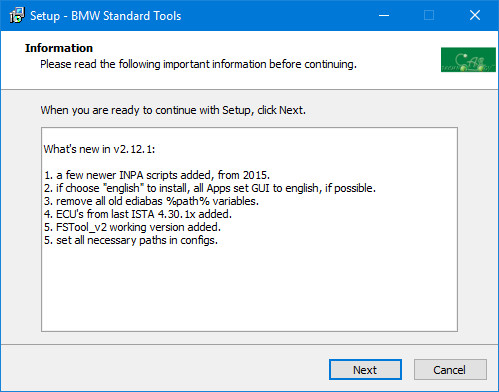
    What’s new in v2.12.1:

    • A few newer INPA scripts added, from 2015
    • If choose “English” to install, all Apps set GUI to English, if possible
    • Remove all old EDIABAS %path% variables
    • ECU’s from last ISTA 4.30.1x added
    • FSTool_v2 working version added
    • Set all necessary paths in configs

    Included programs:

    • BMW Coding Tool v2.5.0
    • CIC Special Service Utility v1.0.4352.42177
    • Dr.Gini B014 v7.3.0.500
    • Dr.Gini vB022.4.0.5
    • EasyConnect v1.0.5320.35550
    • EDIABAS Konfigurator v1.1
    • EDIABAS Konfigurator v2.0.0
    • FSC-Tools v2.18
    • FSTool CarServer v2
    • INPA – Loader v5.0.6
    • ITool Radar
    • K+DCAN Utility v2.0
    • NCS Dummy v0.6.10
    • NCS-Expertentool v4.0.1
    • NFS
    • DDE/DME SA-option Helper v1.1
    • EDIABAS Toolset32 v4.0.3
    • VIN CheckDigit Calculator v2007
    • WinKFP v5.3.1
    • ZGW Search v3.0.0


  • 【软件】宝马【一车网】宝马BMW Standard Tools v2.12.1

    宝马【一车网】宝马BMW Standard Tools v2.12.1

    宝马【一车网】宝马BMW Standard Tools v2.12.1

    宝马【一车网】宝马BMW Standard Tools v2.12.1

    v2.12.1的新增功能:
    添加了一些更新的INPA脚本,从2015年开始
    如果选择“英语”进行安装,则所有应用程序都会将GUI设置为英语(如果可能)
    删除所有旧的EDIABAS%path%变量
    添加了上次ISTA 4.30.1x的ECU
    已添加FSTool_v2工作版本
    在配置中设置所有必要的路径
    包含的程序:
    宝马编码工具v2.5.0
    CIC特殊服务实用程序v1.04352.42177
    Dr.Gini B014 v7.3.0.500
    Gini博士vB022.4.0.5
    EasyConnect v1.5320.35550
    EDIABAS Konfigurator v1.1
    EDIABAS Konfigurator v2.0.0
    FSC工具v2.18
    FSTool CarServer v2
    INPA-装载机v5.0.6
    ITool雷达
    K+DCAN实用程序v2.0
    NCS假人v0.6.10
    NCS Expertentoil v4.0.1
    NFS
    DDE/DME SA选项Helper v1.1
    EDIABAS工具集32 v4.0.3
    VIN校验数字计算器v2007
    WinKFP v.3.1
    ZGW Search v3.0.0

  • 【Software】Mercedes Benz【vwodis】Mercedes Benz Seed Key Calculator

    Mercedes Benz【vwodis】Mercedes Benz Seed Key Calculator

    Mercedes Benz【vwodis】Mercedes Benz Seed Key Calculator

    Mercedes Benz【vwodis】Mercedes Benz Seed Key Calculator

  • 【软件】奔驰【一车网】奔驰Seed Key Calculator

    奔驰【一车网】奔驰Seed Key Calculator

    奔驰【一车网】奔驰Seed Key Calculator

    奔驰【一车网】奔驰Seed Key Calculator