MST2_EU_VW_P0231D_MU0633_3G0919360GA
MST2_EU_VW_P0231D_MU0633_3G0919360GA
MST2_EU_VW_P0231D_MU0633_3G0919360GA
Browse Volkswagen MIB technical resources covering factory firmware, infotainment updates, diagnostic software, coding tutorials, wiring diagrams, retrofit guides, parameter files, repair cases and troubleshooting notes for Volkswagen Group vehicles.
MST2_EU_VW_P0231D_MU0633_3G0919360GA
MST2_EU_VW_P0231D_MU0633_3G0919360GA
MST2_EU_VW_P0231D_MU0633_3G0919360GA
VW SEAT EU MIB MST2_EU_SE_ZR_P0369T Frimware
VW SEAT EU MIB MST2_EU_SE_ZR_P0369T Frimware
VW SEAT EU MIB MST2_EU_SE_ZR_P0369T Frimware
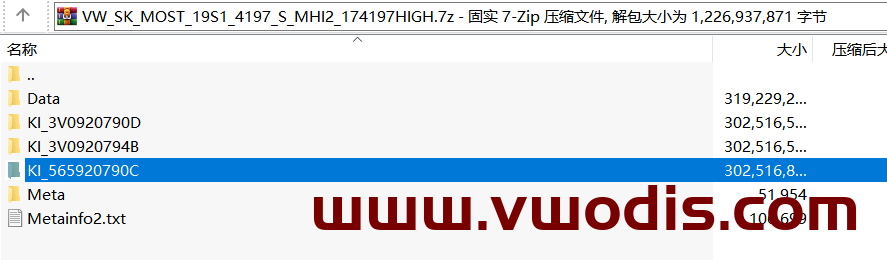
VW_SK_MOST_19S1_4197_S_MHI2_174197HIGH-3V0920790D-3V0920794B-565920790C
VW_SK_MOST_19S1_4197_S_MHI2_174197HIGH-3V0920790D-3V0920794B-565920790C
VW_SK_MOST_19S1_4197_S_MHI2_174197HIGH-3V0920790D-3V0920794B-565920790C
VW MIB MHIG_EU_VW_K1550 MU0407 Frimware
VW MIB MHIG_EU_VW_K1550 MU0407 Frimware
VW MIB MHIG_EU_VW_K1550 MU0407 Frimware
MHI2 Gracenote2 EU V21
MHI2 Gracenote2 EU V21
MHI2 Gracenote2 EU V21
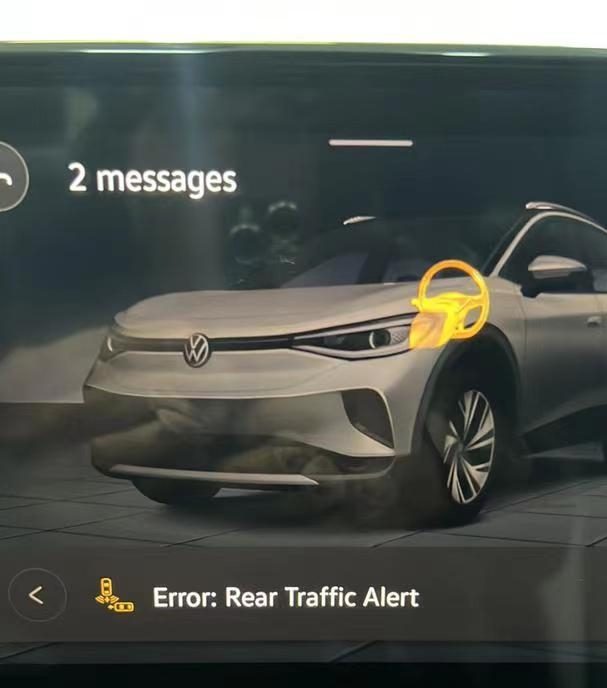
A lot of ID4 and ID6 have reported many errors when upgrading the vehicle firmware outside China, some of which even affect the normal operation of the vehicle, such as the following errors:
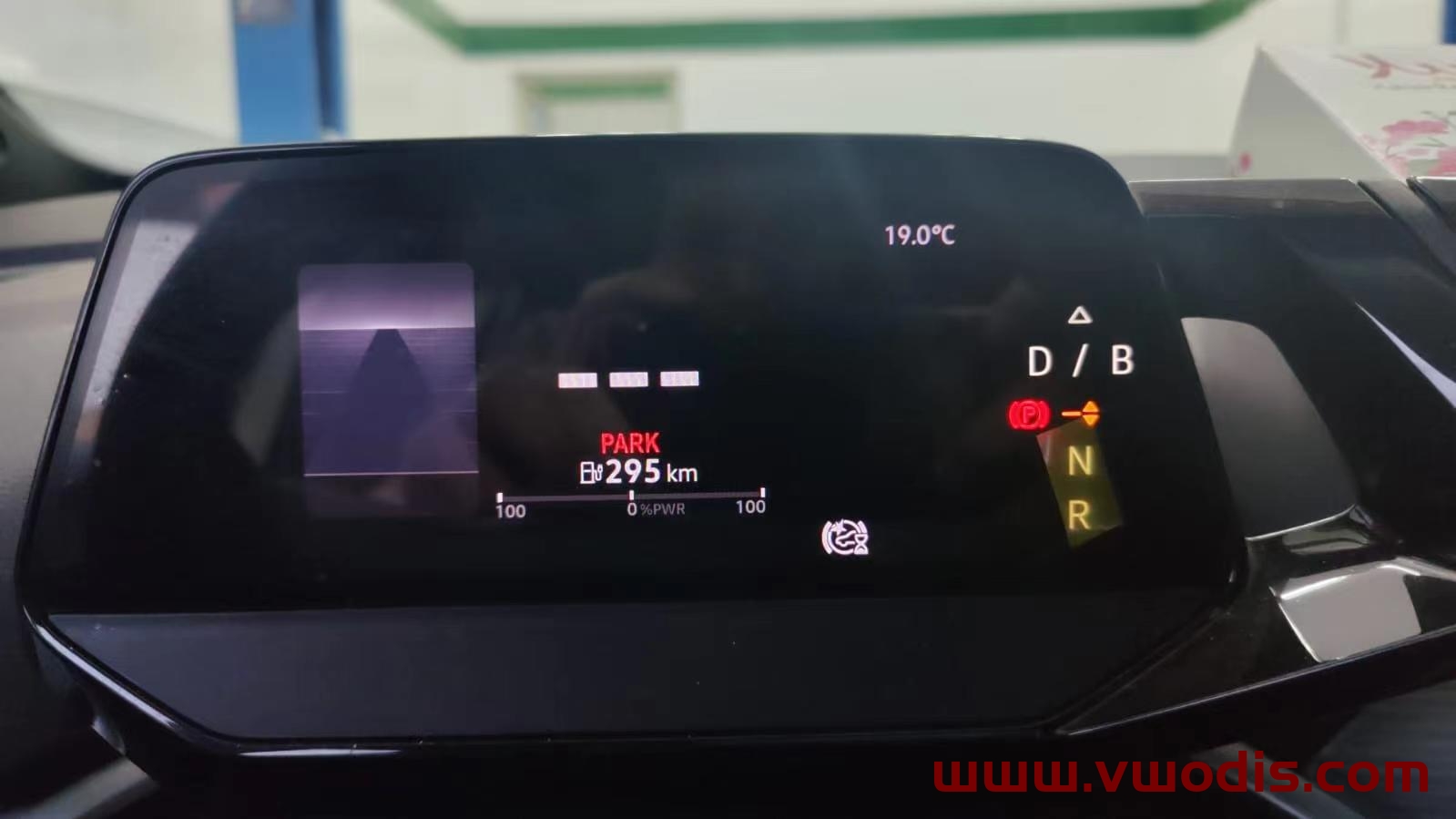
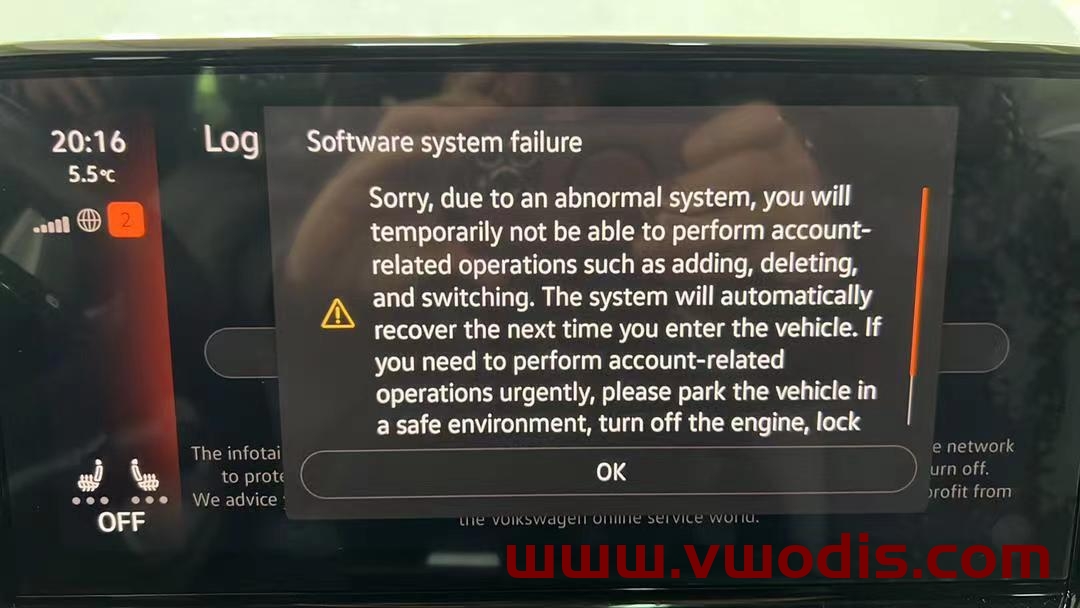
How to solve the above errors?
Please upgrade in strict accordance with the guidance documents of the upgrade manual of SAIC-VW and FAW-VW to ensure that all modules of the whole vehicle are upgraded online and need to use the svm code.
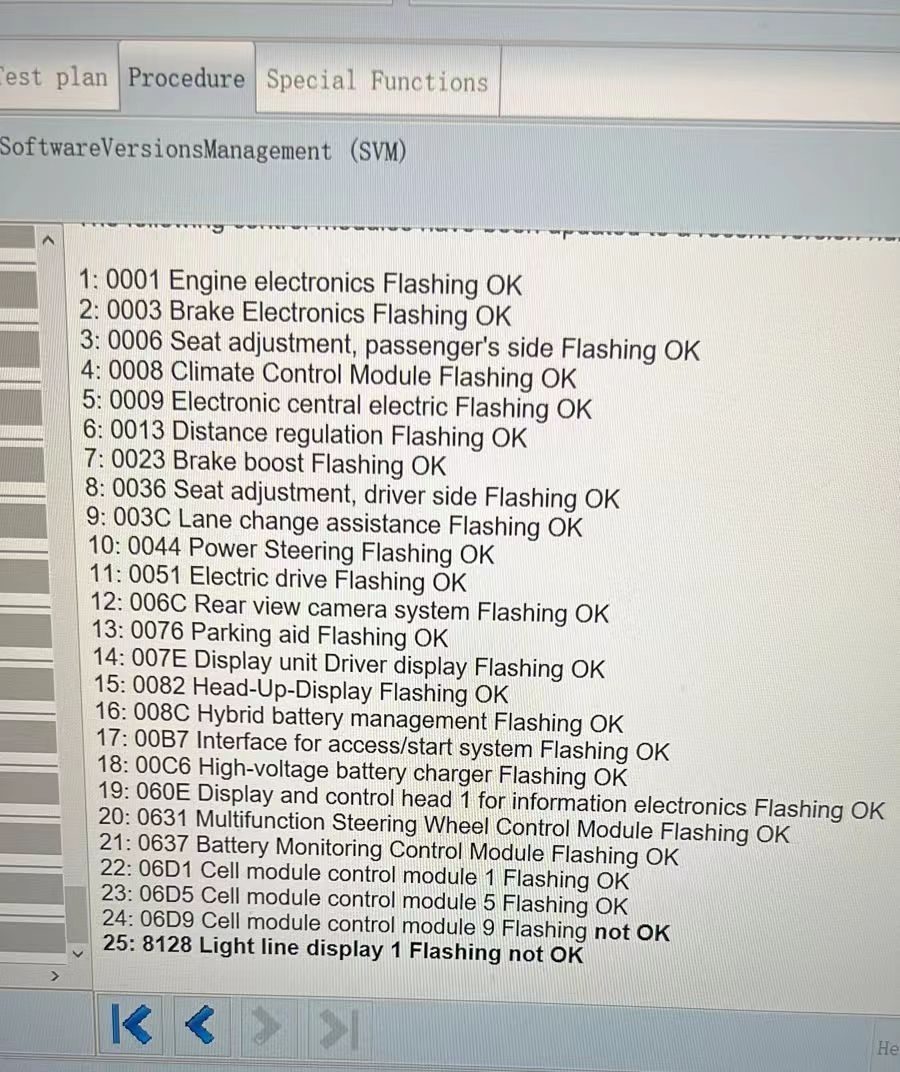
FAW-VW guidance documents include Chinese and English
SAIC-Volkswagen guidance documents includes Chinese and English
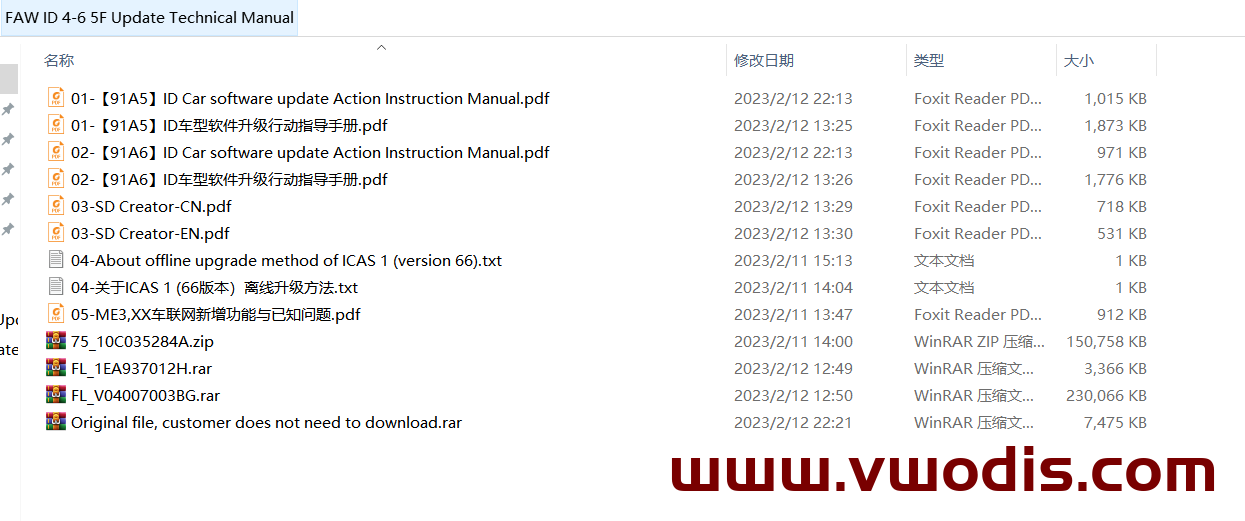
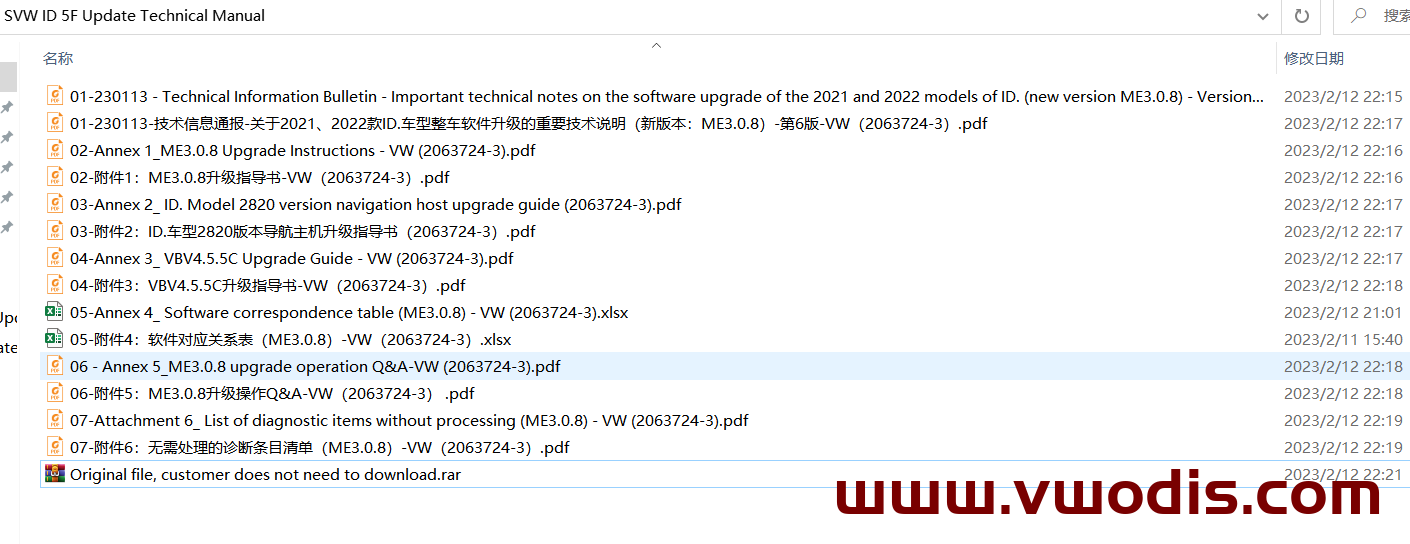
There are 28 items in the Question list with solutions:
Question 1: RTM alarm occurs during the upgrade process.
Question 2: After the upgrade is successful, the navigation system prompts that it is not activated, and the infotainment system operation display screen prompts the text message “Navigation system activation error. Error code: 0X01000303” “Navigation system activation error. Error code: 0X01000304” or “Navigation is not activated. Please connect to the network.
Question 3: During the software upgrade process, the upgrade of the control unit is interrupted or the upgrade is wrong.
Question 4: The VIN number cannot be recognized during the upgrade process.
Question 5: After the upgrade, some fault codes cannot be deleted.
Question 6: After the upgrade, the MOS4.0 smart car connection system cannot be connected to the network.
Question 7: The 12V battery voltage is too low during the upgrade process.
Question 8: Unable to enter diagnostics at the beginning of the upgrade. The error reporting interface is shown below.
Question 9: ERP0225E appears during the upgrade process, and the error reporting interface is as shown below.
Question 10: Under what circumstances do you need to perform the learned battery capacity check specified in the refresh instruction.
Question 11: ID6 fan rotates normally when refreshing.
Question 12: The refresh process is often interrupted and the stability is not high
Question 13: When the action code D303 is executed, the diagnostic address “060E – Display and operation unit 1 of information electronic device” is refreshed circularly
Question 14: Enter the code and ERP0215E fault occurs
Question 15: Error code ERP0203E is reported when implementing action code D304
Question 16: When implementing action code D302, the ignition switch status cannot be recognized as switching.
Question 17: After the USB flash disk is refreshed, the navigation screen prompts the text message “software system failure”
Question 18: When executing action code D301, the refresh was interrupted and the refresh was unsuccessful.
Question 19: When the action code D302 is executed, it does not automatically switch to the DOIP mode (the red light of the diagnostic head does not flash)
Question 20: When receiving the vehicle, the diagnostic address 0075 – stores the fault code “B20004B: control unit damaged” or “B200047: control unit damaged”.
Question 21: The diagnosis address “0019 – data bus diagnosis interface” is used for time synchronization by the control unit self-diagnosis. After the whole vehicle sleeps and restarts, the time is still not synchronized
Question 22: After the upgrade, users of the infotainment system who use the English interface complain that when the ignition is turned on, the system welcomes the voice mixed with Chinese and English (read English letters one by one)
Question 23: The user complains that the driver’s seat memory function is completely unavailable after the upgrade
Question 24: The infotainment system display screen prompts the text message “Sorry, the user profile could not be loaded.”
Question 25: The user complains that the warning sound volume of the parking radar system is too high after the upgrade.
Question 26: When the following error prompt appears (data record is unavailable)
Question 27: When refreshing D303, confirm that all controllers are identified and throw ERP0225E error
Question 28: The user complains that the seat has no memory function or the inductive luggage compartment lid has no function after the upgrade.
IF you want buy frimware,请点击链接
VW CNS3.0 MIB3.0 3GB035866 3GB035866A Matching Code
VW CNS3.0 MIB3.0 3GB035866 3GB035866A Matching Code
VW CNS3.0 MIB3.0 3GB035866 3GB035866A Matching Code
VW Audi Porsche MIB2 8511Map Hard Disk Version and 8511 Map SD Version-CN
VW Audi Porsche MIB2 8511Map Hard Disk Version and 8511 Map SD Version-CN
VW Audi Porsche MIB2 8511Map Hard Disk Version and 8511 Map SD Version-CN
VW MIB3.0 CNS3.0 3GB035866 3GB035866A OCU Activate Tutorial-First launch of the whole network
VW MIB3.0 CNS3.0 3GB035866 3GB035866A OCU Activate Tutorial-First launch of the whole network
VW MIB3.0 CNS3.0 3GB035866 3GB035866A OCU Activate Tutorial-First launch of the whole network
Only applicable to 3GB035866 3GB035866A, not applicable to 3GB035866B
Preparation tools: a host without frame number is required
Have fun!
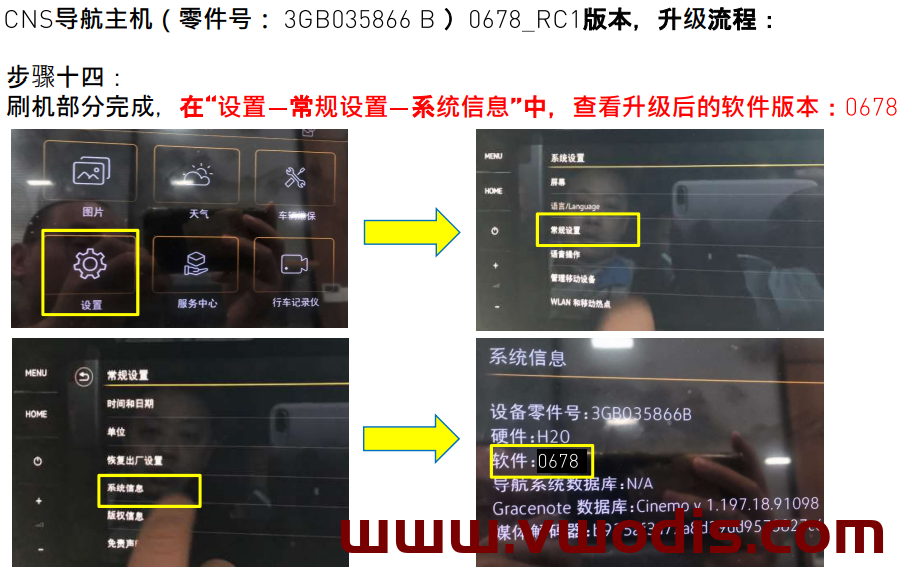
Applicable vehicle: CNS3.0 3GB035866B
Hardware: H20
Optimization project: system BUG such as accidental black screen and crash during driving;
Upgrade method:
Unzip the file to get the Data and Meta folders
U disk to be upgraded, format
Copy the Data and Meta folders directly to the upgrade USB flash drive
After the vehicle is powered on, perform the operation of restoring the factory settings of the host twice, and cancel the Bluetooth and network data connections
Insert the USB flash disk, press and hold the host Menu key, and the service mode screen will pop up
Select the software update/version option, and then click the right side to start the update
7. After that, the screen may turn off for about 20s, until the screen automatically lights up again
8. Double-click Update in the displayed screen (click once to select, and click twice to execute)
9. Click the USB option to enter the loading interface
10. Click Standard in the new interface
11. Slide the white scroll bar on the left side of the new interface, drag it to the bottom, and double-click Start update
12. Double-click Start update in the new interface to start refreshing.
13. After the upgrade progress bar is completed, slide the white scroll bar on the left, click the last Resume, and wait for the restart to complete the system upgrade!