VW【vwodis】VW MIB MHIG_EU_VW_K1540 Firmware
VW【vwodis】VW MIB MHIG_EU_VW_K1540 Firmware
VW【vwodis】VW MIB MHIG_EU_VW_K1540 Firmware
Browse Volkswagen MIB technical resources covering factory firmware, infotainment updates, diagnostic software, coding tutorials, wiring diagrams, retrofit guides, parameter files, repair cases and troubleshooting notes for Volkswagen Group vehicles.
VW【vwodis】VW MIB MHIG_EU_VW_K1540 Firmware
VW【vwodis】VW MIB MHIG_EU_VW_K1540 Firmware
VW【vwodis】VW MIB MHIG_EU_VW_K1540 Firmware
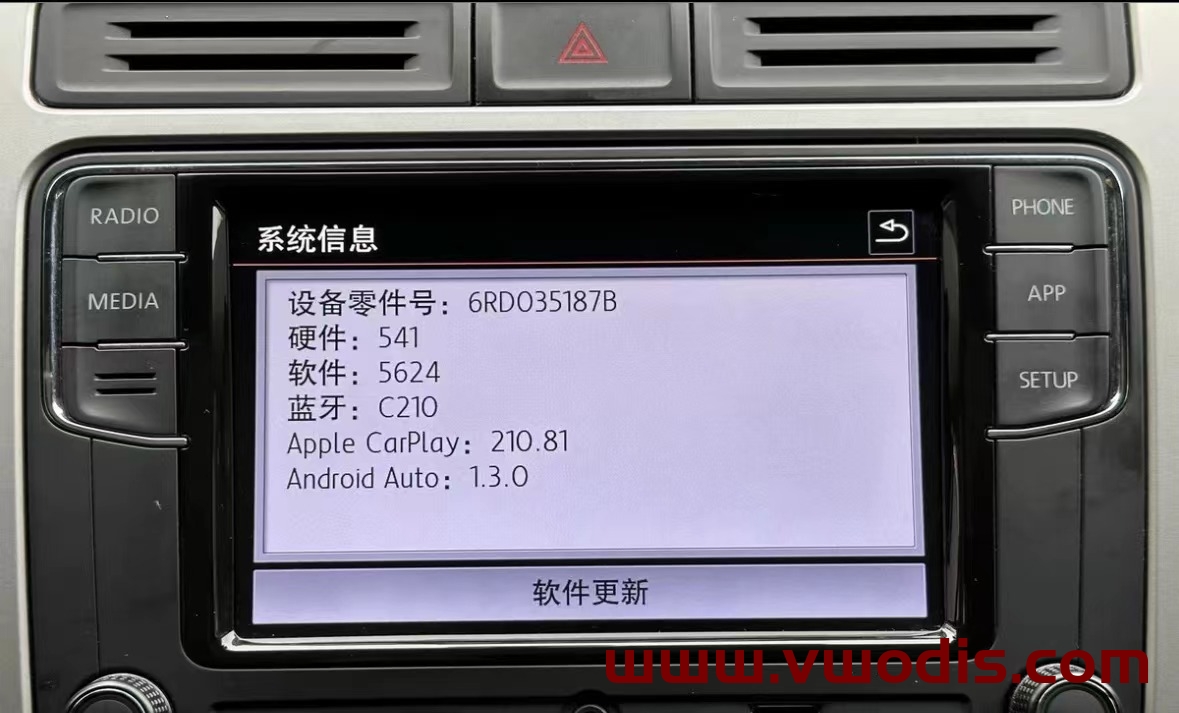
VW【vwodis】VW MIB187B 6RD035187B 2023 Last 5624 Frimware
VW【vwodis】VW MIB187B 6RD035187B 2023 Last 5624 Frimware
VW【vwodis】VW MIB187B 6RD035187B 2023 Last 5624 Frimware
Info:
1.Fixed ios 16.xx and iphone 14 Carplay Calls ( sound) issue
2.Fixed Whatsapp calls and Facetime audio calls issue
3.New Start logo integrated
4.Wireless Carplay dongle connection issue fixed
5.App – Connect works very well.
6.FM Radio / Media / Phone functions works well
language:EN/CN
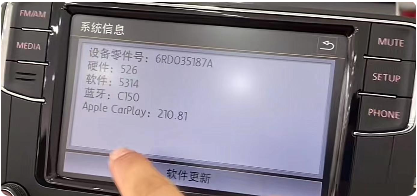
VW【vwodis】VW MIB187A 6RD035187A std_plus_pss-6.5inch_256M161124bt0-5.4.6.6 5314 Frimware
VW【vwodis】VW MIB187A 6RD035187A std_plus_pss-6.5inch_256M161124bt0-5.4.6.6 5314 Frimware
VW【vwodis】VW MIB187A 6RD035187A std_plus_pss-6.5inch_256M161124bt0-5.4.6.6 5314 Frimware
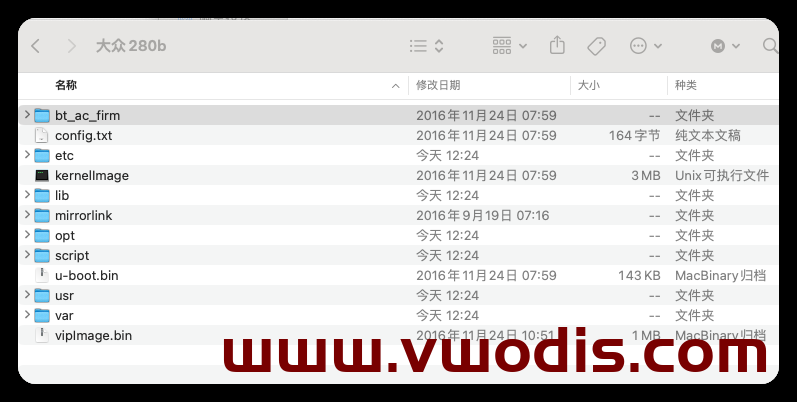
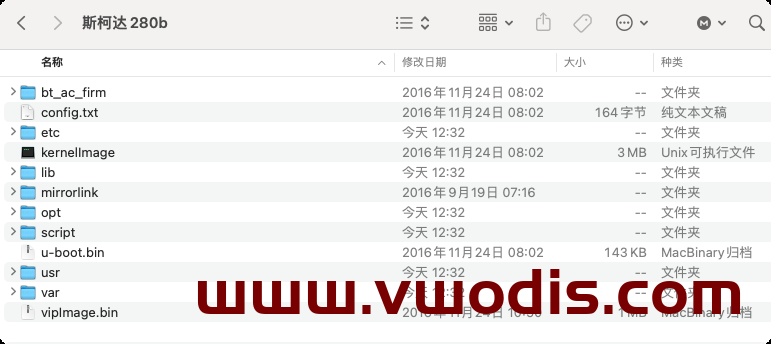
VW【vwodis】VW SKODA MIB280B Frimware
VW【vwodis】VW SKODA MIB280B Frimware
VW【vwodis】VW SKODA MIB280B Frimware
Volkswagen 3GB035866B Full Series Firmware H21 Hardware Upgrade 0696 Firmware
CNS3.0 866B main engine included in original vehicles such as SAIC FAW
Scope of use: Navigation host with part number 3GB035866B for the above models
Main improvement content:
1. Occasional gesture sensing failure
2. Occasionally, online apps cannot be connected online
3. Vehicle networking certificate expires
Problem solving:
A: The old version of the online app cannot be loaded (it can actually play online music and switch to the next song function normally on the interface)
B: The root certificate of the Internet of Vehicles has expired
C: Bluetooth phone noise
Upgrade method:
Unzip the file to obtain two folders: Data and Meta
The USB drive to be upgraded, formatted
Copy the Data and Meta folders directly to the upgraded USB drive
Power on the vehicle, perform two factory reset operations on the host, and cancel data connections such as Bluetooth and network
Insert the USB flash drive, long press the host Menu key, and the service mode screen will pop up
Select the software update/version option and click on the right side to start updating
7. Afterwards, the screen may turn off for about 20 seconds until the screen automatically lights up again
8. Double click Update in the displayed screen (click once to select, click twice to execute)
9. Click on the USB option to enter the loading interface
10. Click on Standard in the new interface
11. Slide the white scroll bar on the left side of the new interface, drag it to the bottom, and double-click Start update
12. Double click on Start update on the new interface to start refreshing.
13. After all the upgrade progress bars are completed, slide the white scroll bar on the left side, click on the last ‘Resume’, and wait for a reboot to complete the system upgrade!
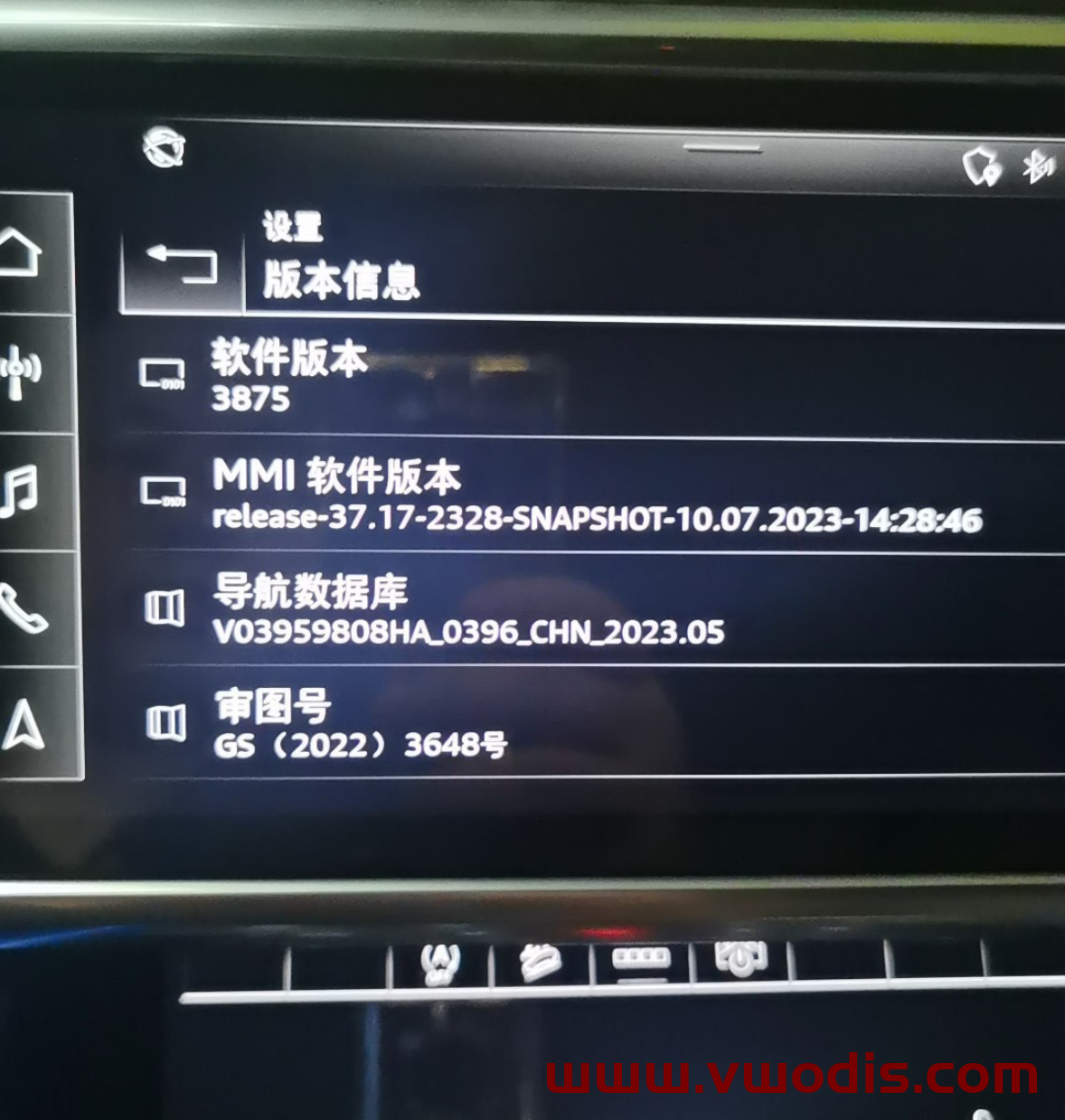
Audi Cl37 firmware 3875/3874 supports Gaode and Baidu projection screens
Upgraded 3853, 0313, and 3801 can be directly upgraded to 3875/3874
Audi CL37 system upgrade 3875 3874 version
3875/3874 is the first official version of CL37, and this update is for the C8 platform’s triple screen to achieve Gaode map projection instrument!
The original car does not come with the original factory navigation, which means that after upgrading the gray navigation button in the lower right corner, it cannot display the screen projection, but it can experience the smoothness brought by the new system and solve functional bugs,
Due to the replicability of the firmware package, it is not refundable after payment and will be considered as agreed upon upon upon purchase.
The Audi Cl37 firmware supports the B9 and C8 platforms with high-definition projection screens
Audi MIB3’s latest engine system 3874/3875+0412+CL37
This update includes:
B9 and C8 platforms support third-party map projection from Gaode and Baidu maps
Upgrade the dashboard firmware and fix some bugs in the dashboard
Fix historical bugs and make the system more stable
This firmware upgrade with Android firmware version will upgrade from version 0313 to version 0412
Precautions:
Before upgrading this version, be sure to upgrade the box to version 0313!!!
After the upgrade is completed, the vehicle time and subtotal mileage will be reset to zero, but the vehicle time will automatically synchronize after being connected to the network
After the upgrade is completed, there will be an online OTA 0412
Note:
Special reminder: Before upgrading to 3801, be sure to upgrade the box to 0313 before upgrading to the 3801 system.
B9 upgrade instructions: 3853/3801 can be upgraded to the latest 3874
C8 upgrade instructions: 3853 can be upgraded to the latest 3875
System version: 3874/3875+0412+CL37
Applicable model: B9/C8 platform (with MMI map), all series of vehicles
Highlights of this upgrade:
The C8 platform supports Gaode Map and Baidu Map dashboard projection machines. This update aims to achieve Gaode Map projection on the triple screen of the C8 platform. (If the system version is too old, a free historical version will be provided, which will be upgraded one by one for safer use!!!)
Map support OTA to the latest version after vehicle machine update
(Mark the key point!! The marked price is the actual price, not a routine)
Audi Mib3 software firmware upgrade.
Upgrading to a lower version of 3801 requires upgrading to 3620/3617 first, and then upgrading to 3801. Otherwise, it may cause incompatibility. Please be cautious when upgrading, and we are not responsible for any problems.
The model that has already been upgraded to 3853 can be downgraded to 3801, and the media driver program will be upgraded to CL37. In a simple sentence, if the model meets the requirements, it can be upgraded to achieve Gaode projection screen to the dashboard!
Applicable model: All series vehicles B9 C8 (including A3)
B9: Refers to the ninth generation chassis of B-class vehicles: A4 A5 Q3 Q5, including corresponding performance vehicles (S) and high-performance vehicle (RS) series
C8: Refers to the eighth generation chassis of C-class vehicles: A6 A7 A8 Q8 includes corresponding performance vehicles (S) and high-performance vehicle (RS) series
Main solutions:
Gaode Map supports dashboard display, and the following conditions must be met: 1. The vehicle system is the latest version; 2. Android box firmware version 0313; 3. Media driver program CL37.
The 0313 box supports the adjustment of the atmosphere light main interface, with the atmosphere light halo on the main interface, which has a good effect. The atmosphere light supports adaptive control
Application widget, which can place apps on the main interface
Optimization of voice system for automatic broadcasting, higher recognition and faster speed
Update the Android box firmware 0313. The Audi car system runs based on the Android box, and many apps require the box to run, making the system smoother.
Improve system smoothness and stability, solve system bugs
Wireless CarPlay is more stable, with faster connection speed and improved music quality
The welcome page supports car owner avatars (without avatars, the factory system needs to be restored to appear). After upgrading the 0313 box, this function is cancelled, and myAudi Interconnect can bind to the app without entering an account password and scanning the code directly
Fine tuning of fonts, smoother transition animations, more comfortable viewing, etc
The C8 platform fixes the issue of frequent missing air conditioning synchronization buttons
More than 5 official apps with navigation support for OTA real-time updates and satellite maps
Improved LTE and 5G signals for faster speeds
● Solve the problem of asynchronous video, sound, and picture after connecting the mobile phone to the vehicle
Due to the replicability of software products, special products are sold without return or exchange.
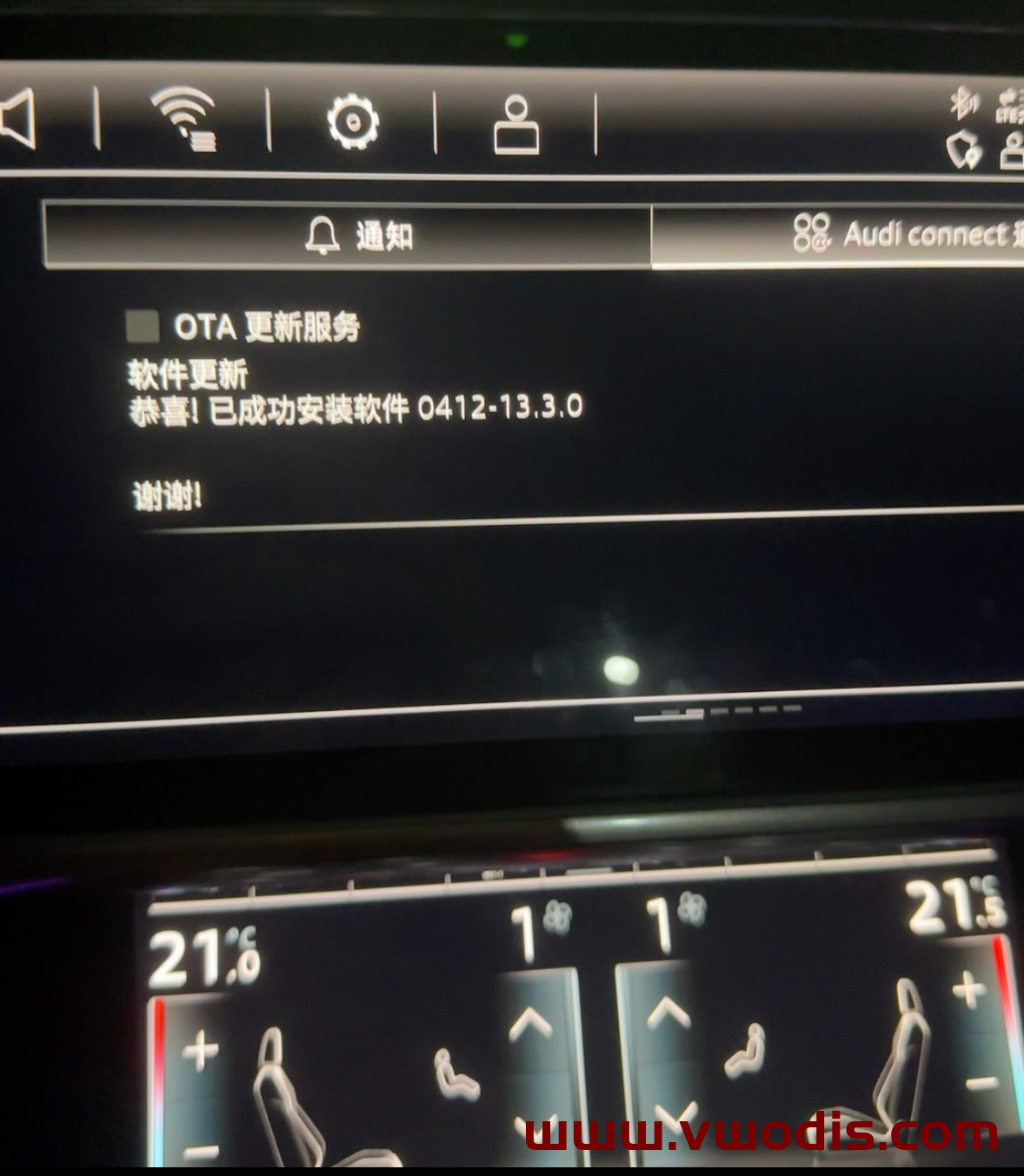
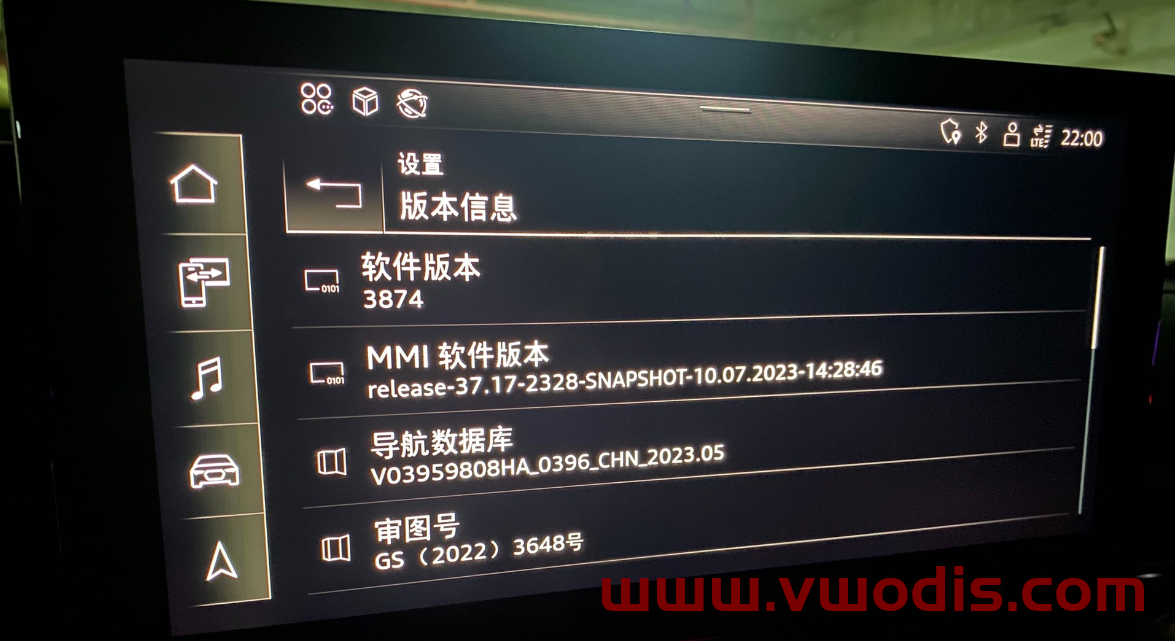
Audi Cl37 firmware 3875/3874 supports Gaode and Baidu projection screens
Upgraded 3853, 0313, and 3801 can be directly upgraded to 3875/3874
Audi CL37 system upgrade 3875 3874 version
3875/3874 is the first official version of CL37, and this update is for the C8 platform’s triple screen to achieve Gaode map projection instrument!
The original car does not come with the original factory navigation, which means that after upgrading the gray navigation button in the lower right corner, it cannot display the screen projection, but it can experience the smoothness brought by the new system and solve functional bugs,
Due to the replicability of the firmware package, it is not refundable after payment and will be considered as agreed upon upon upon purchase.
The Audi Cl37 firmware supports the B9 and C8 platforms with high-definition projection screens
Audi MIB3’s latest engine system 3874/3875+0412+CL37
This update includes:
B9 and C8 platforms support third-party map projection from Gaode and Baidu maps
Upgrade the dashboard firmware and fix some bugs in the dashboard
Fix historical bugs and make the system more stable
This firmware upgrade with Android firmware version will upgrade from version 0313 to version 0412
Precautions:
Before upgrading this version, be sure to upgrade the box to version 0313!!!
After the upgrade is completed, the vehicle time and subtotal mileage will be reset to zero, but the vehicle time will automatically synchronize after being connected to the network
After the upgrade is completed, there will be an online OTA 0412
Note:
Special reminder: Before upgrading to 3801, be sure to upgrade the box to 0313 before upgrading to the 3801 system.
B9 upgrade instructions: 3853/3801 can be upgraded to the latest 3874
C8 upgrade instructions: 3853 can be upgraded to the latest 3875
System version: 3874/3875+0412+CL37
Applicable model: B9/C8 platform (with MMI map), all series of vehicles
Highlights of this upgrade:
The C8 platform supports Gaode Map and Baidu Map dashboard projection machines. This update aims to achieve Gaode Map projection on the triple screen of the C8 platform. (If the system version is too old, a free historical version will be provided, which will be upgraded one by one for safer use!!!)
Map support OTA to the latest version after vehicle machine update
(Mark the key point!! The marked price is the actual price, not a routine)
Audi Mib3 software firmware upgrade.
Upgrading to a lower version of 3801 requires upgrading to 3620/3617 first, and then upgrading to 3801. Otherwise, it may cause incompatibility. Please be cautious when upgrading, and we are not responsible for any problems.
The model that has already been upgraded to 3853 can be downgraded to 3801, and the media driver program will be upgraded to CL37. In a simple sentence, if the model meets the requirements, it can be upgraded to achieve Gaode projection screen to the dashboard!
Applicable model: All series vehicles B9 C8 (including A3)
B9: Refers to the ninth generation chassis of B-class vehicles: A4 A5 Q3 Q5, including corresponding performance vehicles (S) and high-performance vehicle (RS) series
C8: Refers to the eighth generation chassis of C-class vehicles: A6 A7 A8 Q8 includes corresponding performance vehicles (S) and high-performance vehicle (RS) series
Main solutions:
Gaode Map supports dashboard display, and the following conditions must be met: 1. The vehicle system is the latest version; 2. Android box firmware version 0313; 3. Media driver program CL37.
The 0313 box supports the adjustment of the atmosphere light main interface, with the atmosphere light halo on the main interface, which has a good effect. The atmosphere light supports adaptive control
Application widget, which can place apps on the main interface
Optimization of voice system for automatic broadcasting, higher recognition and faster speed
Update the Android box firmware 0313. The Audi car system runs based on the Android box, and many apps require the box to run, making the system smoother.
Improve system smoothness and stability, solve system bugs
Wireless CarPlay is more stable, with faster connection speed and improved music quality
The welcome page supports car owner avatars (without avatars, the factory system needs to be restored to appear). After upgrading the 0313 box, this function is cancelled, and myAudi Interconnect can bind to the app without entering an account password and scanning the code directly
Fine tuning of fonts, smoother transition animations, more comfortable viewing, etc
The C8 platform fixes the issue of frequent missing air conditioning synchronization buttons
More than 5 official apps with navigation support for OTA real-time updates and satellite maps
Improved LTE and 5G signals for faster speeds
● Solve the problem of asynchronous video, sound, and picture after connecting the mobile phone to the vehicle
Due to the replicability of software products, special products are sold without return or exchange.
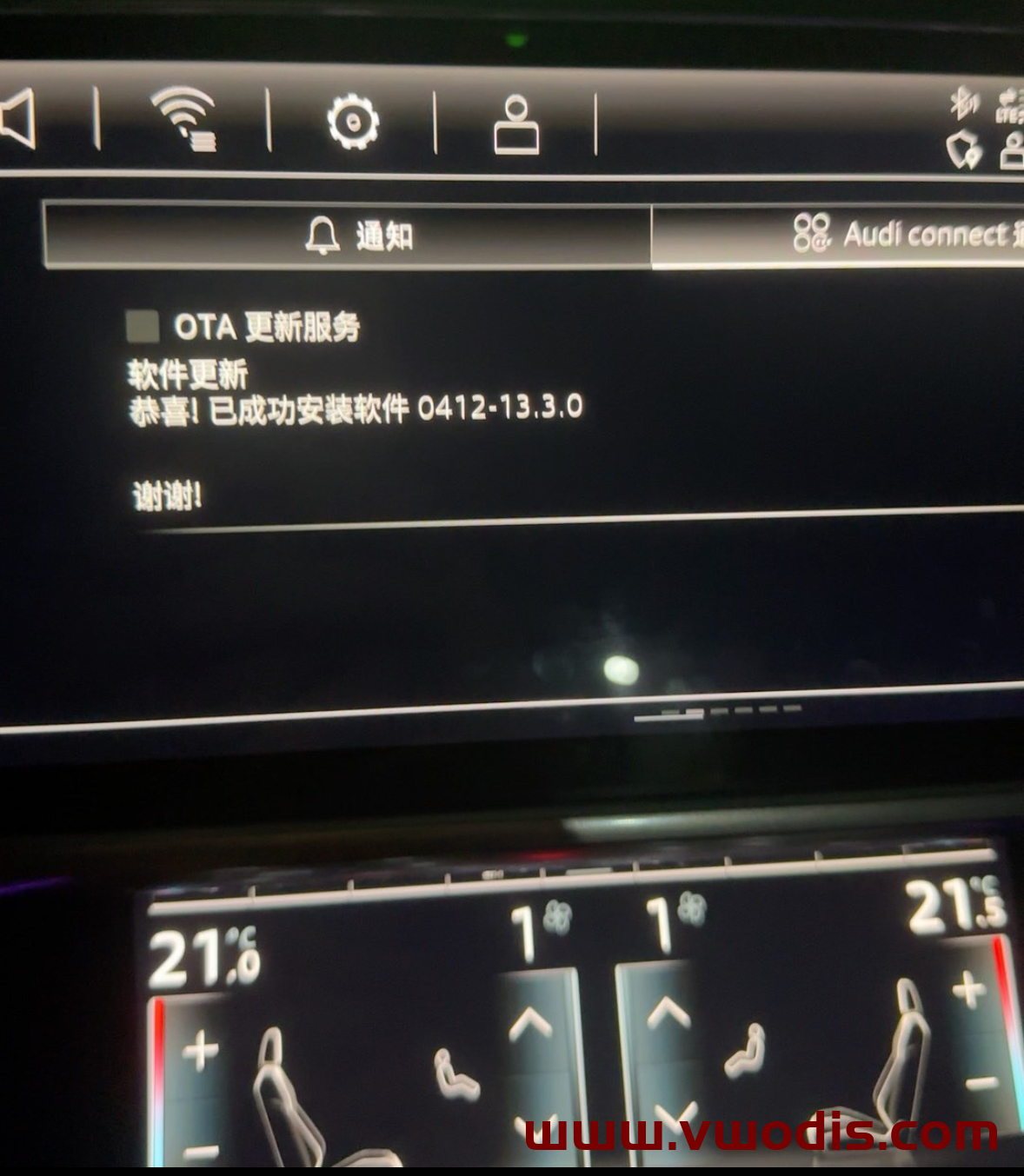
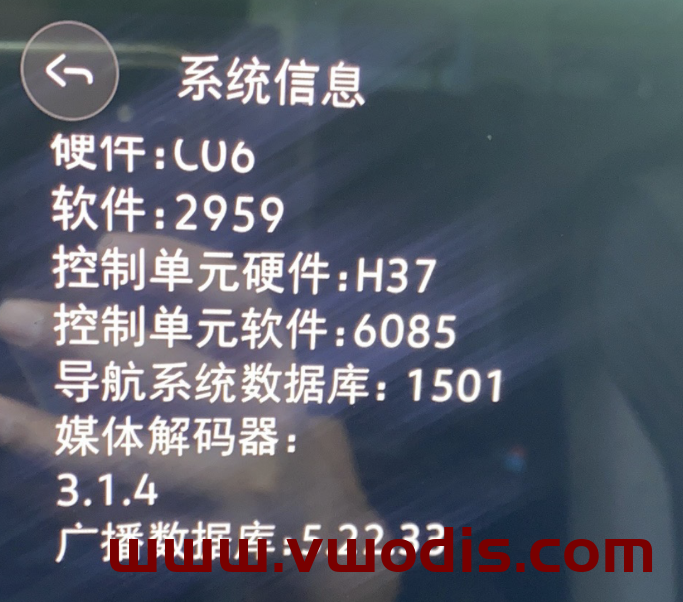
VW【vwodis】FAW SVW ID Model ID3 ID4 ID6 MIB CNS3.0 Update 2959
MIB Hardware:10A035844B/10A035844C/10A035844D/10A035844H/10A035844E/10A035844F/10A035844G/10A035878E/10A035878D/10A035878F/10A035878G
Old Version Frimware Link
https://en.vwodis.com/9863.html
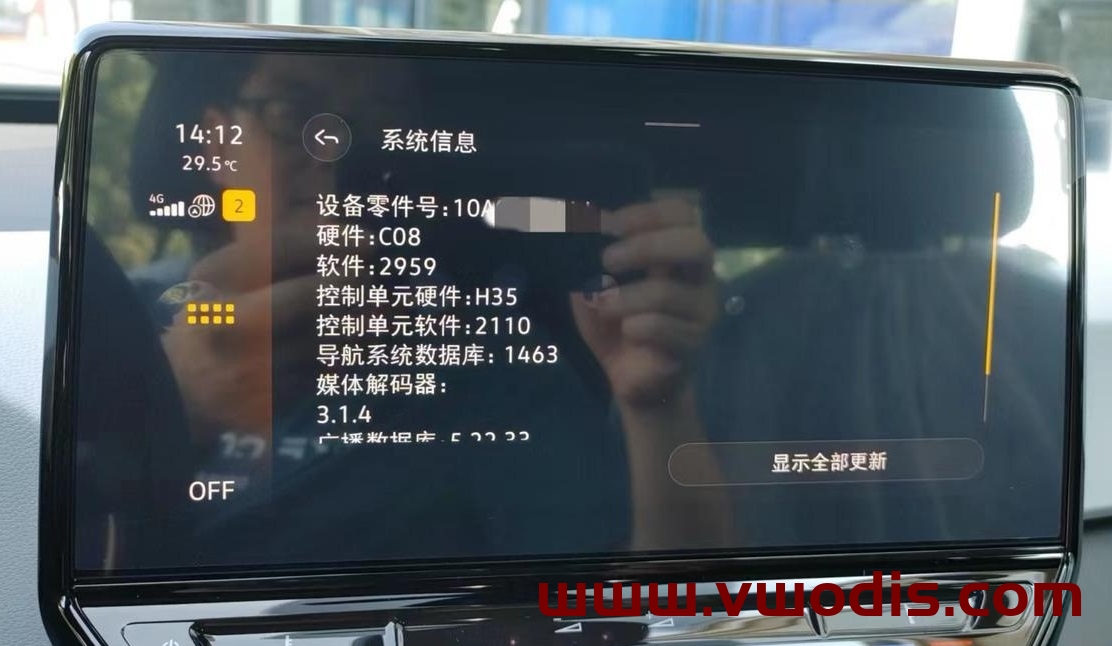
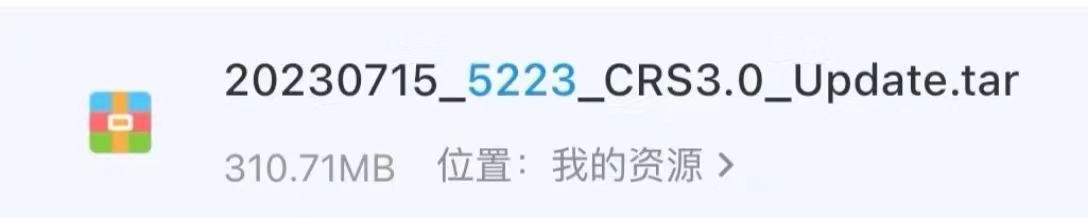
VW【vwodis】FAW 869 5223- SVW 869 5223-3GB035869 5GD035869 5223 Frimware
Applicable hardware: 517 and 520
Applicable part number: 3GB035869 5GD035869
Update content
1) Fix occasional black screen crashes!
2) Improve system stability and smoothness!
3) Fix several bugs!
4) Improve the smoothness and stability of wireless Carplay and Carlife!
5) Repair the frequent heating phenomenon of the host!
6) Optimize CarPlay for black screen crashes and power outages! 7) The new version can change the vehicle model!
8) Improve sound quality [This firmware fixes occasional black screen issue with the 520/517 hardware version host connection to Carplay]
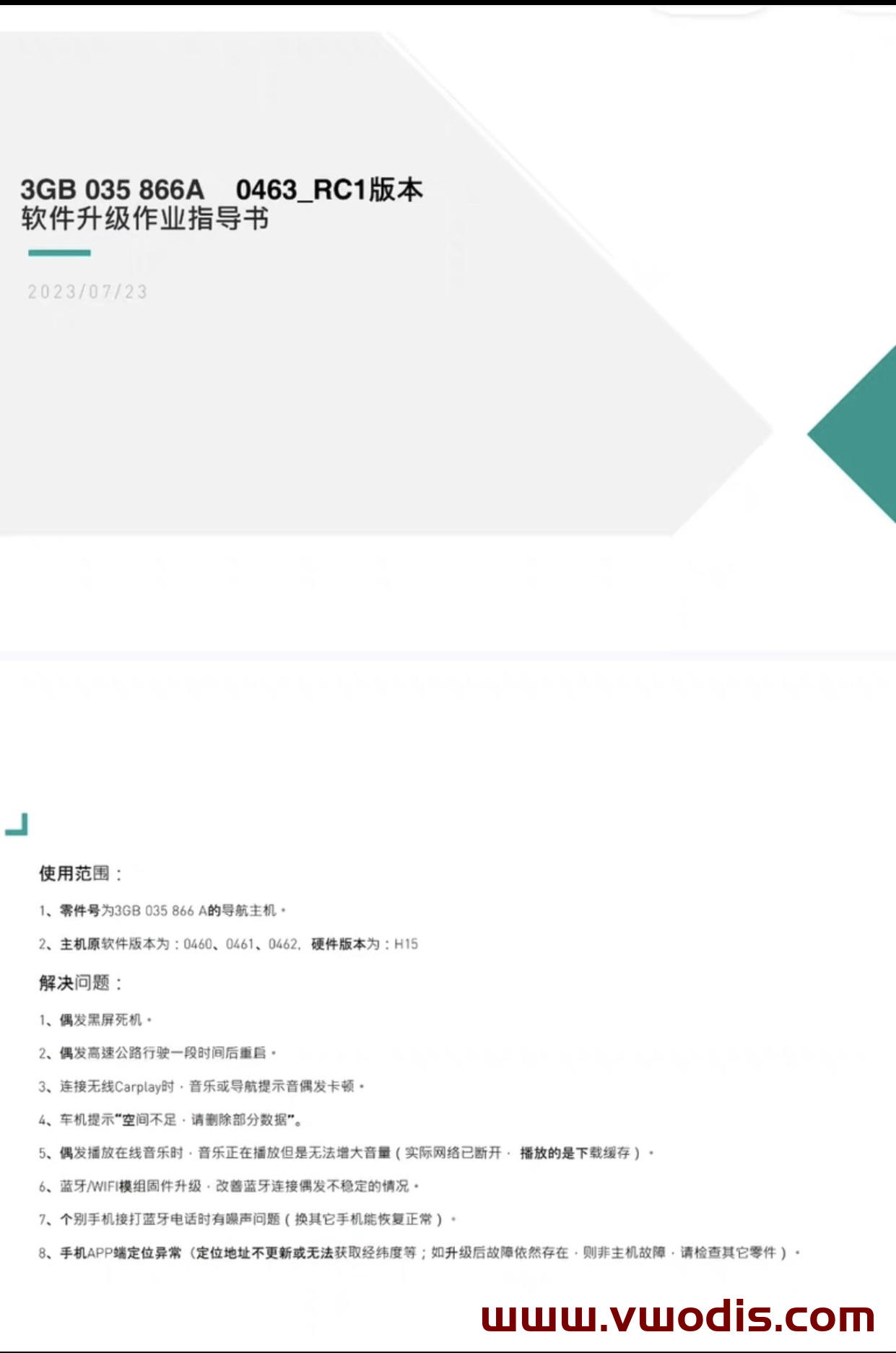
VW【vwodis】VW MQB Mib3.0 CNS3.0 3GB035866A 0463 H15
Upgradable MIB:
3GB035866A H15 Hardware
The original software versions of the host are 0460, 0461, and 0462. The hardware version is H15
Problem solving:
1. Occasional black screen crash·
2. Occasionally driving on the highway for a period of time before resuming.
3. Occasional stuttering of music or navigation prompts when connecting to wireless Carplav·
The 4-car machine prompts “Insufficient space. Please remove some data”.
5. When playing online music occasionally, the music is playing but the volume cannot be increased (the actual network is disconnected and the download cache is playing).
6. Bluetooth/WIFI module firmware upgrade to improve the occasional instability of Bluetooth connections.
7. Some mobile phones have noise issues when making Bluetooth calls (switching to other phones can restore normal operation)*
8. Abnormal positioning on the mobile app end (location address not updated or unable to obtain longitude and latitude, etc.; if the fault persists after upgrading, it is not a host fault. Please check other parts).