分类: BMW MGU

Find BMW MGU resources for BMW vehicles, including navigation map updates, head unit firmware, ISTA diagnosis, E-Sys coding, BimmerCode tutorials, retrofit notes, programming files and practical repair solutions.

  • 【Map】BMW【vwodis】BMW MGU18 Map-BMW MGU Master Road Map China MGU 2024-1(for all ID7)

    BMW【vwodis】BMW MGU18 Map-BMW MGU Master Road Map China MGU 2024-1(for all ID7)

    BMW【vwodis】BMW MGU18 Map-BMW MGU Master Road Map China MGU 2024-1(for all ID7)

    BMW【vwodis】BMW MGU18 Map-BMW MGU Master Road Map China MGU 2024-1(for all ID7)

    Version: 2024-1
    Applicable model: MGU host
    Packet information:
    Step 1: Determine the host version.
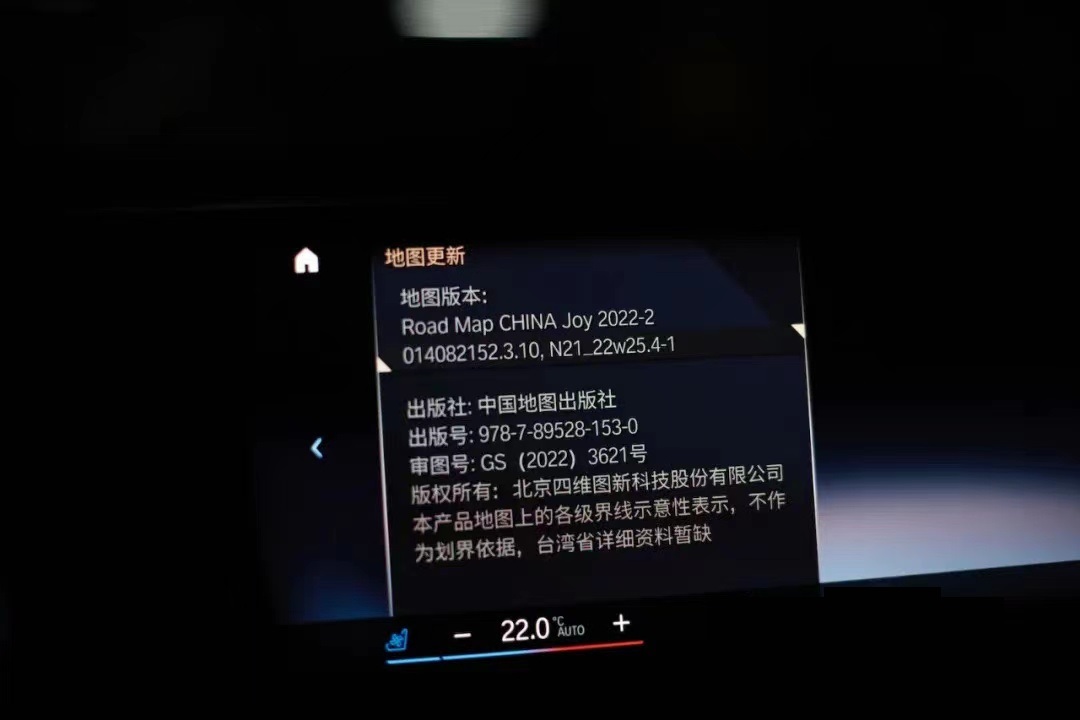
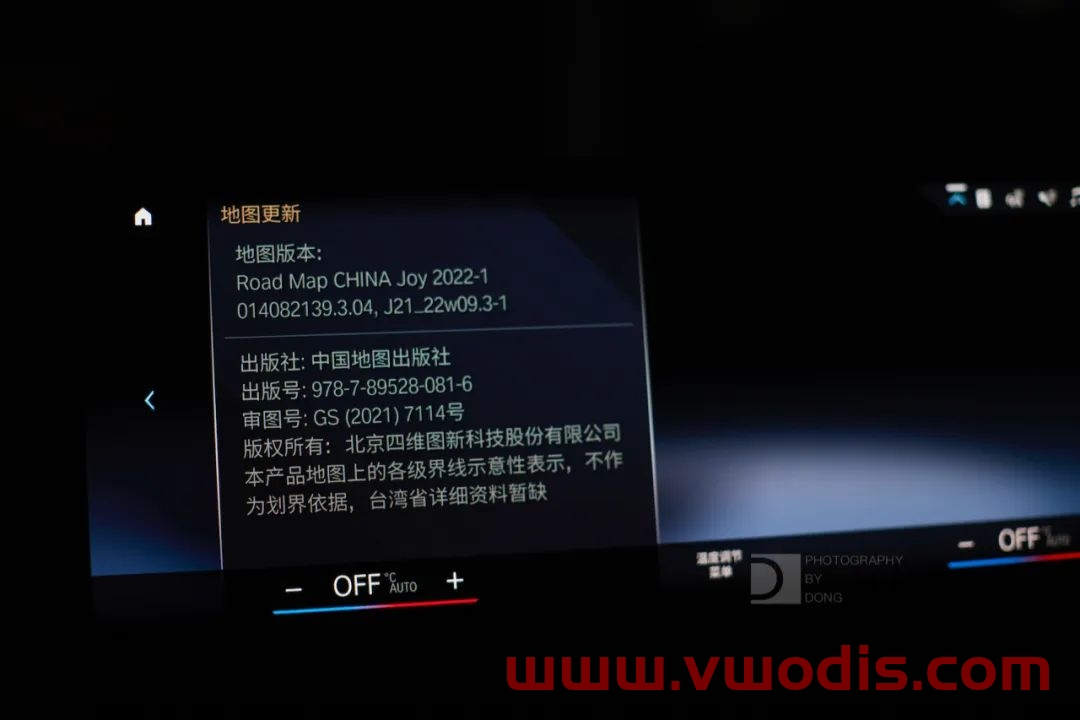
    The main interface – map – setting – location and version – version information can distinguish whether it is a MGU host, and then whether it can be upgraded. If the version shows Road Map CHINA Live, you can upgrade it, focusing on the four letters of Live. Of course, at present, ID7 is the MGU host, which is the Live map.
    Step 2: Download the compressed package.
    After entering the network disk, download all compressed packages. It is recommended to turn off the antivirus software and firewall during the whole process of downloading so that it is not easy to make mistakes. It is better to turn off the antivirus software when decompressing later. Since Baidu Netdisk has no member speed limit, it is recommended to open or rent a member to download, which will be much faster.
    Step 3: decompress the compressed package
    Enter the decompression password to decompress the previously downloaded compressed package. After decompression, a folder named will be automatically created in the path you selected. All the extracted map data will be in this folder, and you can wait patiently for the decompression progress to read out.
    Step 4: Check the map upgrade file.
    Right-click the 2022-2MGU folder that is automatically generated after decompression and click Properties.
    Step 5: Copy the map package to the USB flash drive
    Before copying files, the original stored files in the USB flash disk should be transferred and emptied, and then the USB flash disk should be formatted into NTFS format or exFAT format. Finally, copy or cut the previously extracted 2020-2MGU folder into this USB flash drive.
    Of course, the fourth step can be combined with the third step, and you can directly select the compressed package to decompress to the USB flash drive. Lao Guo was afraid of making mistakes, so he came step by step.
    Step 6: officially start upgrading the map
    After getting into the car and starting the machine, insert the USB flash disk containing the map upgrade file into the USB port at the armrest box or the central control cup holder. Click to confirm the upgrade and wait patiently for the upgrade to complete.
    Upgrade steps:
    1. Prepare a USB flash drive of no less than 64G and format it in ExFAT or NTFS format.
    2. COPY the four files in the extracted folder to the root directory of the USB flash drive.
    3. Insert the USB-A interface at the central cup holder.
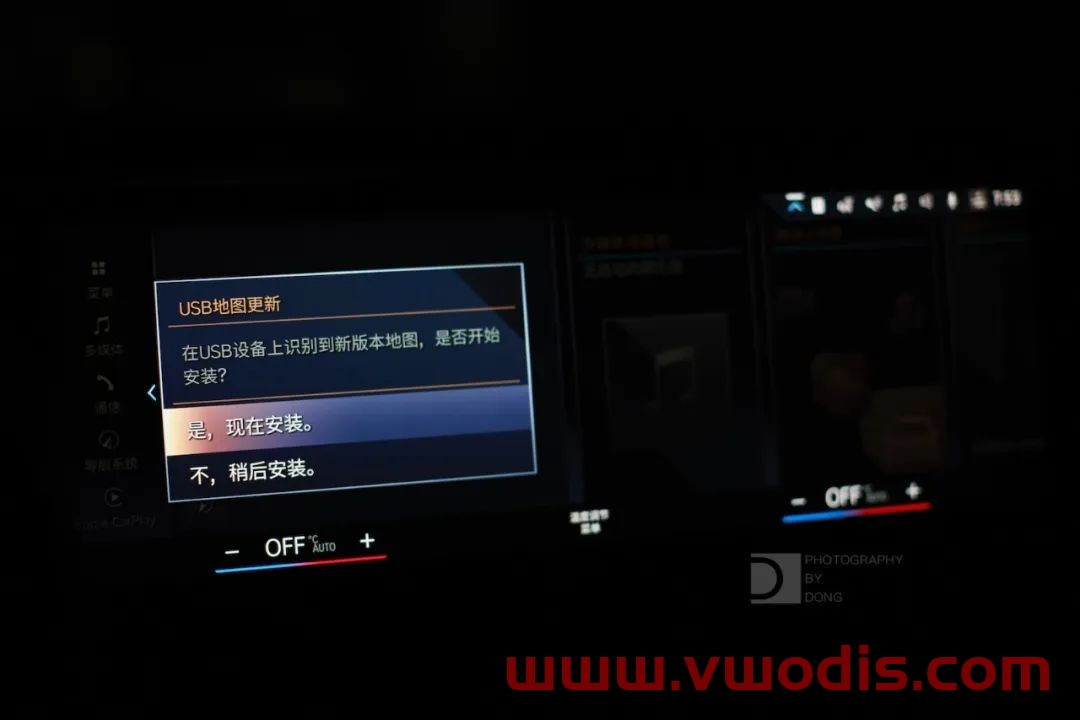
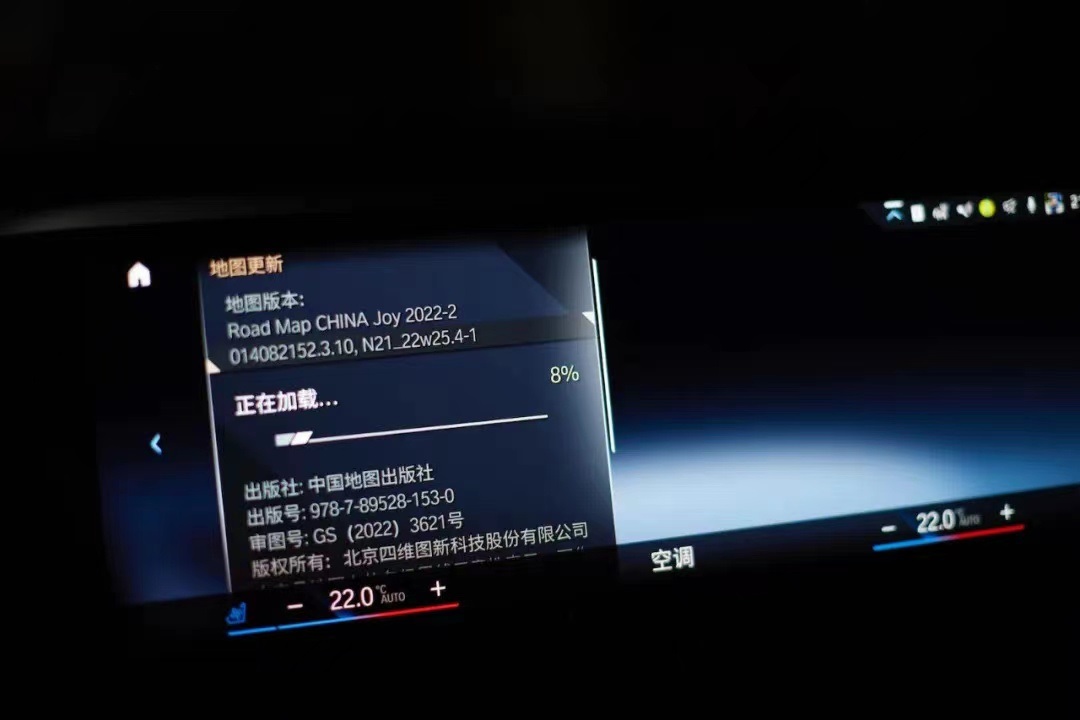
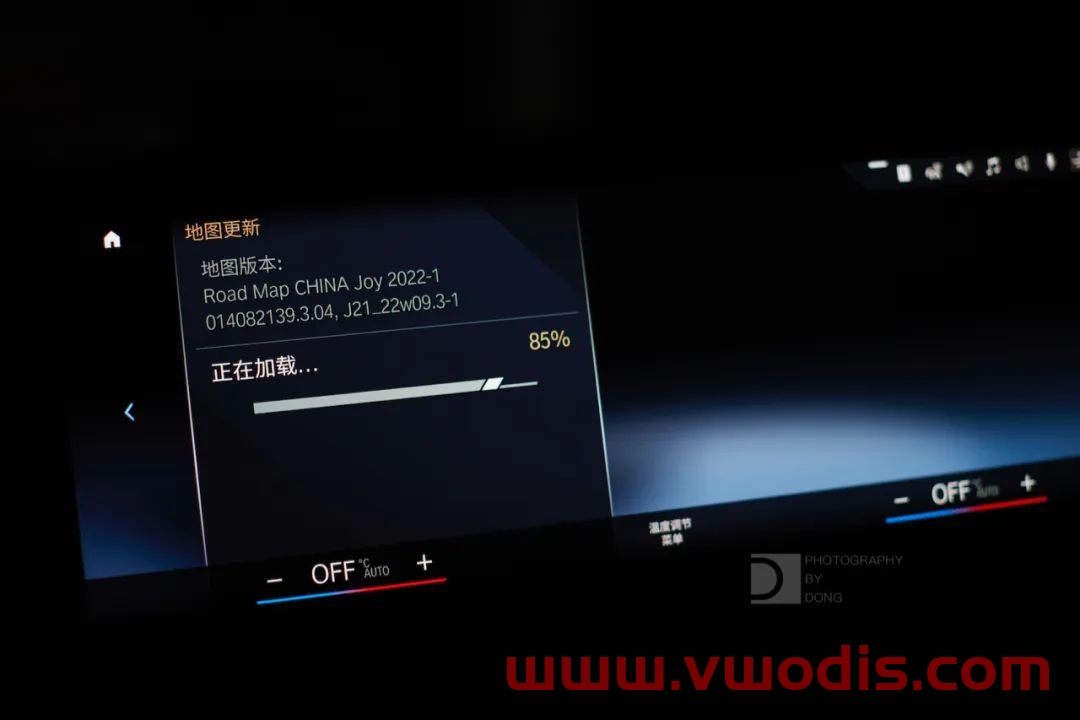
    4. The system will prompt [USB device has map update, update or not “. Click [Update Now], and the system will start to load data and update.
    5. The driver’s door cannot be opened or closed during about 20 minutes, otherwise the update will be suspended because the vehicle power is turned off (if the vehicle power is suspended, the transmission will be interrupted).
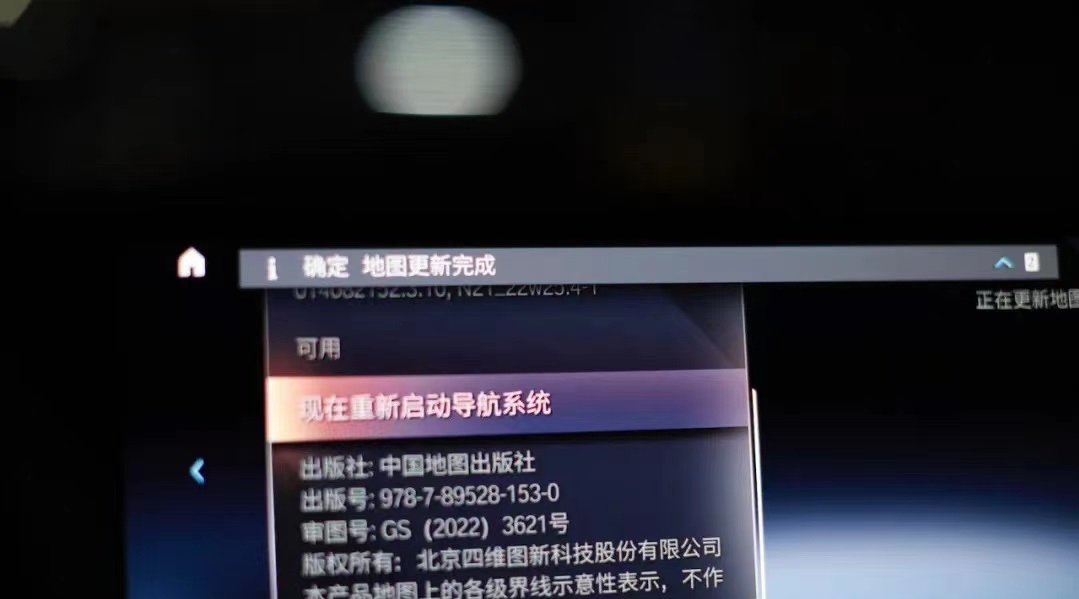
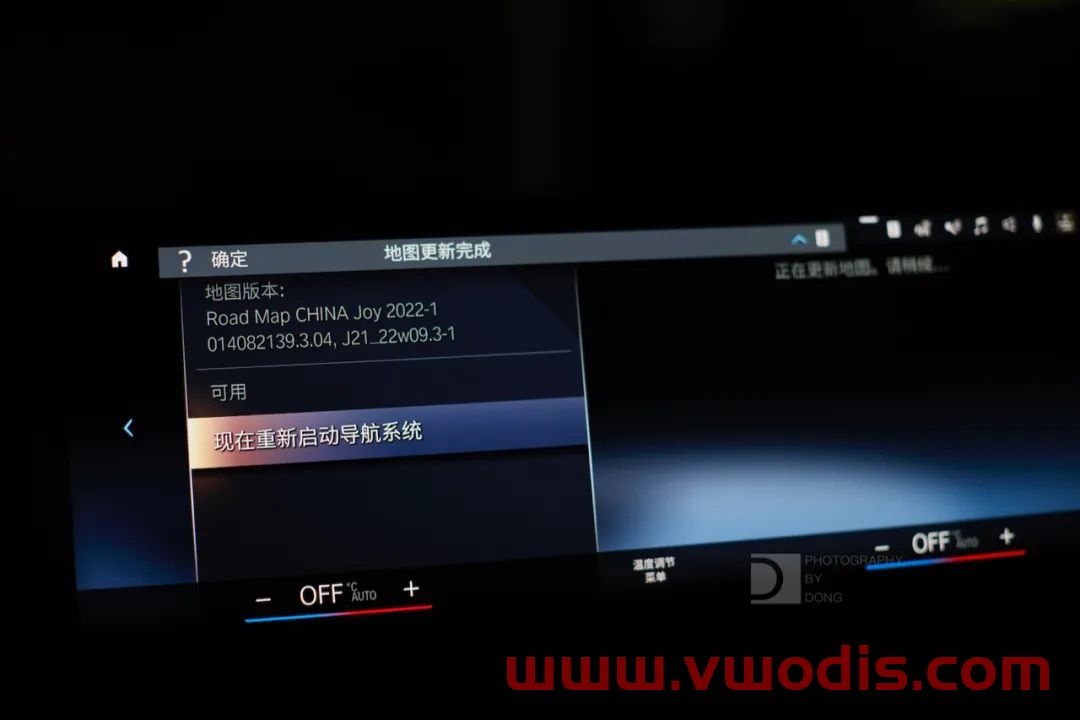
    6. After the upgrade, restart the navigation according to the prompt. After the restart, pull out the USB flash disk and the upgrade is complete.

  • 【Map】BMW MGU Map-BMW MGU Master Road Map China MGU 2023-1(for all ID7)

    Version: 2023-1 (first quarter)
    Applicable model: MGU host
    Packet information:
    Step 1: Determine the host version.
    The main interface – map – setting – location and version – version information can distinguish whether it is a MGU host, and then whether it can be upgraded. If the version shows Road Map CHINA Live, you can upgrade it, focusing on the four letters of Live. Of course, at present, ID7 is the MGU host, which is the Live map.
    Step 2: Download the compressed package.
    After entering the network disk, download all compressed packages. It is recommended to turn off the antivirus software and firewall during the whole process of downloading so that it is not easy to make mistakes. It is better to turn off the antivirus software when decompressing later. Since Baidu Netdisk has no member speed limit, it is recommended to open or rent a member to download, which will be much faster.
    Step 3: decompress the compressed package
    Enter the decompression password to decompress the previously downloaded compressed package. After decompression, a folder named will be automatically created in the path you selected. All the extracted map data will be in this folder, and you can wait patiently for the decompression progress to read out.
    Step 4: Check the map upgrade file.
    Right-click the 2022-2MGU folder that is automatically generated after decompression and click Properties.
    Step 5: Copy the map package to the USB flash drive
    Before copying files, the original stored files in the USB flash disk should be transferred and emptied, and then the USB flash disk should be formatted into NTFS format or exFAT format. Finally, copy or cut the previously extracted 2020-2MGU folder into this USB flash drive.
    Of course, the fourth step can be combined with the third step, and you can directly select the compressed package to decompress to the USB flash drive. Lao Guo was afraid of making mistakes, so he came step by step.
    Step 6: officially start upgrading the map
    After getting into the car and starting the machine, insert the USB flash disk containing the map upgrade file into the USB port at the armrest box or the central control cup holder. Click to confirm the upgrade and wait patiently for the upgrade to complete.
    Upgrade steps:
    1. Prepare a USB flash drive of no less than 64G and format it in ExFAT or NTFS format.
    2. COPY the four files in the extracted folder to the root directory of the USB flash drive.
    3. Insert the USB-A interface at the central cup holder.
    4. The system will prompt [USB device has map update, update or not “. Click [Update Now], and the system will start to load data and update.
    5. The driver’s door cannot be opened or closed during about 20 minutes, otherwise the update will be suspended because the vehicle power is turned off (if the vehicle power is suspended, the transmission will be interrupted).
    6. After the upgrade, restart the navigation according to the prompt. After the restart, pull out the USB flash disk and the upgrade is complete.
  • 【Map】BMW MGU21-22 Host Latest Map Data In the Fourth Quarter Of 2022(for ID8 )-CN

    Update package name: NAVD_ 00005A02_ 255_ 006_ one hundred and thirteen
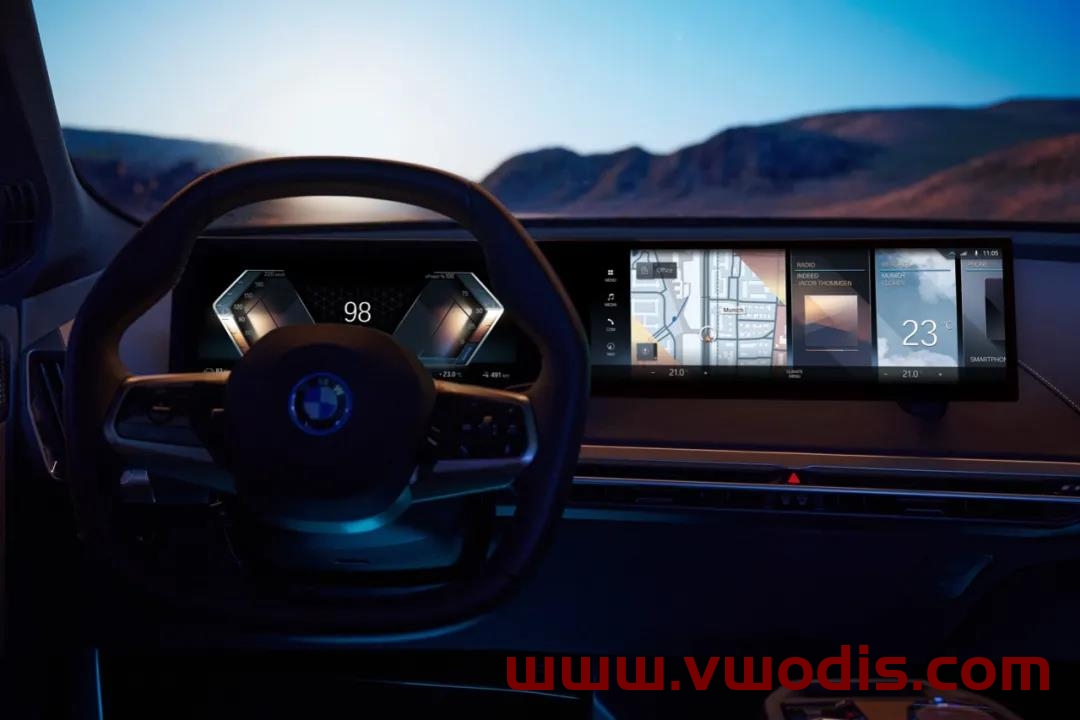
    Note: This navigation data is only applicable to vehicles equipped with MGU21-22 host and the 8th generation BMW Operation System (OS8) (that is, all vehicles equipped with curved screen).

    Upgrade steps:
    1. Prepare a Type-C interface USB flash disk of no less than 64G and format it in ExFAT or NTFS format.

    2. COPY the 9 files/folders in the extracted folder to the root directory of the USB flash drive.

    3. Plug in the USB-C interface of the central control.

    4. The system will prompt “USB device has map update, do you want to update?” Click “Update now”, and the system will start loading data and update.

    5. The driver’s door cannot be opened or closed during about 20 minutes, otherwise the update will be suspended because the vehicle power is turned off (if the vehicle power is suspended, the transmission will be interrupted).

    6. After the map data is loaded, restart the navigation according to the prompts, and pull out the USB flash disk to complete the upgrade.


  • 【地图】BMW MGU21主机 2022年第2季度最新地图数据(for ID8 )

    更新包名称:NAVD_00005A02_255_006_108

    注意:本导航数据仅适用于装备有MGU21主机暨第8代 BMW Operation System(OS8)的车型。


    升级步骤:

    1、 准备一个不少于64G的Type-C接口U盘,将其格式化为ExFAT或NTFS格式。

    2、 将解压后文件夹内的9个文件/文件夹COPY至U盘根目录。

    3、 上车插入中控的USB-C接口。

    4、 系统会提示「USB设备有地图更新,是否更新」,点击「现在更新」,则系统开始加载数据,更新开始。

    5、大约20分钟左右,期间不可开闭主驾车门,否则会因车辆电源关闭而中止更新(若中止可重新开启车辆电源,会断点续传)。

    6、 地图数据加载完成后,根据提示重启导航,并拔出U盘,升级完成。


  • 【地图】宝马地图MGU主机地图-BMW MGU Master Road Map China MGU 2022-3(for all ID7)

    版本:2022-3(第三季度)

    适用型号:MGU主机

    数据包信息:


    第一步:确定主机版本。
    主界面一地图一设置一位置和版本一版本信息,可分辩是否为MGU主机,进而辨别能否升级。如果版本显示是Road Map CHINA Live即可升级,重点是Live四个字母。当然,目前来说ID7即是MGU主机,即是Live版地图。

    第二步:下载压缩包。
    进入网盘后把所有压缩包全部下载下来。推荐下载时全程关闭杀毒软件和防火墙,这样不容易出错,在之后解压的时候最好也关闭杀毒软件。由于百度网盘没有会员限速比较严重建议开通或者租借一个会员来下载,会快很多。

    第三步:解压压缩包
    输入解压密码解压前面下载的压缩包。开始解压后会自动在你所选的路径下建立名的文件夹,解压出来的所有地图数据都会在这个文件夹中,而耐心等待解压进度读满即可。

    第四步:核对地图升级文件。
    对解压好后自动生成的2022-3MGU文件夹单击右键点属性。

    第五步:地图包拷贝至U盘
    拷贝文件之前先将U盘里原先储存的文件转移清空,再将U盘格式化为NTFS格式或exFAT格式。最后将之前解压出来的2022-3MGU文件夹复制或剪切到此U盘中。
    当然第四步可以合第三步一起操作,直接选择压缩包解压至U盘当中。老郭怕出错所以是一步步来的。

    第六步:正式开始升级地图
    坐进车里启动车机后将含有地图升级文件的U盘插入扶手箱或中控杯架处的USB端口,点击确认升级后耐心等待升级完成即可。

    升级步骤:
    1、准备一个不少于64G的U盘,将其格式化为ExFAT或NTFS格式。
    2、将解压后文件夹内的4个文件COPY至U盘根目录。
    3、上车插入中控杯架处的USB-A接口。
    4、系统会提示[USB设备有地图更新,是否更新」,点击[现在更新」,则系统开始加载数据,更新开始。
    5、大约20分钟左右,期间不可开闭主驾车门,否则会因车辆电源关闭而中止更新(若中止可重新开启车辆电源,会断点续传)。
    6、升级完后,根据提示重启导航,待重启完毕,拔出U盘,升级完成。

  • 【地图】宝马地图MGU主机地图-BMW MGU Master Road Map China MGU 2022-2(for all ID7)

    版本:2022-2(第二季度)

    适用型号:MGU主机

    数据包信息:


    第一步:确定主机版本。
    主界面一地图一设置一位置和版本一版本信息,可分辩是否为MGU主机,进而辨别能否升级。如果版本显示是Road Map CHINA Live即可升级,重点是Live四个字母。当然,目前来说ID7即是MGU主机,即是Live版地图。

    第二步:下载压缩包。
    进入网盘后把所有压缩包全部下载下来。推荐下载时全程关闭杀毒软件和防火墙,这样不容易出错,在之后解压的时候最好也关闭杀毒软件。由于百度网盘没有会员限速比较严重建议开通或者租借一个会员来下载,会快很多。

    第三步:解压压缩包
    输入解压密码解压前面下载的压缩包。开始解压后会自动在你所选的路径下建立名的文件夹,解压出来的所有地图数据都会在这个文件夹中,而耐心等待解压进度读满即可。

    第四步:核对地图升级文件。
    对解压好后自动生成的2022-2MGU文件夹单击右键点属性。

    第五步:地图包拷贝至U盘
    拷贝文件之前先将U盘里原先储存的文件转移清空,再将U盘格式化为NTFS格式或exFAT格式。最后将之前解压出来的2020-2MGU文件夹复制或剪切到此U盘中。
    当然第四步可以合第三步一起操作,直接选择压缩包解压至U盘当中。老郭怕出错所以是一步步来的。

    第六步:正式开始升级地图
    坐进车里启动车机后将含有地图升级文件的U盘插入扶手箱或中控杯架处的USB端口,点击确认升级后耐心等待升级完成即可。

    升级步骤:
    1、准备一个不少于64G的U盘,将其格式化为ExFAT或NTFS格式。
    2、将解压后文件夹内的4个文件COPY至U盘根目录。
    3、上车插入中控杯架处的USB-A接口。
    4、系统会提示[USB设备有地图更新,是否更新」,点击[现在更新」,则系统开始加载数据,更新开始。
    5、大约20分钟左右,期间不可开闭主驾车门,否则会因车辆电源关闭而中止更新(若中止可重新开启车辆电源,会断点续传)。
    6、升级完后,根据提示重启导航,待重启完毕,拔出U盘,升级完成。

  • 【地图】BMW MGU21主机 2022年第1季度最新地图数据(for ID8 )

    【地图】BMW MGU21主机 2022年第1季度最新地图数据(for ID8 )

    更新包名称:NAVD_00005A02_255_006_108

    注意:本导航数据仅适用于装备有MGU21主机暨第8代 BMW Operation System(OS8)的车型。


    升级步骤:

    1、 准备一个不少于64G的Type-C接口U盘,将其格式化为ExFAT或NTFS格式。

    2、 将解压后文件夹内的9个文件/文件夹COPY至U盘根目录。

    3、 上车插入中控的USB-C接口。

    4、 系统会提示「USB设备有地图更新,是否更新」,点击「现在更新」,则系统开始加载数据,更新开始。

    5、大约20分钟左右,期间不可开闭主驾车门,否则会因车辆电源关闭而中止更新(若中止可重新开启车辆电源,会断点续传)。

    6、 地图数据加载完成后,根据提示重启导航,并拔出U盘,升级完成。


  • 【地图】BMW Road Map MGU For All ID8 2021.2

    注意:本导航数据仅适用于装备有MGU21主机暨第8代 BMW Operation System(OS8)的车型(如iX i4等)

    升级步骤:

    1、 准备一个不少于64G的Type-C接口U盘,将其格式化为ExFAT或NTFS格式。

    2、 将解压后文件夹内的7个文件/文件夹COPY至U盘根目录。

    3、 上车插入中控的USB-C接口。

    4、 系统会提示「USB设备有地图更新,是否更新」,点击「现在更新」,则系统开始加载数据,更新开始。

    5、大约20分钟左右,期间不可开闭主驾车门,否则会因车辆电源关闭而中止更新(若中止可重新开启车辆电源,会断点续传)。

    6、 升级完后,根据提示重启导航,待重启完毕,拔出U盘,升级完成。


  • 【地图】BMW Road Map Europe Live 2022-1

    BMW Road Map Europe Live 2022-1

    BMW Road Map Europe Live 2022-1

    BMW Road Map Europe Live 2022-1

  • 【地图】宝马地图MGU主机地图-BMW MGU Master Road Map China MGU 2021-4

    版本:2021-4(第四季度)

    适用型号:MGU主机

    数据包信息:


    第一步:确定主机版本。
    主界面一地图一设置一位置和版本一版本信息,可分辩是否为MGU主机,进而辨别能否升级。如果版本显示是Road Map CHINA Live即可升级,重点是Live四个字母。当然,目前来说ID7即是MGU主机,即是Live版地图。

    第二步:下载压缩包。
    进入网盘后把所有压缩包全部下载下来。推荐下载时全程关闭杀毒软件和防火墙,这样不容易出错,在之后解压的时候最好也关闭杀毒软件。由于百度网盘没有会员限速比较严重建议开通或者租借一个会员来下载,会快很多。

    第三步:解压压缩包
    输入解压密码解压前面下载的压缩包。开始解压后会自动在你所选的路径下建立名的文件夹,解压出来的所有地图数据都会在这个文件夹中,而耐心等待解压进度读满即可。

    第四步:核对地图升级文件。
    对解压好后自动生成的2021-2MGU文件夹单击右键点属性。

    第五步:地图包拷贝至U盘
    拷贝文件之前先将U盘里原先储存的文件转移清空,再将U盘格式化为NTFS格式或exFAT格式。最后将之前解压出来的2020-2MGU文件夹复制或剪切到此U盘中。
    当然第四步可以合第三步一起操作,直接选择压缩包解压至U盘当中。老郭怕出错所以是一步步来的。

    第六步:正式开始升级地图
    坐进车里启动车机后将含有地图升级文件的U盘插入扶手箱或中控杯架处的USB端口,点击确认升级后耐心等待升级完成即可。

    升级步骤:
    1、准备一个不少于64G的U盘,将其格式化为ExFAT或NTFS格式。
    2、将解压后文件夹内的4个文件COPY至U盘根目录。
    3、上车插入中控杯架处的USB-A接口。
    4、系统会提示[USB设备有地图更新,是否更新」,点击[现在更新」,则系统开始加载数据,更新开始。
    5、大约20分钟左右,期间不可开闭主驾车门,否则会因车辆电源关闭而中止更新(若中止可重新开启车辆电源,会断点续传)。
    6、升级完后,根据提示重启导航,待重启完毕,拔出U盘,升级完成。