Mercedes Benz XENTRY XDOS 25.6.4 Install Package and Activation Software
Mercedes Benz XENTRY XDOS 25.6.4 Install Package and Activation Software
Mercedes Benz XENTRY XDOS 25.6.4 Install Package and Activation Software
Important!!!
The program collects some data on the operation of Xentry (only Xentry, not any personal data!) and sends it to our server. By clicking the “Next” button, you agree to this condition!
– You definitely need to disable Secure boot in Bios!!!
– Antivirus must be disabled!
Instructions for activating Xentry!!!
1. Install Xentry, preferably on a clean system (Xentry 2021-2025 are supported) and restart your PC.
2. Finish this installation.
3. Launch Xentry from your desktop.
When starting Xentry and the program asks for offline login, you need to enter:
Login: z
Password: z
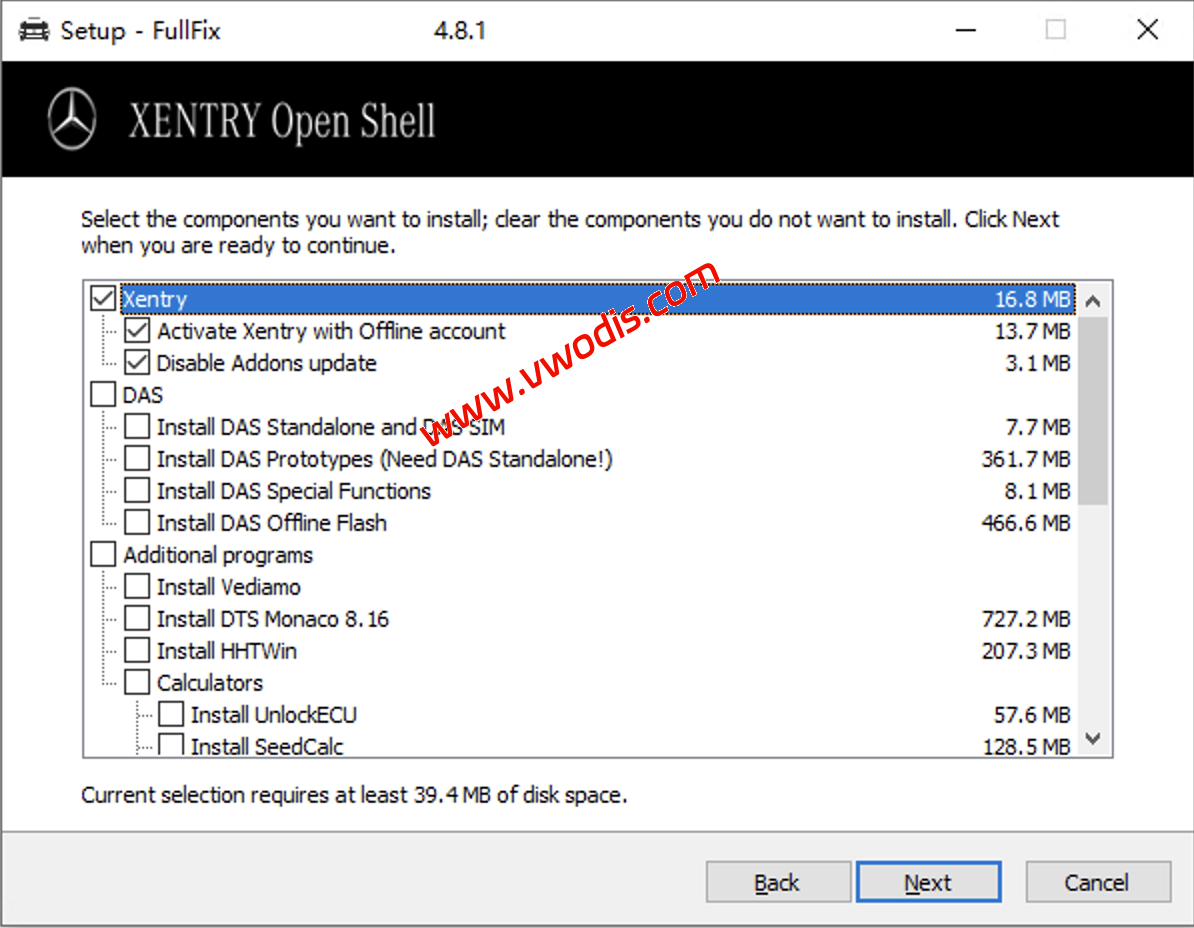
Additional programs, add-ons and activations:
– XENTRY Special Functions Keygen and DAS FDOK Keygen.
– DAS Standalone & DAS Simulation, and bug fixes (18).
– Activation of special functions in DAS and bypassing the password request.
– Adding Prototypes to DAS. Adds 166, 197, 204, 207 and 212 to DAS Standalone (must have DAS Standalone).
– Offline update in DAS Standalone.
– HHTWin.
– Some SeedCalcs.
– Vediamo 4.02.02 or Vediamo 5.01.01 with simplified installation and activation.
– DTS Monaco 8.16. Fixing the Blue Screen problem, installation, 2 activation methods and configuration for VCX SE (if desired).
– Script for working XDOS with ENET cable (before Xentry 2025).
– 7G SCN by Samik.
– SW Finder v5.2.
– VGSNAG2 Manager v1.6.
– Ignition Enabler (if you have Xentry PassThru).
– Simple IP Config program for easy work with Ethernet adapter IP addresses.
– Download Manager COMAND Hard-disc navigation.
发表回复
要发表评论,您必须先登录。