标签: Audi

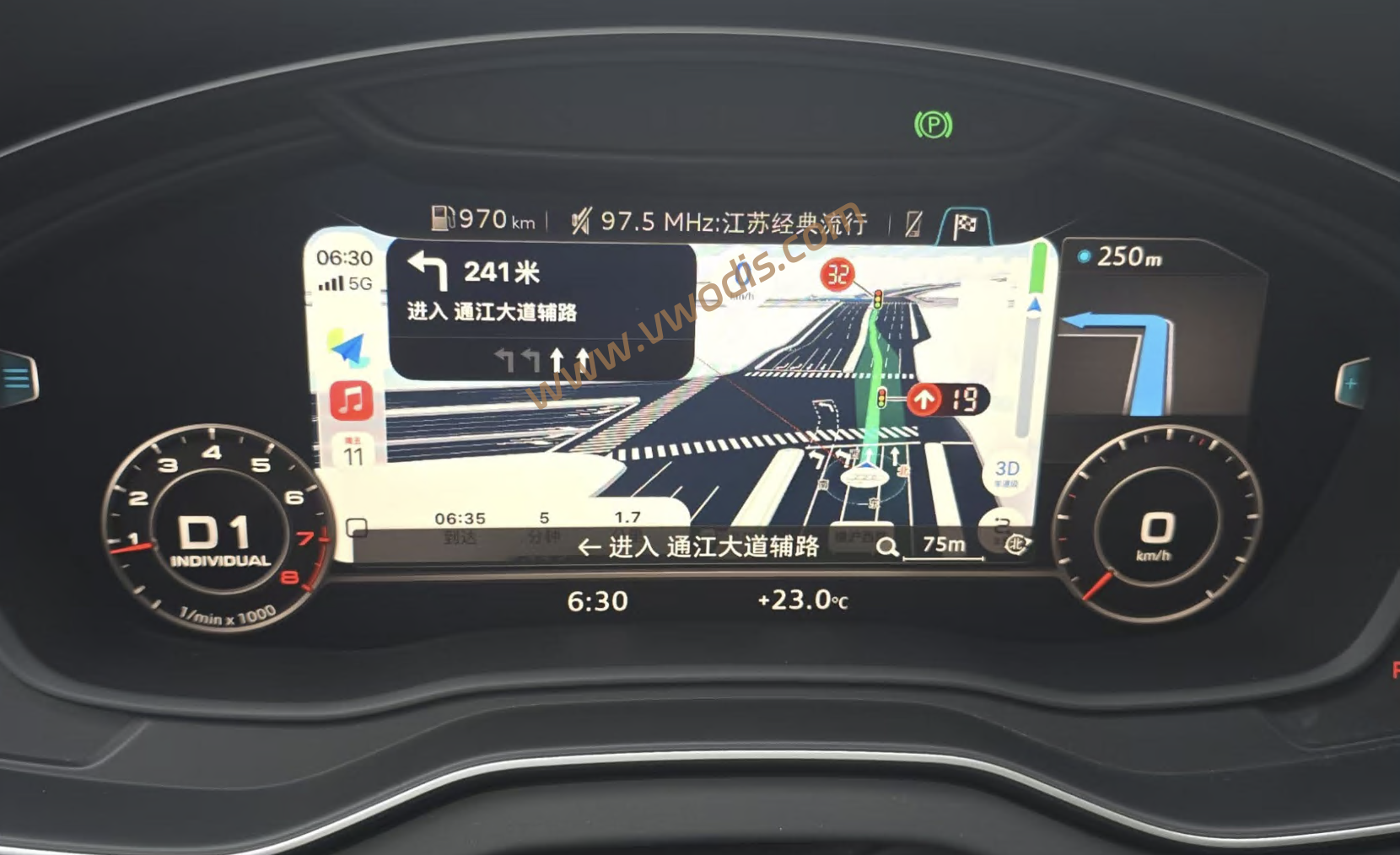
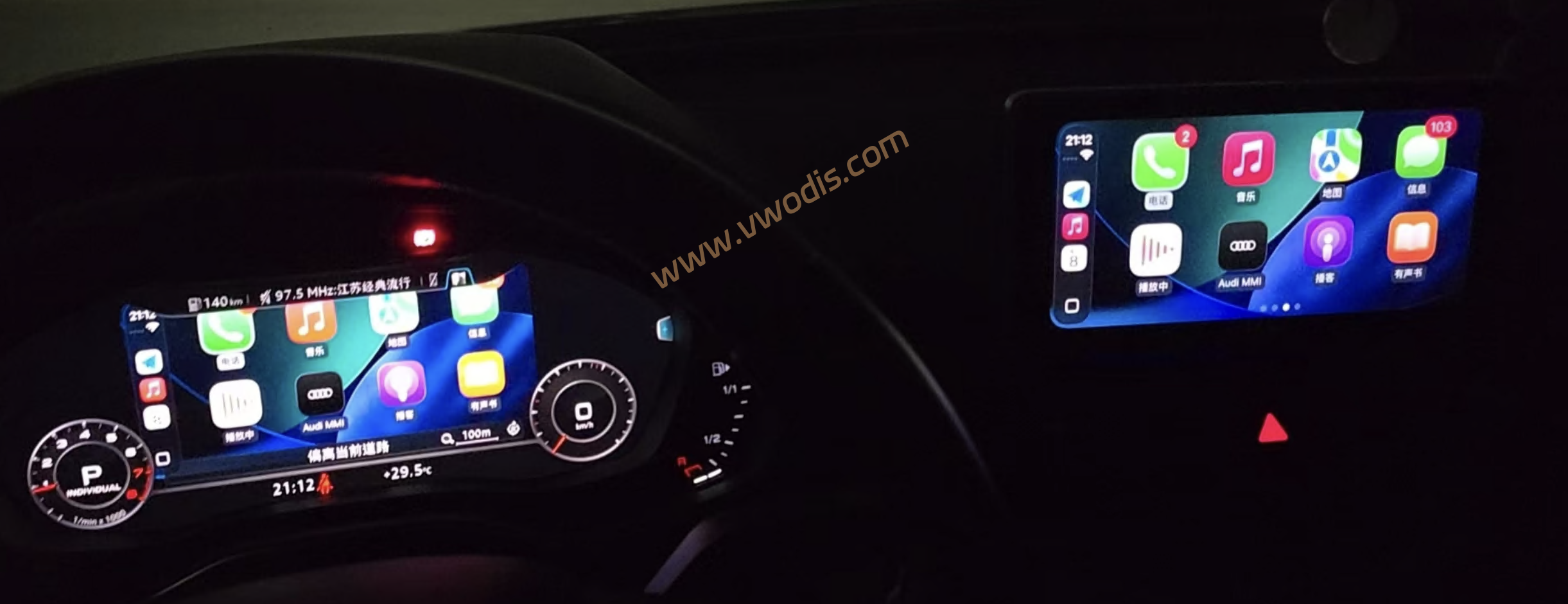
  • 【方案】奥迪MHI2Q+MIB2车机Carplay投屏到液晶仪表文件

    【方案】奥迪MHI2Q+MIB2车机Carplay投屏到液晶仪表文件

    奥迪MHI2Q+MIB2车机Carplay投屏到液晶仪表文件

    奥迪MHI2Q+MIB2车机Carplay投屏到液晶仪表文件

    奥迪MHI2Q+MIB2车机Carplay投屏到液晶仪表文件

    已知问题:

    使用 AutoStart(自启动) 启动的 MMI Mirror,在长时间连续使用后可能出现黑屏。请务必注意驾驶安全;若需要长时间使用,建议使用手动 Start MMI Mirror。目前手动 Start 未发现此问题。若行驶中出现黑屏,请不要在驾驶过程中操作车机,确保安全停车后再处理。

    Audi MHI2Q / MIB2 High 平台,将 CarPlay Route Guidance(RGI) 与 MMI Mirror 组合使用。CarPlay RGI 负责将 CarPlay 导航引导与相关交互扩展至 Virtual Cockpit / HUD,MMI Mirror 则将 MMI 中控画面实时镜像至 Virtual Cockpit 的地图显示区域,并通过 Green Engineering Menu 完成安装、启动、诊断与恢复。

    重要:

    RGI 与 MMI Mirror 是两个独立安装步骤。如果需要同时使用 CarPlay RGI + MMI Mirror,必须先安装 CarPlay RGI,再安装 MMI Mirror。不会代替 CarPlay RGI 的安装;如果未预先安装 RGI,则该流程只安装 MMI Mirror。此外,部分车机似乎会出现carplay界面花屏现象,如出现此现象,请卸载RGI,单独使用mmi镜像Install/Update MMI Mirror

    安装与使用
    如果希望使用 CarPlay RGI + MMI Mirror,请严格按照以下顺序安装:

    安装 CarPlay RGI
    ↓
    等待至少 30 秒后重启车机 / HMI
    ↓
    确认 RGI 导航显示与交互正常
    ↓
    安装 / 更新 MMI Mirror
    ↓
    重启车机 / HMI
    ↓
    手动启动 MMI Mirror 并确认正常
    ↓
    按需开启 AutoStart
    不要先安装 MMI Mirror 再安装 RGI。组合方案以已经安装并正常工作的 CarPlay RGI 为前置基础。

    如果只需要 MMI Mirror,不需要 CarPlay RGI,可以跳过 RGI 安装步骤,直接安装 MMI Mirror。

  • 【固件】奥迪变速箱固件FL_8W2927155ED__0002.odx

    【固件】奥迪变速箱固件FL_8W2927155ED__0002.odx

    奥迪变速箱固件FL_8W2927155ED__0002.odx

    奥迪变速箱固件FL_8W2927155ED__0002.odx

    奥迪变速箱固件FL_8W2927155ED__0002.odx

  • 【Firmware】Audi Gearbox Firmware FL_80D927155D__0001.odx

    【Firmware】Audi Gearbox Firmware FL_80D927155D__0001.odx

    Audi Gearbox Firmware FL_80D927155D__0001.odx

    Audi Gearbox Firmware FL_80D927155D__0001.odx

    Audi Gearbox Firmware FL_80D927155D__0001.odx

  • 【固件】奥迪变速箱固件FL_80D927155D__0001.odx

    【固件】奥迪变速箱固件FL_80D927155D__0001.odx

    奥迪变速箱固件FL_80D927155D__0001.odx

    奥迪变速箱固件FL_80D927155D__0001.odx

    奥迪变速箱固件FL_80D927155D__0001.odx

  • 【固件】Audi  TTRS 2.5TFSI 虚拟声浪固件

    【固件】Audi TTRS 2.5TFSI 虚拟声浪固件

    Audi TTRS 2.5TFSI 虚拟声浪固件

    Audi TTRS 2.5TFSI 虚拟声浪固件

    Audi TTRS 2.5TFSI 虚拟声浪固件

  • 【Tutorial】2024 Audi A4L B9 Hidden Functions: Complete Procedure for Enabling Wi‑Fi Hotspot (Including 5F Coding and Android Box Configuration)

    Within the infotainment system of the Chinese‑market Audi A4L B9, numerous functions lie buried deep within coding and configuration logic.

    In particular, the in‑vehicle Wi‑Fi hotspot. Though officially marketed as part of the AudiConnect service, FAW‑Audi vehicles can actually activate this feature independently via local hardware and software configuration, without subscribing to complex online services.

    I. Key Points Before Enabling the Wi‑Fi Function

    Official Audi documentation for the A4 B9 lists “Wi‑Fi hotspot / Connected devices” as an optional feature. Wi‑Fi hotspot is available only when the vehicle is equipped with “Audi connect + MMI + embedded SIM / connectivity module”.

    Some users have enabled Wi‑Fi hotspot and wireless CarPlay through coding or adaptation using VCDS or ODIS‑E. This proves many A4 B9 units possess hardware capability for these features, commonly referred to as hidden‑function coding.

    Once Wi‑Fi hotspot is activated, simply turn it on under MMI SETTINGS and connect your device to share the vehicle’s network.

    II. Not All A4 B9 Units Can Be Enabled Merely by Hidden‑Function Coding

    Wi‑Fi hotspot availability depends on factory‑fitted or retrofitted hardware: the Connectivity / Audi connect module, MMI communication unit, and eSIM hardware.

    If your vehicle is a base trim lacking these components, software‑only activation will not work.

    Even if coding succeeds and the Wi‑Fi hotspot menu appears on‑screen, actual internet access may still require paid subscriptions or data‑plan SIM cards.

    Enabling wireless CarPlay or Wi‑Fi hotspot requires coding, adaptation or parameterization via diagnostic tools such as VCDS or ODIS‑E. Software activation delivers no practical benefit without compatible underlying hardware.

    III. General Workflow for Enabling Wi‑Fi Hotspot

    Verify your vehicle’s hardware configuration. Check whether your A4 is fitted with Audi connect, on‑board communication module, embedded SIM, and confirm the MMI hardware version (MIB2+, MIB3, MH2p, etc.).

    For domestic FAW‑Audi A4 B9 models, this package is heavily customized for the Chinese market. You may consult official dealers or service centers, as certain functions may require official activation or paid subscriptions.

    Please refer to the attachment for the full activation tutorial.

  • 【Tutorial】Complete Solution for Communication Fault of 90CL Control Unit on FAW‑Audi A3L 2025 Model

    Recently, a number of FAW‑Audi A3L vehicles equipped with the 90CL control unit have experienced stability issues with functions such as connected‑car login and emergency call activation. Typical symptoms include:

    • Failure to log in to the connected‑car account
    • Prompt: “Login incomplete, please try again later”
    • Persistent static fault codes
    • Unavailable emergency call (eCall) with indicator light off
    • Failure to establish backend communication

    Root Cause of the Fault

    After the certificate of the internal ConMod communication module inside the 90CL (J949) expires, the vehicle cannot establish a verified connection with remote servers over encrypted channels. This directly results in:

    • Failed IVI login for Chinese‑region accounts
    • Locked‑up emergency call function
    • Offline status displayed for relevant functional modules
    • Communication errors and backend verification‑failure DTCs visible within ODIS

    This fault cannot be resolved by simple initialization or data clearing. A firmware upgrade is mandatory to replace the new certificate signature.

    Please download the attachment for the full step‑by‑step tutorial.

  • 【固件】Audi奥迪转向柱固件FL_4N0907129_0005.odx

    【固件】Audi奥迪转向柱固件FL_4N0907129_0005.odx

    Audi奥迪转向柱固件FL_4N0907129_0005.odx

    Audi奥迪转向柱固件FL_4N0907129_0005.odx

    Audi奥迪转向柱固件FL_4N0907129_0005.odx

  • 【固件】Audi奥迪ABS 8W0907379K_0766固件

    【固件】Audi奥迪ABS 8W0907379K_0766固件

    Audi奥迪ABS 8W0907379K_0766固件

    Audi奥迪ABS 8W0907379K_0766固件

    Audi奥迪ABS 8W0907379K_0766固件

  • 【Software】Audi MHI3 MPR3 Unit US‑to‑EU Conversion Tool MHI3&MPR3 sshd activator v1.0 + Tutorial

    Audi MHI3 MPR3 Unit US‑to‑EU Conversion Tool MHI3&MPR3 sshd activator v1.0 + Tutorial

    Audi MHI3 MPR3 Unit US‑to‑EU Conversion Tool MHI3&MPR3 sshd activator v1.0 + Tutorial

    Audi MHI3 MPR3 Unit US‑to‑EU Conversion Tool MHI3&MPR3 sshd activator v1.0 + Tutorial