博客

  • Toyota EPC 09.2020 Full Repack

    Toyota EPC 09.2020 Full Repack

    Toyota EPC 09.2020 Full Repack

    Toyota EPC 09.2020 Full Repack

  • Toyota EPC 09.2020 Full Repack

    Toyota EPC 09.2020 Full Repack

    Toyota EPC 09.2020 Full Repack

    Toyota EPC 09.2020 Full Repack

  • ETKA v8.3 + Crack + VIN Search + Keygen

    This is the (end of) February 2021 OEM Release of the VW/SEAT/SKODA/AUDI Electronic Parts Catalogue incl. my crack,
    which you can use on every Windows 7/8/10 32Bit/64Bit native or virtual System.

    Database:
    VW: 1387
    Seat: 913
    Skoda: 919
    Audi: 1387

    The crack includes online database updater, online price updater, (worldwide) price country changer, version changer and search history deleter.
    Price data (as of March 3rd, 2021) can also be installed with the crack or downloaded separately by online price updater.

    Exclusive feature: The installed updates will never expire again. With every licensed start of the ETKA Loader, the validity periods are set up to the year 2037!

    The archive with KG at the end of the filename contains the crack, the keygen and the read me (read it carefully!!!!).

    Troubleshooting

    Hardlock Error:

    • it’s important that Windows Defender and antivirus programs are deactivated during the cracking process, because the emulator is detected as false positive
    • make sure you have chosen the proper emulator (x64/x86/OS)

    No display of the HWID or debugging error:

    • install the latest Windows updates
    • install .NET framework 2.0
    • install .NET framework 3.5
    • install .NET framework 4.0
    • install .NET framework 4.5
    • install Visual C Redistributable
    • install Microsoft Visual Studio (at least Visual Basic Express)
    • scan Windows for corrupt system files
    • if you use VirtualBox, then use VMware instead of it

    The entered license is not valid:

    • make sure that you do not accidentally insert spaces
    • make sure that you have entered the correct name
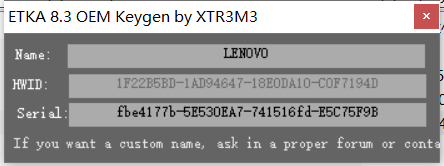
    • make sure you have correct serial (ETKA 8.2 Serial doesn’t work!)

    Error 1920. Service LexCom Update Service failed to start:

    • run the setup as administrator
    • copy the files from “Install_Prog” folder to local harddrive and run “Etka_Setup.exe”

    Not all installed brands are available in ETKA:
    • it’s important to install the brand DVDs first and only after that apply the crack

  • ETKA v8.3 + Crack + VIN Search + Keygen

    This is the (end of) February 2021 OEM Release of the VW/SEAT/SKODA/AUDI Electronic Parts Catalogue incl. my crack,
    which you can use on every Windows 7/8/10 32Bit/64Bit native or virtual System.

    Database:
    VW: 1387
    Seat: 913
    Skoda: 919
    Audi: 1387

    The crack includes online database updater, online price updater, (worldwide) price country changer, version changer and search history deleter.
    Price data (as of March 3rd, 2021) can also be installed with the crack or downloaded separately by online price updater.

    Exclusive feature: The installed updates will never expire again. With every licensed start of the ETKA Loader, the validity periods are set up to the year 2037!

    The archive with KG at the end of the filename contains the crack, the keygen and the read me (read it carefully!!!!).

    Troubleshooting

    Hardlock Error:

    • it’s important that Windows Defender and antivirus programs are deactivated during the cracking process, because the emulator is detected as false positive
    • make sure you have chosen the proper emulator (x64/x86/OS)

    No display of the HWID or debugging error:

    • install the latest Windows updates
    • install .NET framework 2.0
    • install .NET framework 3.5
    • install .NET framework 4.0
    • install .NET framework 4.5
    • install Visual C Redistributable
    • install Microsoft Visual Studio (at least Visual Basic Express)
    • scan Windows for corrupt system files
    • if you use VirtualBox, then use VMware instead of it

    The entered license is not valid:

    • make sure that you do not accidentally insert spaces
    • make sure that you have entered the correct name
    • make sure you have correct serial (ETKA 8.2 Serial doesn’t work!)

    Error 1920. Service LexCom Update Service failed to start:

    • run the setup as administrator
    • copy the files from “Install_Prog” folder to local harddrive and run “Etka_Setup.exe”

    Not all installed brands are available in ETKA:

    • it’s important to install the brand DVDs first and only after that apply the crack

  • Mib048 台湾导航地图数据最新版20200915

    適用MY18後搭載Discover Pro導航系統車型

    以下車款與車型皆能享有 Mapcare 10 年免費圖資更新權益:

    • The Golf R-Line
    • The Golf Variant R-Line
    • The Golf GTI
    • The Golf R
    • The Sportsvan R-Line
    • The Touran R-Line
    • The Tiguan Highline / R-Line Performance
    • The Passat R-Line / R-Line Performance

    ※Mapcare 導航圖資更新服務僅限於 2017 年 22 週後出廠,且搭載原廠中文導航系統之多媒體主機
    ※10 年免費 Mapcare 導航圖資更新服務不適用於已停產產品

    更新指南

    如何將 Mapcare 最新導航圖資更新至您的愛車導航系統中?

    事前準備

    1. 需備妥記憶體容量至少為 32 GB 的 SD 卡 ( 建議使用速度等級 10 的SDHC 卡 ),以更新導航資料。
    2. 如果使用 Windows 作業系統,您需要如 7-Zip 的解壓縮程式。如果使用其他的作業系統,您需要可支援 .7z 檔案格式的程式,才能解壓縮下載的檔案。
    3. 地圖素材可能會佔用超過 17 GB 的記憶體,這表示您的電腦硬碟必須至少擁有這個大小的可用空間。您的電腦硬碟必須為 NTFS 格式,以處理如此大型的檔案,此為較新款電腦所使用的標準系統。如果您的電腦較舊,請在「檔案總管」中以右鍵按一下硬碟圖示,並選擇「內容」,以確認硬碟是否格式化。

      步驟一:下載最新資料

      1. 請查看本頁面「檔案下載專區」,於此下載最新資料。由於傳輸大量的資料 ( 目前約 17 GB ),建議使用下載管理員分批次下載檔案,且不可同時下載三個檔案。您也可以選擇下載單一檔案;視您的網路連線速度而定,下載時間可能會超過八小時。所有的資料皆以 .7z 格式壓縮。
      2. 下載新版本的所有檔案,並儲存於電腦中的新資料夾 (例如「地圖更新」)。
      3. 將 SD 卡上的開關滑到「解鎖」位置,將 SD 卡插入電腦的 SD 卡槽或外接讀卡機。
      4. 刪除 SD 卡上的所有資料,或重新格式化記憶卡。此程序依照作業系統而有所不同:若使用 Windows,請至 SD 卡磁碟機,以右鍵按一下並選擇「格式化」;若使用其他作業系統,請依照製造商的指示操作。
      5. 在電腦上開啟 Mapcare.ZIP 下載資料並將檔案解壓縮至 SD 卡。避免資料匯入失敗,解壓縮檔案請勿另外建立資料夾儲存或是更改檔案路徑。

      6. 解壓縮程序完成後,從電腦或讀卡機取出 SD 卡。接著將 SD 卡上的開關滑到「鎖定」位置。

        步驟二:愛車安裝方式

        1. 您可至多媒體主機按下「功能表」按鈕,在顯示畫面中,選擇「設定」>「系統資訊」選項,即可於 Discover Pro 系統中確認目前的地圖資料版本。
        2. 請查看本頁面「檔案下載專區」以確認是否有新版本可供下載。

          步驟三:將資料匯入至導航系統

          1. 將 SD 卡插入 Discover Pro 系統的其中一個卡槽。
          2. 選擇「功能表」>「設定」>「版本資訊」>「更新軟體」。資料將會複製到導航系統的內部硬碟。
          3. 請依照顯示單元的指示操作。

            步驟四:確定更新版本

            1. 請至多媒體主機按下「功能表」按鈕,在顯示畫面中,選擇「設定」>「系統資訊」,確定 Discover Pro 系統中目前的地圖資料為最新版本。

              注意事項

              1. 複製過程中,點火裝置必須保持啟動狀態,且此時無法使用導航功能。由於傳輸的資料數量龐大,且需視您使用的 SD 卡類型,此程序最多可能需要 4 個小時。請確保電池已充飽電,以完成此更新 (如果車輛已停妥,請關閉所有車燈、風扇、座椅加熱等不需使用的耗電系統)。

              2. 如有需要,請將電池連接到充電器。如果程序中斷 ( 如引擎關閉時 ),則當點火裝置再次開啟時,複製過程會自動回復至中斷前的進度。
  • Mib048 台湾导航地图数据最新版20200915

    適用MY18後搭載Discover Pro導航系統車型

    以下車款與車型皆能享有 Mapcare 10 年免費圖資更新權益:

    • The Golf R-Line
    • The Golf Variant R-Line
    • The Golf GTI
    • The Golf R
    • The Sportsvan R-Line
    • The Touran R-Line
    • The Tiguan Highline / R-Line Performance
    • The Passat R-Line / R-Line Performance

    ※Mapcare 導航圖資更新服務僅限於 2017 年 22 週後出廠,且搭載原廠中文導航系統之多媒體主機
    ※10 年免費 Mapcare 導航圖資更新服務不適用於已停產產品

    更新指南

    如何將 Mapcare 最新導航圖資更新至您的愛車導航系統中?

    事前準備

    1. 需備妥記憶體容量至少為 32 GB 的 SD 卡 ( 建議使用速度等級 10 的SDHC 卡 ),以更新導航資料。
    2. 如果使用 Windows 作業系統,您需要如 7-Zip 的解壓縮程式。如果使用其他的作業系統,您需要可支援 .7z 檔案格式的程式,才能解壓縮下載的檔案。
    3. 地圖素材可能會佔用超過 17 GB 的記憶體,這表示您的電腦硬碟必須至少擁有這個大小的可用空間。您的電腦硬碟必須為 NTFS 格式,以處理如此大型的檔案,此為較新款電腦所使用的標準系統。如果您的電腦較舊,請在「檔案總管」中以右鍵按一下硬碟圖示,並選擇「內容」,以確認硬碟是否格式化。

      步驟一:下載最新資料

      1. 請查看本頁面「檔案下載專區」,於此下載最新資料。由於傳輸大量的資料 ( 目前約 17 GB ),建議使用下載管理員分批次下載檔案,且不可同時下載三個檔案。您也可以選擇下載單一檔案;視您的網路連線速度而定,下載時間可能會超過八小時。所有的資料皆以 .7z 格式壓縮。
      2. 下載新版本的所有檔案,並儲存於電腦中的新資料夾 (例如「地圖更新」)。
      3. 將 SD 卡上的開關滑到「解鎖」位置,將 SD 卡插入電腦的 SD 卡槽或外接讀卡機。
      4. 刪除 SD 卡上的所有資料,或重新格式化記憶卡。此程序依照作業系統而有所不同:若使用 Windows,請至 SD 卡磁碟機,以右鍵按一下並選擇「格式化」;若使用其他作業系統,請依照製造商的指示操作。
      5. 在電腦上開啟 Mapcare.ZIP 下載資料並將檔案解壓縮至 SD 卡。避免資料匯入失敗,解壓縮檔案請勿另外建立資料夾儲存或是更改檔案路徑。

      6. 解壓縮程序完成後,從電腦或讀卡機取出 SD 卡。接著將 SD 卡上的開關滑到「鎖定」位置。

        步驟二:愛車安裝方式

        1. 您可至多媒體主機按下「功能表」按鈕,在顯示畫面中,選擇「設定」>「系統資訊」選項,即可於 Discover Pro 系統中確認目前的地圖資料版本。
        2. 請查看本頁面「檔案下載專區」以確認是否有新版本可供下載。

          步驟三:將資料匯入至導航系統

          1. 將 SD 卡插入 Discover Pro 系統的其中一個卡槽。
          2. 選擇「功能表」>「設定」>「版本資訊」>「更新軟體」。資料將會複製到導航系統的內部硬碟。
          3. 請依照顯示單元的指示操作。

            步驟四:確定更新版本

            1. 請至多媒體主機按下「功能表」按鈕,在顯示畫面中,選擇「設定」>「系統資訊」,確定 Discover Pro 系統中目前的地圖資料為最新版本。

              注意事項

              1. 複製過程中,點火裝置必須保持啟動狀態,且此時無法使用導航功能。由於傳輸的資料數量龐大,且需視您使用的 SD 卡類型,此程序最多可能需要 4 個小時。請確保電池已充飽電,以完成此更新 (如果車輛已停妥,請關閉所有車燈、風扇、座椅加熱等不需使用的耗電系統)。

              2. 如有需要,請將電池連接到充電器。如果程序中斷 ( 如引擎關閉時 ),則當點火裝置再次開啟時,複製過程會自動回復至中斷前的進度。
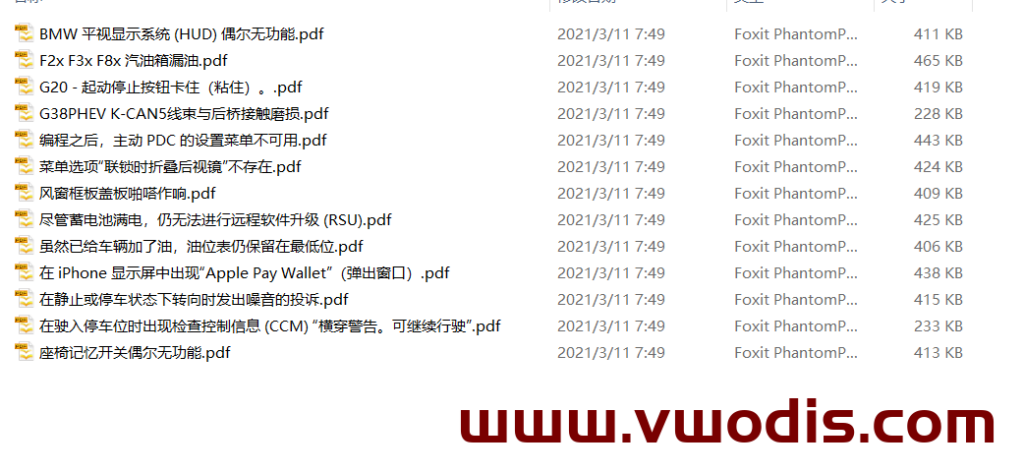
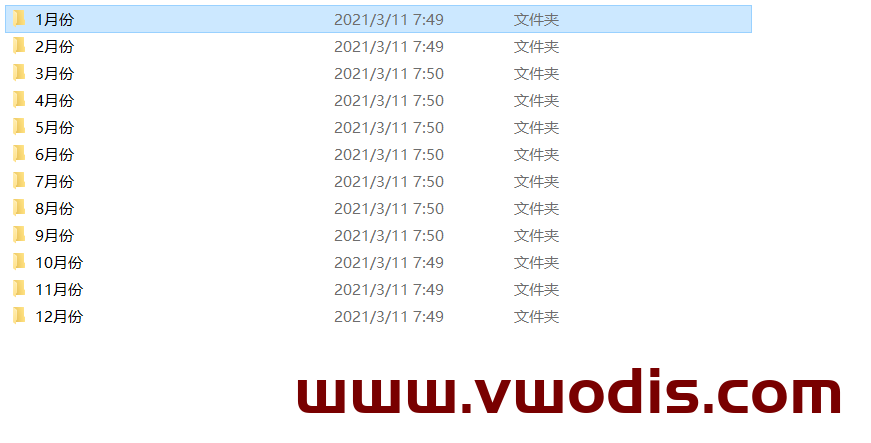
  • 宝马2020年技术通报

    宝马2020年技术通报

  • 宝马2020年技术通报

    宝马2020年技术通报