Volkswagen 1.0TSI Gearbox Firmware FL_09S927158DH__3920.odx
Volkswagen 1.0TSI Gearbox Firmware FL_09S927158DH__3920.odx
Volkswagen 1.0TSI Gearbox Firmware FL_09S927158DH__3920.odx
Browse Volkswagen Modification technical resources covering factory firmware, infotainment updates, diagnostic software, coding tutorials, wiring diagrams, retrofit guides, parameter files, repair cases and troubleshooting notes for Volkswagen Group vehicles.

Volkswagen 1.0TSI Gearbox Firmware FL_09S927158DH__3920.odx
Volkswagen 1.0TSI Gearbox Firmware FL_09S927158DH__3920.odx
Volkswagen 1.0TSI Gearbox Firmware FL_09S927158DH__3920.odx
Volkswagen Digital Instrument Cluster Firmware FL_19D920310__2202.odx
Volkswagen Digital Instrument Cluster Firmware FL_19D920310__2202.odx
Volkswagen Digital Instrument Cluster Firmware FL_19D920310__2202.odx

Audi Gearbox Firmware FL_80D927155D__0001.odx
Audi Gearbox Firmware FL_80D927155D__0001.odx
Audi Gearbox Firmware FL_80D927155D__0001.odx
Volkswagen Touareg Camera Firmware FL_7P6980556__0160.odx
Volkswagen Touareg Camera Firmware FL_7P6980556__0160.odx
Volkswagen Touareg Camera Firmware FL_7P6980556__0160.odx
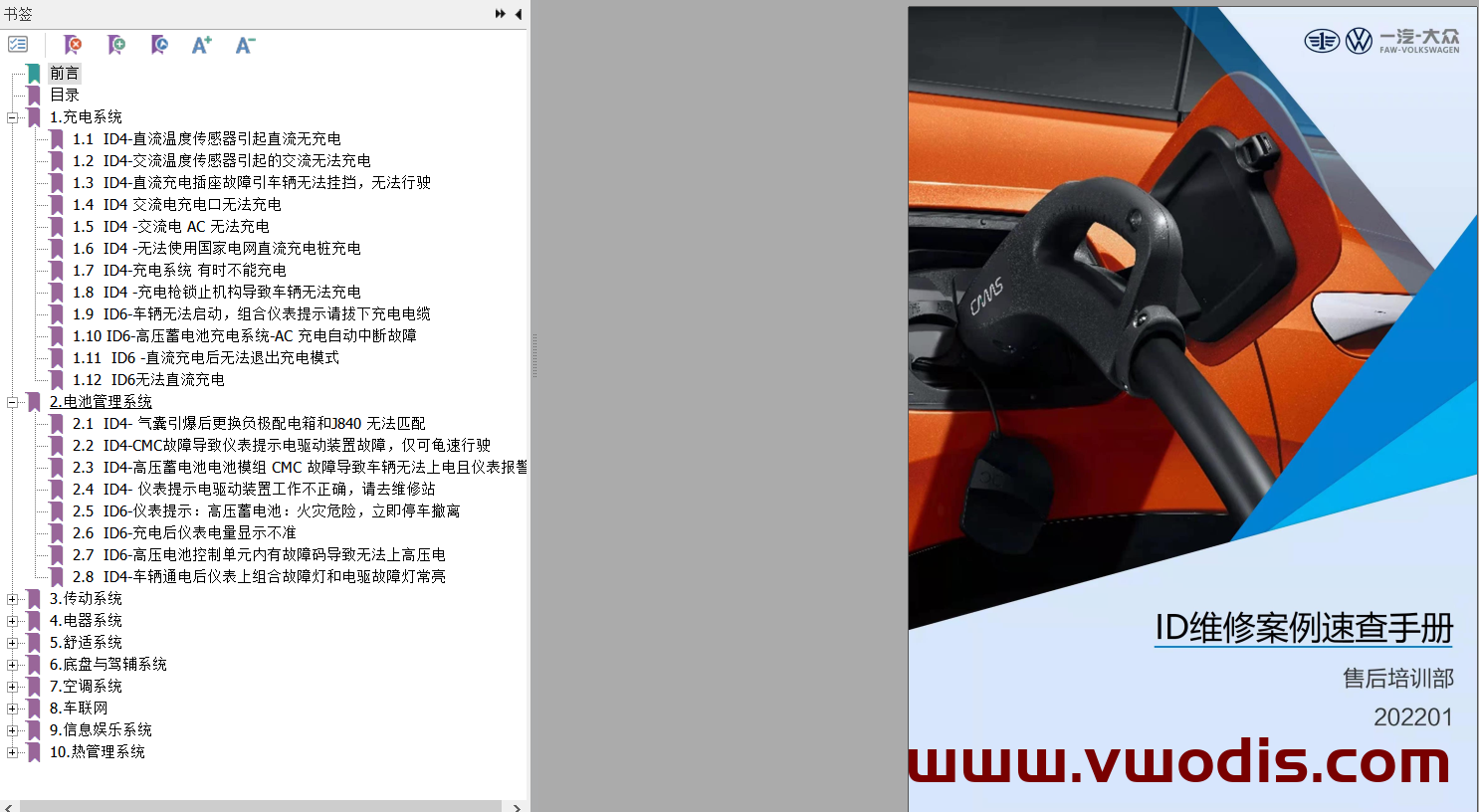
FAW‑Volkswagen ID.4 & ID.6 Repair Cases ‑ Quick Reference Manual for ID Series Vehicle Repair Cases
FAW‑Volkswagen ID.4 & ID.6 Repair Cases ‑ Quick Reference Manual for ID Series Vehicle Repair Cases
FAW‑Volkswagen ID.4 & ID.6 Repair Cases ‑ Quick Reference Manual for ID Series Vehicle Repair Cases
01-VW ID Model Maintenance Case Quick Reference Manual
02–ID4 model replacement rear motor maintenance guide
03–ID4 model Maintenance guide for air conditioning compressor with R134a refrigerant
04-TPI-ID4 roof trim abnormal noise maintenance guide
05–ID DC relay stuck in the open position during DC charging maintenance case 20220916
06-ID4 Technical description that the key is unlocked in the vehicle and the door cannot be opened normally from the outside

Volkswagen Golf A8 1.4T Technical Analysis Report on Intermittent Instrument Cluster “Parking Radar System Fault”
Volkswagen Golf A8 1.4T Technical Analysis Report on Intermittent Instrument Cluster “Parking Radar System Fault”
Volkswagen Golf A8 1.4T Technical Analysis Report on Intermittent Instrument Cluster “Parking Radar System Fault”
Volkswagen T‑Roc Retrofit Guideline for Inner‑and‑Outer Screw Torque of Left‑Front Upper Door
Volkswagen T‑Roc Retrofit Guideline for Inner‑and‑Outer Screw Torque of Left‑Front Upper Door
Volkswagen T‑Roc Retrofit Guideline for Inner‑and‑Outer Screw Torque of Left‑Front Upper Door
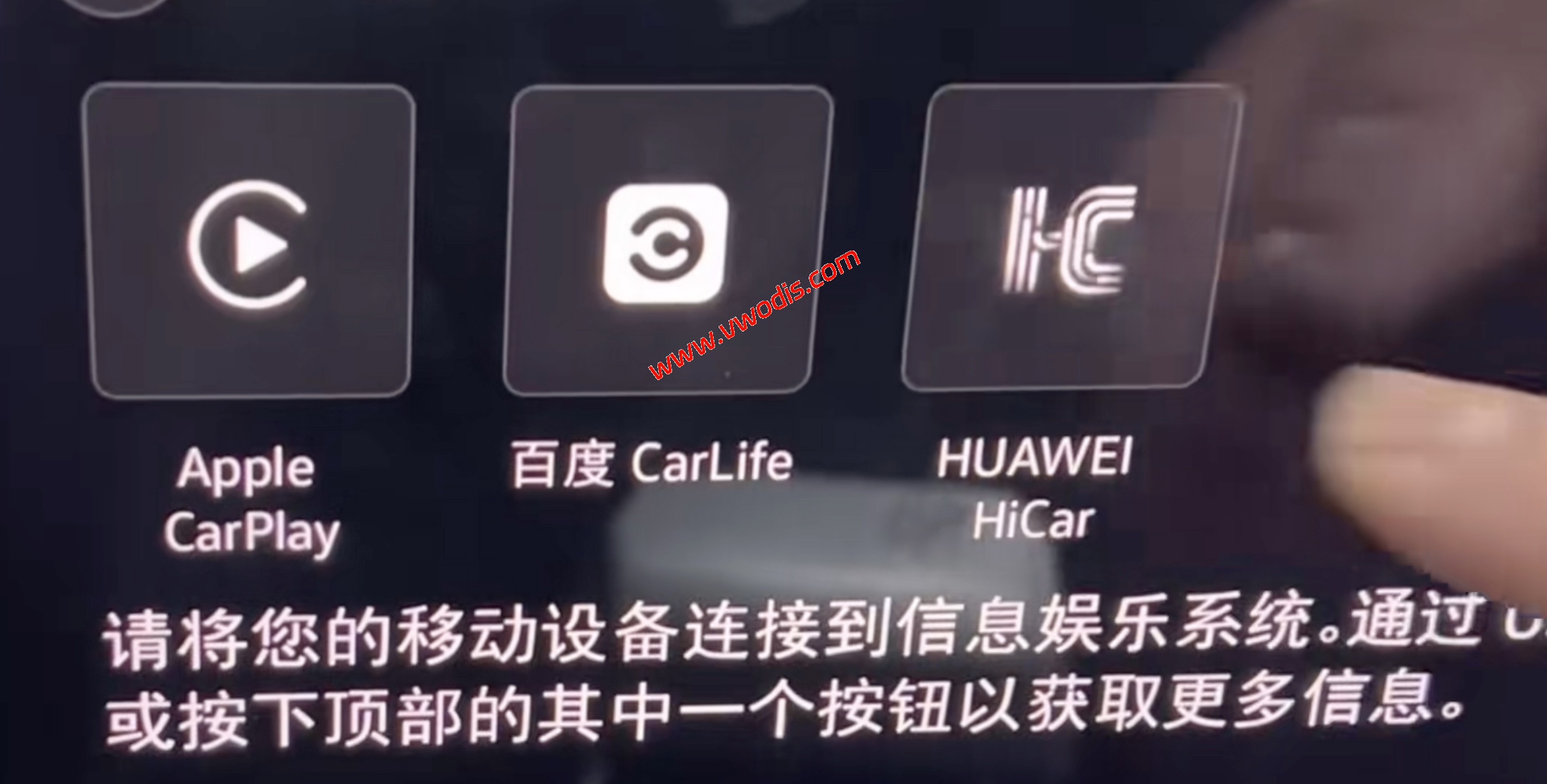
Guide to Enabling Huawei HiCar on Volkswagen MQB EVO Platform
Guide to Enabling Huawei HiCar on Volkswagen MQB EVO Platform
Guide to Enabling Huawei HiCar on Volkswagen MQB EVO Platform
开通条件:5HG035866/5HG035866F
支持车型:上汽大众凌渡L、途昂、威然
固件:需要升级到0776
Coding Guide for Retrofit 360‑Degree Panoramic View on Volkswagen ID.4 X
Coding Guide for Retrofit 360‑Degree Panoramic View on Volkswagen ID.4 X
Coding Guide for Retrofit 360‑Degree Panoramic View on Volkswagen ID.4 X
Within the infotainment system of the Chinese‑market Audi A4L B9, numerous functions lie buried deep within coding and configuration logic.
In particular, the in‑vehicle Wi‑Fi hotspot. Though officially marketed as part of the AudiConnect service, FAW‑Audi vehicles can actually activate this feature independently via local hardware and software configuration, without subscribing to complex online services.
Official Audi documentation for the A4 B9 lists “Wi‑Fi hotspot / Connected devices” as an optional feature. Wi‑Fi hotspot is available only when the vehicle is equipped with “Audi connect + MMI + embedded SIM / connectivity module”.
Some users have enabled Wi‑Fi hotspot and wireless CarPlay through coding or adaptation using VCDS or ODIS‑E. This proves many A4 B9 units possess hardware capability for these features, commonly referred to as hidden‑function coding.
Once Wi‑Fi hotspot is activated, simply turn it on under MMI SETTINGS and connect your device to share the vehicle’s network.
Wi‑Fi hotspot availability depends on factory‑fitted or retrofitted hardware: the Connectivity / Audi connect module, MMI communication unit, and eSIM hardware.
If your vehicle is a base trim lacking these components, software‑only activation will not work.
Even if coding succeeds and the Wi‑Fi hotspot menu appears on‑screen, actual internet access may still require paid subscriptions or data‑plan SIM cards.
Enabling wireless CarPlay or Wi‑Fi hotspot requires coding, adaptation or parameterization via diagnostic tools such as VCDS or ODIS‑E. Software activation delivers no practical benefit without compatible underlying hardware.
Verify your vehicle’s hardware configuration. Check whether your A4 is fitted with Audi connect, on‑board communication module, embedded SIM, and confirm the MMI hardware version (MIB2+, MIB3, MH2p, etc.).
For domestic FAW‑Audi A4 B9 models, this package is heavily customized for the Chinese market. You may consult official dealers or service centers, as certain functions may require official activation or paid subscriptions.
Please refer to the attachment for the full activation tutorial.