Audi【vwodis】2022 Audi Q2L Q3L Open the door and the tail lights come on Tutorial
Audi【vwodis】2022 Audi Q2L Q3L Open the door and the tail lights come on Tutorial
Audi【vwodis】2022 Audi Q2L Q3L Open the door and the tail lights come on Tutorial
Browse Volkswagen Modification technical resources covering factory firmware, infotainment updates, diagnostic software, coding tutorials, wiring diagrams, retrofit guides, parameter files, repair cases and troubleshooting notes for Volkswagen Group vehicles.
Audi【vwodis】2022 Audi Q2L Q3L Open the door and the tail lights come on Tutorial
Audi【vwodis】2022 Audi Q2L Q3L Open the door and the tail lights come on Tutorial
Audi【vwodis】2022 Audi Q2L Q3L Open the door and the tail lights come on Tutorial
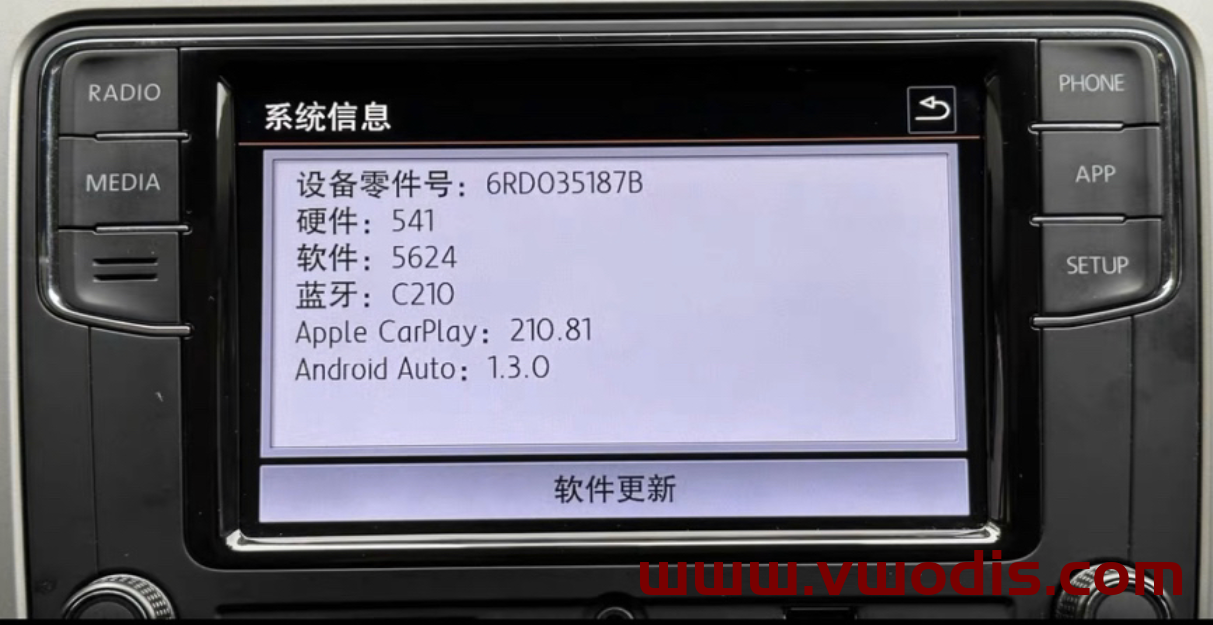
This lates firmware ( 5624 ) Fixed Calls , Sound , Facetime , Whatsapp issue ( ios 16.xxx )
info :
– Fixed ios 16.xx and iphone 14 Carplay Calls ( sound ) issue
– Fixed Whatsapp calls and Facetime audio calls issue
– New Start logo integrated
– Wireless Carplay dongle connection issue fixed
– Slove the problem that the Carplay sound suddenly increases
– App – Connect works very well.
– FM Radio / Media / Phone functions works very well.
Compatible Devices:
Brand : Toppower (Noname), Visteon
Part Number : 6RD035187B / 6RF035187C / 6RF035187E
Incompatible Devices:
Brand : Desay SV Automotive
Part Number : 6RD035187B (HW: 036, SW: 0317)
Rcd 360 : Sw : V8571 – 5711 -57xx- 58xx
Audi【vwodis】Audi MQB Activate Driving Mode Coding Tutorial
Audi【vwodis】Audi MQB Activate Driving Mode Coding Tutorial
Audi【vwodis】Audi MQB Activate Driving Mode Coding Tutorial
Audi【vwodis】2022 Audi Q2L Q3L Activate The Reverse Right Rearview Mirror Automatic Flip Down Tutorial
Audi【vwodis】2022 Audi Q2L Q3L Activate The Reverse Right Rearview Mirror Automatic Flip Down Tutorial
Audi【vwodis】2022 Audi Q2L Q3L Activate The Reverse Right Rearview Mirror Automatic Flip Down Tutorial
Skoda【vwodis】Skoda Kamiq Lane Keeping 3Q0980654S Parameter
Skoda【vwodis】Skoda Kamiq Lane Keeping 3Q0980654S Parameter
Skoda【vwodis】Skoda Kamiq Lane Keeping 3Q0980654S Parameter
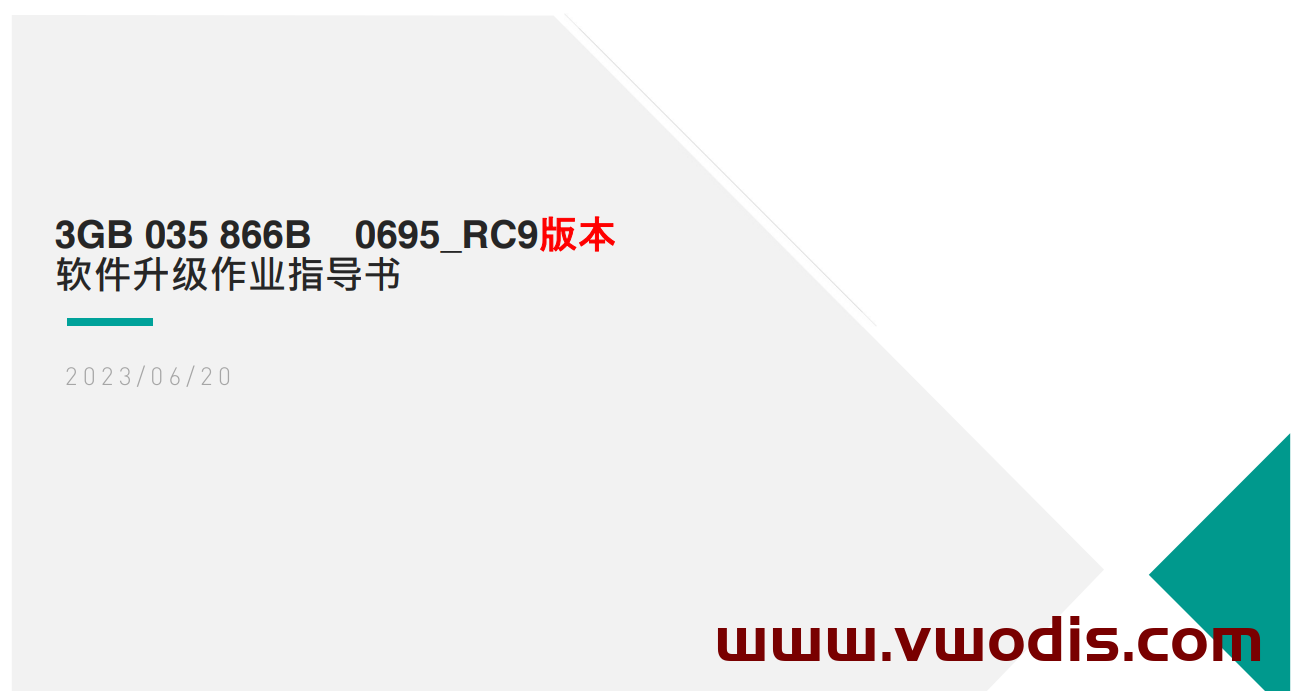
Scope of use: Navigation host with part number 3GB035866B for the above models
Main improvement content:
1. The online apps of versions 0691, 0692, and 0693 cannot be loaded (in fact, online music can be played normally and the next song function can be switched on the home interface)
2. Vehicle-to-everything Root certificate expires
3. Bluetooth phone noise
Upgrade method:
Unzip the file to obtain two folders: Data and Meta
The USB drive to be upgraded, formatted
Copy the Data and Meta folders directly to the upgraded USB drive
The vehicle is powered on, the host Factory reset twice, and the Bluetooth and network data connections are canceled
Insert the USB flash drive, long press the host Menu key, and the service mode screen will pop up
Select the software update/version option and click on the right side to start updating
7. Afterwards, the screen may turn off for about 20 seconds until the screen automatically lights up again
8. Double click Update in the displayed screen (click once to select, click twice to execute)
9. Click on the USB option to enter the loading interface
10. Click on Standard in the new interface
11. Slide the white scroll bar on the left side of the new interface, drag it to the bottom, and double-click Start update
12. Double click on Start update on the new interface to start refreshing.
13. After the upgrade Progress bar is complete, slide the left white scroll bar, click the last Resume, and wait for restart to complete the system upgrade!
VW【vwodis】VW Tiguan Power tailgate 5Q0959107AA Parameter
VW【vwodis】VW Tiguan Power tailgate 5Q0959107AA Parameter
VW【vwodis】VW Tiguan Power tailgate 5Q0959107AA Parameter
VW【vwodis】VW T-ROC ACC 2Q0907572AA 2Q0907572AB Parameter
VW【vwodis】VW T-ROC ACC 2Q0907572AA 2Q0907572AB Parameter
VW【vwodis】VW T-ROC ACC 2Q0907572AA 2Q0907572AB Parameter
VW【vwodis】VW Tiguan ACC 2Q0907572AA Parameter
VW【vwodis】VW Tiguan ACC 2Q0907572AA Parameter
VW【vwodis】VW Tiguan ACC 2Q0907572AA Parameter
Skoda【vwodis】Skoda Kodiaq ACC 2Q0907572AA Parameter
Skoda【vwodis】Skoda Kodiaq ACC 2Q0907572AA Parameter
Skoda【vwodis】Skoda Kodiaq ACC 2Q0907572AA Parameter