分类: Other Vehicles

This category gathers Other Vehicles automotive resources including diagnostic tools, ECU data, software packages, wiring diagrams, service manuals, programming tutorials, repair cases and retrofit references.

  • 【Software】Immo Doctor【vwodis】Immo Doctor V2.1+Keygen

    Immo Doctor【vwodis】Immo Doctor V2.1+Keygen

    Immo Doctor【vwodis】Immo Doctor V2.1+Keygen
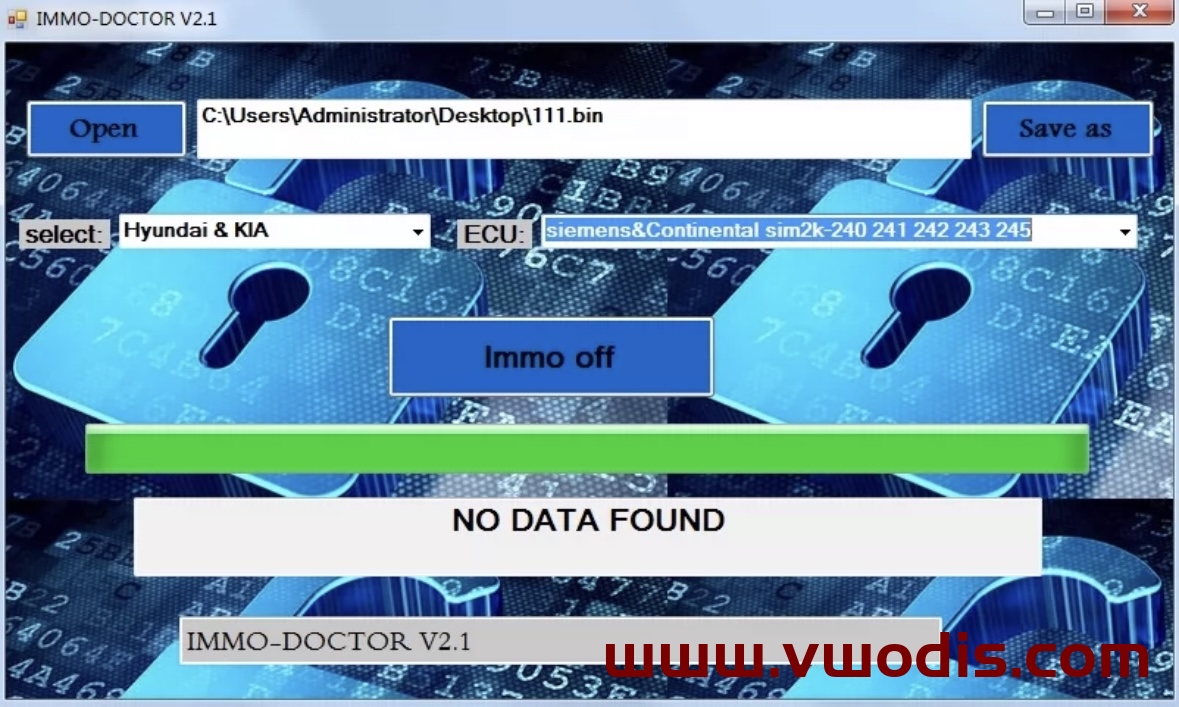
    Immo Doctor【vwodis】Immo Doctor V2.1+Keygen
  • 【Firmware】Porsche【vwodis】Porsche 911 992 MIB 5F MH2p Firmware

    Porsche【vwodis】Porsche 911 992 MIB 5F MH2p Firmware

    Porsche【vwodis】Porsche 911 992 MIB 5F MH2p Firmware

    Porsche【vwodis】Porsche 911 992 MIB 5F MH2p Firmware

    MH2p_AS_POG35_P9829

    MH2p_ER_POG35_K2872

    MH2p_ER_POG35_P2865

    MH2p_ER_POG35_P9829

    MH2p_US_POG35_P9829

  • 【Firmware】Toyota【vwodis】Toyota VENZA Host Firmware Upgrade Version 049

    Toyota【vwodis】Toyota VENZA Host Firmware Upgrade Version 049

    Toyota【vwodis】Toyota VENZA Host Firmware Upgrade Version 049

    Toyota【vwodis】Toyota VENZA Host Firmware Upgrade Version 049

    P30001299193 Use 942_HF_04.62_240301_SWX049_enc
    P30001290193 Use 942_M_04.62_240301_SWX049_enc

    P30001299393 Use 319D_HF_04.63_240301_SWX049_enc
    P30001290393 Use 319D_HM_04.63_240301_SWX049_enc

  • 【Firmware】Toyota【vwodis】Toyota HIGHLANDER Host Firmware Upgrade Version 049

    Toyota【vwodis】Toyota HIGHLANDER Host Firmware Upgrade Version 049

    Toyota【vwodis】Toyota HIGHLANDER Host Firmware Upgrade Version 049

    Toyota【vwodis】Toyota HIGHLANDER Host Firmware Upgrade Version 049

    Toyota HIGHLANDER Host Firmware P30001287193.zip

    Toyota HIGHLANDER Host Firmware P30001287393.zip

    Toyota HIGHLANDER Host Firmware P30001288193.zip

    Toyota HIGHLANDER Host Firmware P30001288393.zip

  • 【Frimware】Porsche【vwodis】Porsche MIB MH2P 5F MH2p_ER_PO416_P2865 Frimware

    Porsche【vwodis】Porsche MIB MH2P 5F MH2p_ER_PO416_P2865 Frimware

    Porsche【vwodis】Porsche MIB MH2P 5F MH2p_ER_PO416_P2865 Frimware

    Porsche【vwodis】Porsche MIB MH2P 5F MH2p_ER_PO416_P2865 Frimware

  • 【Software】Ford【vwodis】Ford All In One v3.2

    Ford【vwodis】Ford All In One v3.2

    Ford【vwodis】Ford All In One v3.2

    Ford【vwodis】Ford All In One v3.2
    Supported cars:

    Ford Transit Connect 2005-2010, Ford Fiesta 2006-2009, Ford Fusion 2006-2009, Ford Mondeo 2008+, Ford Galaxy 2008+, Ford S-max 2008+

    Supported ECU:

    SID804, EDC16, SID206, SID202, SID803, SIM210

    How immobilizer works on Ford Transit Connect 2005-2010, Ford Fiesta 2006-2009, Ford Fusion 2006-2009:

    Immobilizer data (PATS) on these cars are stored in the instrument cluster(IC) HC12 processor.
    Instrument cluster receive transponder key signal from immobilizer coil and if key data is equal to car, IC send synchronization signal to motor ECU.
    If transponder key is stored in IC and synchronization data IC-ECU is correct, ECU permit to start the engine.

    If car transponder key is lost:

    Read with CarProg instrument cluster EEPROM by OBDII (or you can remove IC from car and read HC12 processor EEPROM with any programmer (like CarProg, XPROG OR UPA), save file and open it with “Open IC dump”. Program will show you transponder data. Write this data to EH2 or TPX2 transponder with any transponder programmer (like RW4, Codereader or Zedbull).

    If immobilizer lamp is ON, motor ECU is defective/lost:

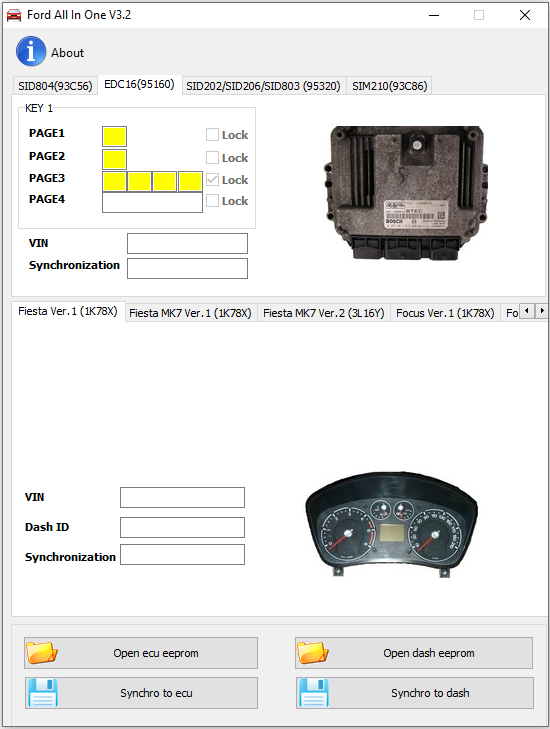
    Read with CarProg instrument cluster EEPROM by OBDII (or you can remove IC from car and read HC12 processor EEPROM with any programmer (like CarProg, XPROG OR UPA), save file and open it with “Open IC dump”. Open ECU(SID804,EDC16,SID206,SIM210) and read EEPROM (with CarProg you can read in-circuit). Open file with “Open ECU EEPROM” button. Now press button Synchro to ecu (if you want to transfer data from dashboard to ecu) or Synchro to Dash (if you want to transfer data from ecu to dash) and write saved file to dash (if you done synchro to dash) or ecu (if you done synchro to ecu).

    How does immobilizer work on Ford Mondeo 2008+, Galaxy 2008+, S-max 2008+:

    Immobilizer data (PATS) on these cars are stored in the Intelligent power distribution module (GEM) located in passenger compartment fuse box. GEM receive transponder key signal from immobilizer coil and if the key data is equal to car, GEM sends synchronization signal to motor ECU. If transponder key is stored in GEM and synchronization data GEM-ECU is correct, GEM permits to start the engine.

    If car transponder key is lost:

    1. Remove GEM (Intelligent power distribution module) from car.
    2. Open and locate 25320 EEPROM. Read (with CarProg you can read in-circuit).
    3. Save file and open with “Open GEM EEPROM”. Program will show you transponder data.
    4. Write this data to EH2 or TPX2 transponder with any transponder programmer (like RW4, Codereader or Zedbull)

    If motor ECU is defective/lost:

    1. Remove GEM (Intelligent power distribution module) from the car.
    2. Open and locate 25320 EEPROM. Read (with CarProg you can read in-circuit).
    3. Save file and open with “Open GEM EEPROM”.
    4. Open ECU and read EEPROM.
    5. Open file with “Open ECU EEPROM” button.
    6. Now transfer synchronization data from GEM to motor ECU using button Synchro to ecu.
    7. Save ECU file and write it back to Engine Control Module

  • 【Software】Toyota【vwodis】Toyota Techstream Universal Loader-Support V18.00.008

    【Software】Toyota【vwodis】Toyota Techstream Universal Loader-Support V18.00.008

    Toyota【vwodis】Toyota Techstream Universal Loader-Support V18.00.008

    Toyota【vwodis】Toyota Techstream Universal Loader-Support V18.00.008

    Toyota【vwodis】Toyota Techstream Universal Loader-Support V18.00.008

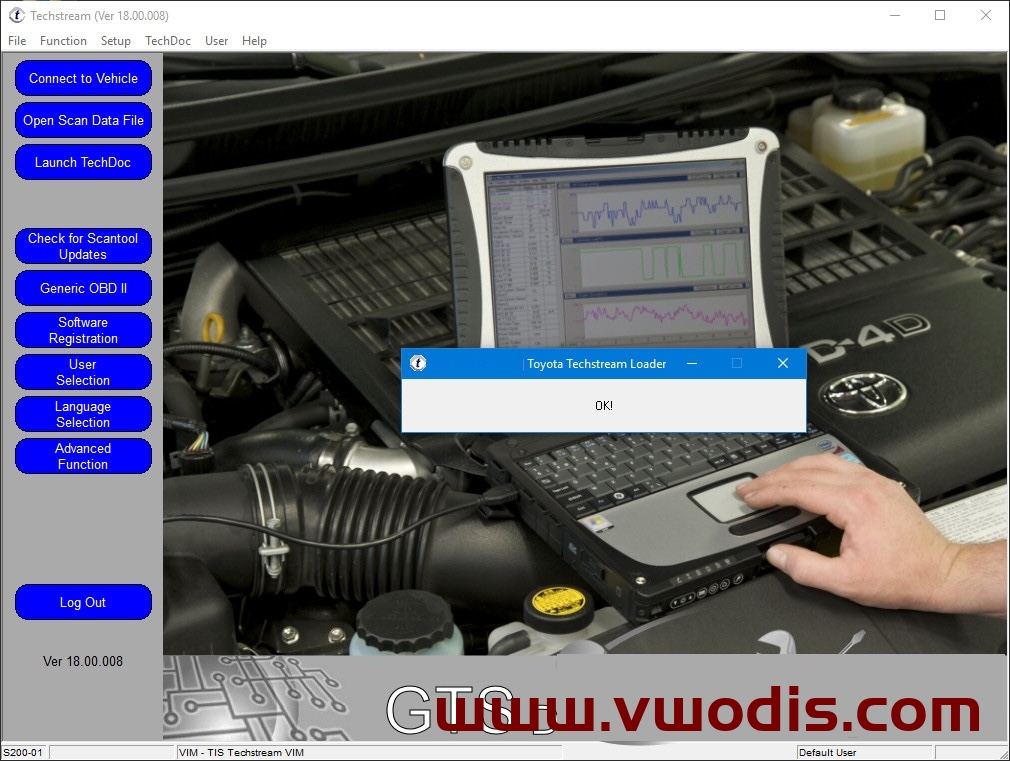
    Toyota Techstream Universal Loader

    This loader allows you to bypass the activation of Toyota Techstream (TIS) of all currently existing versions.
    The installer creates a separate shortcut to run the diagnostic program without registration.

    Techstream version: v10.00.028 and above

  • 【Software】Renault【vwodis】Renault CLIP Tool v2.6

    Renault【vwodis】Renault CLIP Tool v2.6

    Renault【vwodis】Renault CLIP Tool v2.6

    Renault【vwodis】Renault CLIP Tool v2.6

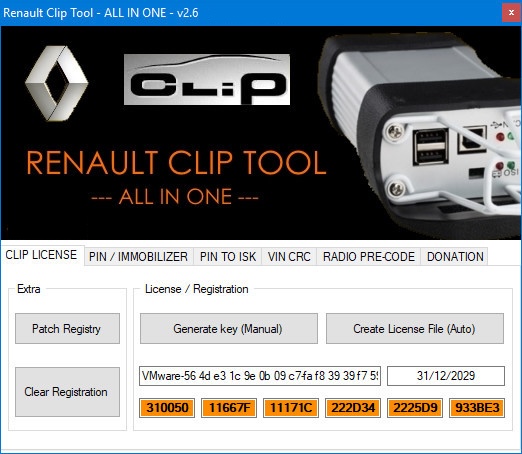
    Renault CLIP Tool v2.6
    It must be run as an administrator and requires the. NET Framework to be installed.
    Functions:

    • ISK to PIN code
    • CLIP – incode/outcode
    • Key tag to PIN code
    • EEPROM dump to code
    • CLIP – reprog code
    • PIN to ISK (JControls 95160, MC9S12, Sagem 9366)
    • VIN to CRC
    • Radio code

    Immobilizers:

    • Siemens 9366
    • Sagem 9366 (Clio 2)
    • Sagem 9366 (Kangoo, Master, Traffic, Mascot, Vivaro, Movano)
    • Sagem 9366 (algo2) (Kangoo, Master, Traffic, Mascot, Vivaro, Movano)
    • MC68HC912DG128 (Laguna 1 ph2, Laguna 2, Velsatis)
    • Johnson Controls 95080 (Kangoo, Master, Traffic, Vivaro, Movano) – 2007+
    • UCH 95160 (Laguna 2 ph2, Espace IV, Velsatis ph2)
    • MC9S12DG256 (Megane 2, Scenic 2)
    • Continental 95040 (Symbol, Logan, Duster, Sandero) – 2010 +
    • Johnson Controls 9366 (Logan, Duster, Sandero) – 2010 +
    • MC68HC05B16 (Megan, Scenic 8 digits pin)
    • Johnson Controls 95160 (Clio 3, Modus)

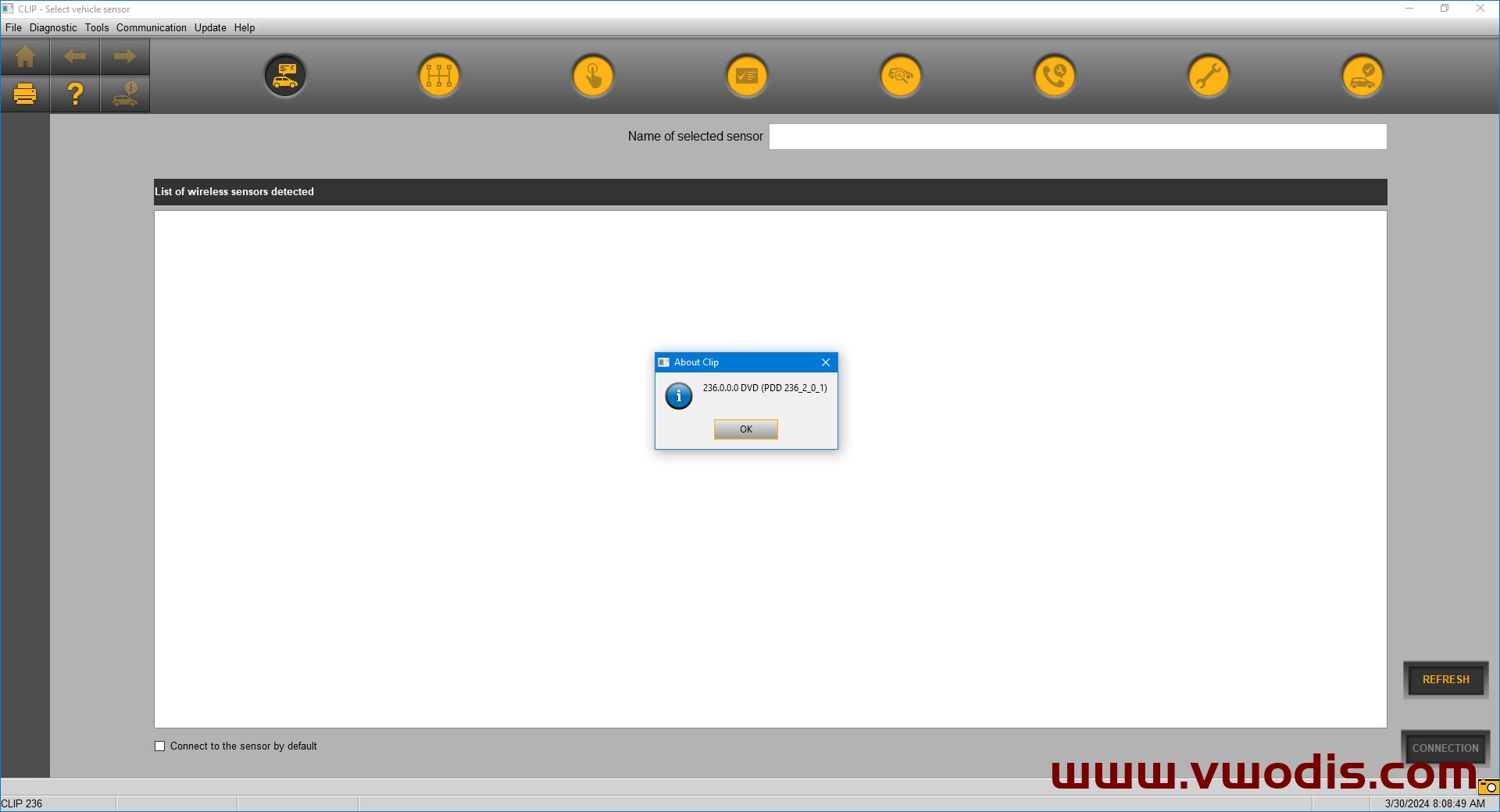
  • 【Software】Renault【vwodis】Renault CLIP v236

    Renault【vwodis】Renault CLIP v236

    Renault【vwodis】Renault CLIP v236

    Renault【vwodis】Renault CLIP v236
  • 【Software】Renault【vwodis】Renault CLIP Registration

    Renault【vwodis】Renault CLIP Registration

    Renault【vwodis】Renault CLIP Registration

    Renault【vwodis】Renault CLIP Registration

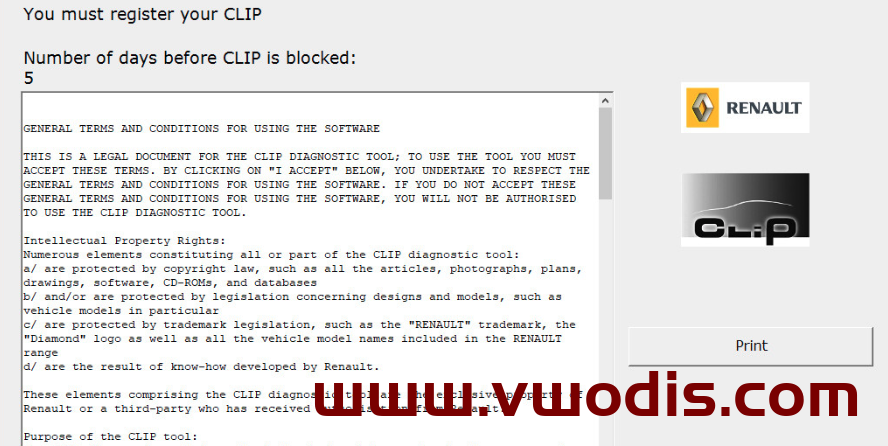
    Renault CLIP Registration

    No keys, generators or anything else needed.

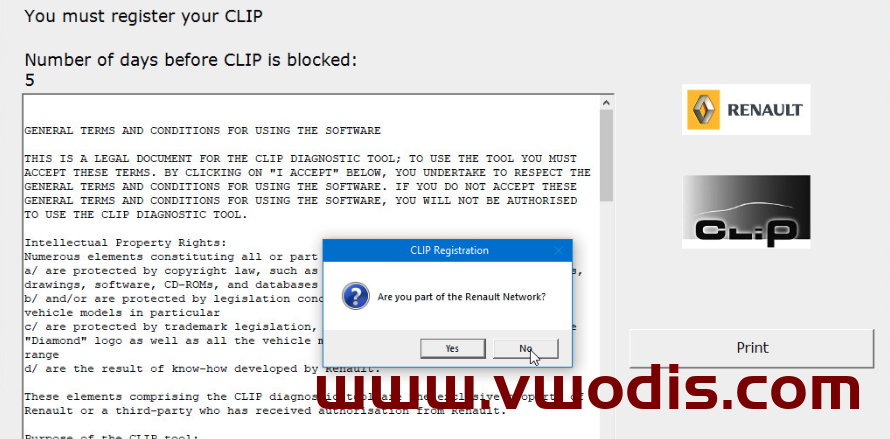
    You need to launch the “CLIP Registration” shortcut from your desktop or from Start menu > CLIP and make 3 simple clicks as in the screenshots above.
    Push “Register me now” -> No -> “Confirm” button.
    As a result, you will receive a properly activated program with a independently generated key.

    Renault CLIP version: v222 and above