分类: 其他汽车

本栏目整理其他汽车汽车技术资源,覆盖诊断软件、ECU数据、维修手册、电路图、编程刷写、故障码解决、改装资料和实际维修案例,便于汽车维修与技术学习使用。

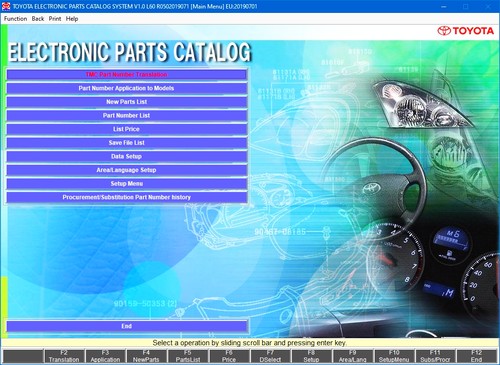
  • TOYOTA EPC 12.2019-丰田汽车_EPC_12.2019

    The original Toyota parts catalog contains such popular models as the Land Cruiser, Prado, Corolla, Avensis, Rav 4, Camry, Carina, others. These were made for the markets of USA, Europe, Asia, Japan. This means that you can work with left-hand drive and right-hand drive Toyota models using wines or chassis number.

    Unlike Toyota’s online catalog, Toyota EPC uses a professional parts search tool for dealers. This is an ideal solution for auto shops, the online catalog is rather more suitable for car enthusiasts.

    Inside:

    • Europe: A1- 07.2019
    • General: A1- 12.2019, A2 – 01.2019
    • USA, Canada: A1- 07.2019
    • Japan: A1- 03.2018, A2 – 01.2017, F1- 03.2018, F2 – 03.2018
    • Overseas: F1 – 01.2019, F2- 12.2019
    • JPIO: M1 – 07.2019

    Lexus Code: 19070119

  • DDT 2000 v4.0.9.2 + Keygen

    雷诺汽车改装

    DDT 2000 v4.0.9.2 + Keygen

  • ALFAOBDSETUP 2.2.3.0+_KEYGEN-ALFAOBD诊断软件

    ALFAOBDSETUP 2.2.3.0+_KEYGEN-ALFAOBD诊断软件

    AlfaOBD破解版是专业车辆诊断工具,用于诊断菲亚特克莱斯勒汽车(FCA)集团生产的车辆的软件。支持1994-2017年生产的菲亚特/阿尔法罗密欧/蓝旗亚汽车,以及2005-2017年车型的克莱斯勒/道奇/拉姆/吉普汽车。尽管该软件主要面向车主,但它提供了专业扫描仪的许多功能。AlfaOBD本身支持安装在FCA集团车辆上的电子控制单元(ECU)。AlfaOBD的本机支持与许多其他诊断应用程序不同,后者提供了OBD II通用支持,后者仅提供对引擎和变速箱模块的访问。

    该软件需要兼容的OBD接口。当前支持以下类型的接口:
    OBDLink MX+,EX,LX和SX。对于在OBD插头的引脚6和14上具有高速CAN总线,在OBD插头的引脚3和11上具有中速CAN总线的汽车,建议使用OBDLink MX+蓝牙或OBDLink EX USB接口。从2012年左右开始,这是大多数基于PowerNet和CUSW的克莱斯勒/道奇/拉姆/吉普车,以及菲亚特Tipo/Egea。使用OBDLink EX或MX+时,这些汽车不需要其他适配器。由于OBDLink接口具有很高的通信速度,因此特别推荐用于克莱斯勒/道奇/Ram/吉普车上的车身计算机配置调整和里程表校正。
    注意:Alfa Romeo Giulia/Stelvio,Fiat 500X/Toro和Jeep Renegade/Compass(MP)要求使用“灰色”适配器(见下文)才能访问第二条高速CAN总线。
    LX和SX接口需要“蓝色”适配器才能访问中速CAN总线。
    建议将OBDLink LX或SX设备用于其他菲亚特/阿尔法·罗密欧/蓝旗亚基于CAN的汽车,并将OBD插头的插针1和9上的低速CAN总线。访问低速CAN总线需要“黄色”适配器。
    OBDKey蓝牙/USB/WLAN。这是一个通用接口,支持FCA汽车中使用的所有控制单元。特别推荐用于非基于CAN的汽车。对于Alfa Romeo 145/146/156/166这样的汽车,这是一个不错的选择(也是Android下唯一的选择)。
    基于ELM327的USB/蓝牙/WLAN接口,用于PC以及支持蓝牙/WiFi的Android和Windows设备。支持所有CAN单元,有些支持K-Line。确保ELM 327的版本为1.3及更高版本。
    警告:这些接口有很多供应商,但并非所有可用接口都与AlfaOBD兼容!
    基于ELM327克隆的ebay界面可能工作正常,但有些运气。但是相当一部分接口有缺陷,它们无法建立与汽车的连接。如果尝试连接到汽车时,AlfaOBD显示消息“接口报告无数据”或“接口报告CAN错误”,这很可能表明您的接口有问题。这样的接口可能与使用OBDII/EOBD协议的其他诊断软件一起正常工作,但是由于使用了不同的诊断协议,因此AlfaOBD存在问题。
    我吨建议使用与AlfaOBD测试的ELM327接口。
    例如,已经测试了Electronic-Fuchs.de和Obdauto.fr出售的接口与AlfaOBD的兼容性。
    Kiwi 3 Bluetooth LE(仅限Android)。支持所有CAN单元和某些K-Line。该接口具有非常低的功耗。
    KLLine USB接口。AlfaOBD PC版本仅由于Android OS的限制。不支持CAN,因此可以在非基于CAN的车辆上使用。例如,支持由Electronic-Fuchs.de,Obdauto.fr和ECUFix.com提供的接口。
    注意:Android设备通过On-The-Go支持USB接口。检查您的Android设备是否支持On-The-Go并获取相应的适配器。
    注意:某些WLAN接口具有对Android的内置支持(如OBDLink MX WiFi),只有启用了即席Wi-Fi支持的Android设备才能与其他接口建立WLAN连接。购买用于Android版AlfaOBD的WLAN接口之前,请检查是否可以为ad-hoc Wi-Fi配置特定的Android设备。通常,它需要扎根设备,并用修改后的设备替换Wi-Fi驱动程序。
  • PCMSCAN v2.4.12 + User Manual

    PCMSCAN v2.4.12 + User Manual

  • Nissan European ECU Reprogramming Patch v42

    Nissan European ECU Reprogramming Patch v42

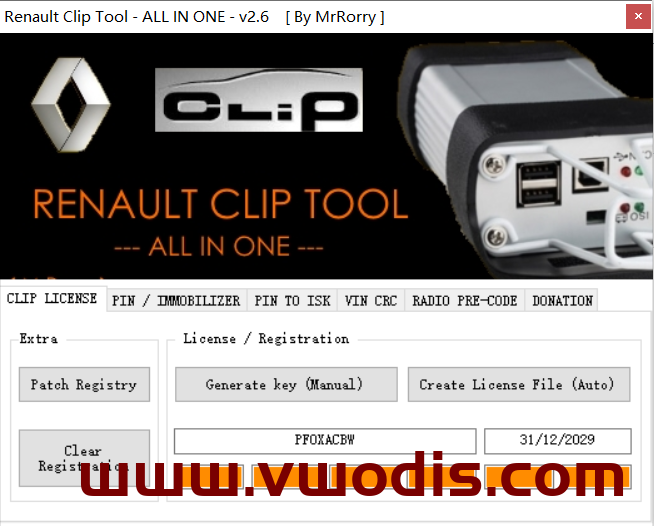
  • 雷诺汽车Renault Can Clip Activation Until 2029

    雷诺汽车Renault Can Clip Activation Until 2029

  • KESS V2 NEW DLL

    new dll folder for kess v2
    instalation:
    unpack and copy folder dll to your kess location

  • FORD IDS v119 Native Software + Calibration Files

    FORD IDS v119 Native Software + Calibration Files

  • Autodata v3.45 + Keygen + Instruction

    for Windows 7 when running RegSvr.bat right click and run as administrator (needed to register dll file)

    installation instructions

    run Install-x32.cmd for 32 bit system or run Install-x64.cmd for 64 bit system
    run sentinel protection installer 7.6.1 or 7.6.6. follow prompts and install program
    when installation window is finished press any key to close the window
    right click (run as admin) and run RegSvr.bat Windows 7 and 8 only
    double click regsettingsWin7.reg for 32 bit system or regsettings64.reg for 64 bit system (Windows 7 and 8 only)

    now we need to install the sentinel hardware key emulator files

    open the folder inside AD called emulator and open the folder win.i386-reg for 32 bit system or win.amd64-reg for 64 bit system
    and install the file AuDaS032.exe for 32 bit system or AuDaS064.exe for 64 bit system.

    now we need to get the hardware id of the pc we are installing on to create the software license.

    ok open the folder GetUid-x32 and open the file getuid.exe for 32 bit systems or getuid64.exe for 64 bit systems
    ((right click and run as admin windows 7 and 8 only) for the 64 bit file you must run it, restart the pc and run it
    again to get the correct hardware id otherwise you will get a code that looks like this 640000000 which is not correct) n.b
    sometimes antivirus will flag the hardware id generator file as a trojan which is a false postive so instances of where the
    likes of AVG and other antivirus systems are installed you must disable realtime protection otherwise the file will be removed
    and you will have to open the compressed archive to create a new instance of the hardware id generator file.

    you will now be shown a box with a 8 digit code for 32 bit system and a 10 digit code for 64 bit system.

    Send me code and i will send you windows registry file for software license.

    ok, run file and import it into the windows registry.

    now we need to start the emulator we do this by going to the windows start menu and locating the folder nodongle.biz then
    we open this and open the next folder AuDaSO and we click on the green traffic light icon to start the emulator.
    (on windows 7 & 8 a box will appear which we click ok to accept the new hardware installation) .
    you will now see in the bottom right hand corner a box informing you that windows has found new hardware
    (sentinel hardware key shk) if you do not see this message after two minutes
    (can take between 5 secs to 2 minutes depending on the pc) so have a little patience.

    FOR LICENCE USE BAT FILE.
    EDIT BAT WITH YOUR ID, SAVE, RUN AS ADMINISTRATOR AFTER.
    AFTER YOU HAVE GENERATED .REG FILE, IMPORT TO REGISTRY AND REBOOT.
    YOU WILL HAVE NOW AD345 ACTIVE.