分类: 福特

本栏目整理福特汽车技术资源,覆盖诊断软件、ECU数据、维修手册、电路图、编程刷写、故障码解决、改装资料和实际维修案例,便于汽车维修与技术学习使用。

  • 【软件】Ford IDS 132.04 2025 Patched for ANY VCI

    【软件】Ford IDS 132.04 2025 Patched for ANY VCI

    Ford IDS 132.04 2025 Patched for ANY VCI

    Ford IDS 132.04 2025 Patched for ANY VCI

    Ford IDS 132.04 2025 Patched for ANY VCI

    ————————————————————————————————–

    为了测试修补后的 IDS,我使用了以下诊断接口:
    – Autroniq A100 和 A200
    – 福特 VCM III

    ————————————————————————————————–

    ⚠️ 关于接口的重要注意事项

    软件 100% 运行,具有高质量和真实的界面。
    请不要浪费我的时间让我设置您的软件界面。

    如果您的接口无法与 IDS 配合使用,请联系该接口的销售商。
    问题始终与您的安装设置或接口驱动程序有关,而不是 IDS。

    ❌ 质量差的接口:VNCI、VXDIAG
    如果你使用垃圾接口,请不要浪费我的时间。

    ————————————————————————————————–

    🔧 安装步骤:

    1 安装IDS-132_01_Full.exe
    重要提示:确保使用默认路径安装它:
    C:\Program Files (x86)\福特汽车公司\IDS
    2.安装FDRS_45.6.5_exe
    3.安装VCI_Software_1.0.1.18
    4. 下载并安装适用于您的 VCI 的福特驱动程序!
    5. 安装完成后重新启动计算机。
    6. 以管理员身份运行修补程序(重要!)。如果你不这样做,它就不会起作用。
    7. 出现提示时,键入 1 进行修补,然后按 Enter。您应该会看到一条确认消息,表明补丁已成功。
    8. 再次启动修补程序,这次按数字 2。这将弹出 VCI 管理器,您可以在其中选择 VCI 类型。
    9. 选择 V​​CI 后,IDS 将启动。
    10. 现在您可以每次正常启动IDS,而无需修补程序或VCI Manager。

    现在你已经准备好了,尽情享受吧!

    💡 笔记
    此补丁和 IDS 在 Windows 11(全新安装,64 位)上进行了测试。
    您还必须将 FDRS 和 VCI Manager 与 IDS 一起安装才能正常工作。

    ————————————————————————————————–

    故障排除

    1. IDS 仍然启动登录页面问题:
    当 Windows 系统上存在阻止修补程序更改 IDS 启动器目标的权限问题时,就会出现此问题。
    要解决此问题,请按照以下步骤操作:

    1. 右键单击 IDS 快捷方式。
    2. 转到属性。
    3. 在目标字段中,将 SubscriptionLauncher.exe 更改为 Tabman.exe。
    4. 再次尝试运行 IDS。

    请参阅 ZIP 文件内的图像,获取有关如何执行此操作的视觉教程。

    2. IDS在程序中不显示VCI Manager图标

    要解决此问题,请按照以下步骤操作;
    1.以管理员身份打开IDS Patcher
    2. 按数字 2 并输入。
    3. 从列表中选择您的 VCI,然后按“确定”

    就是这样!

    ————————————————————————————————–
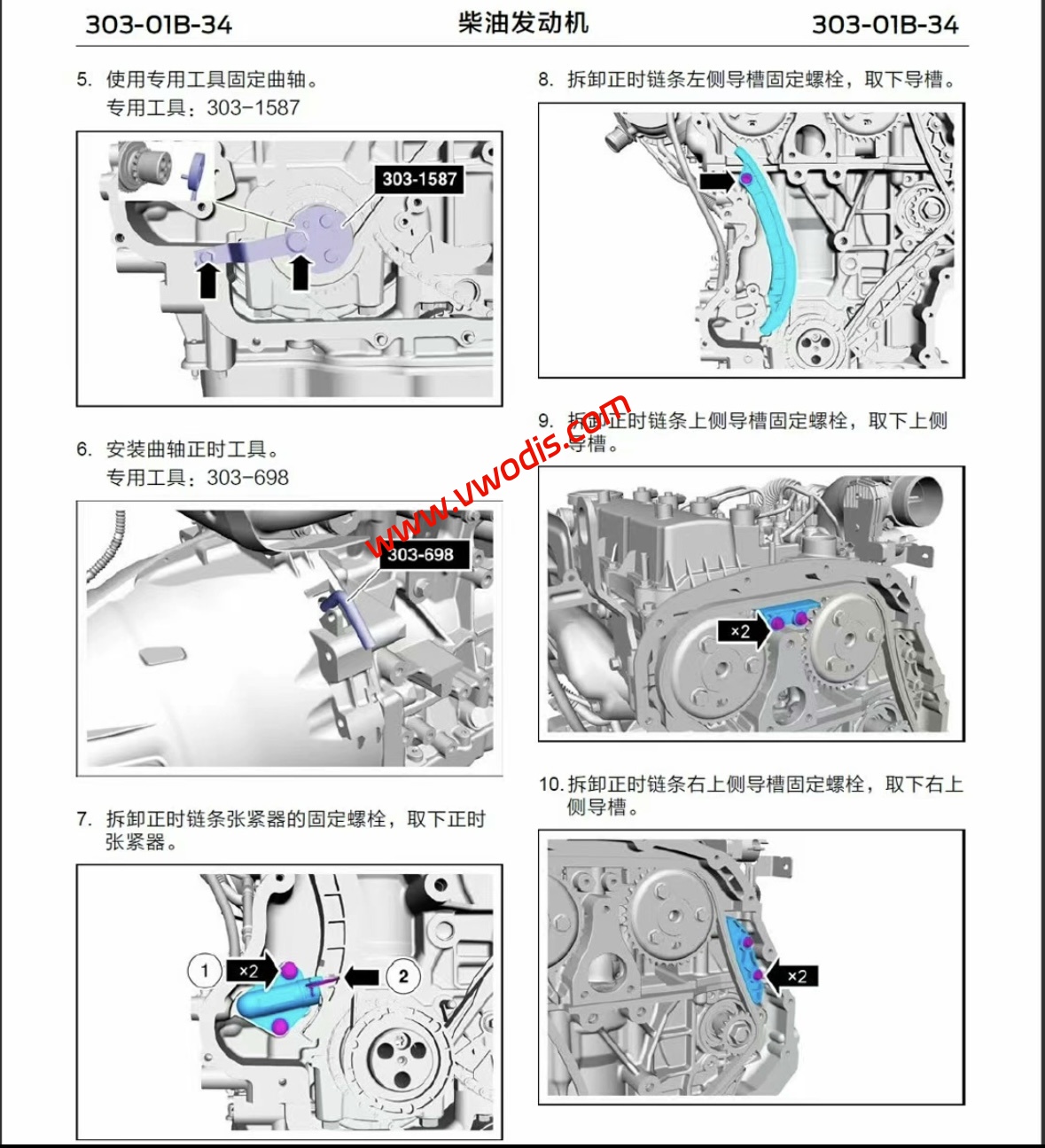
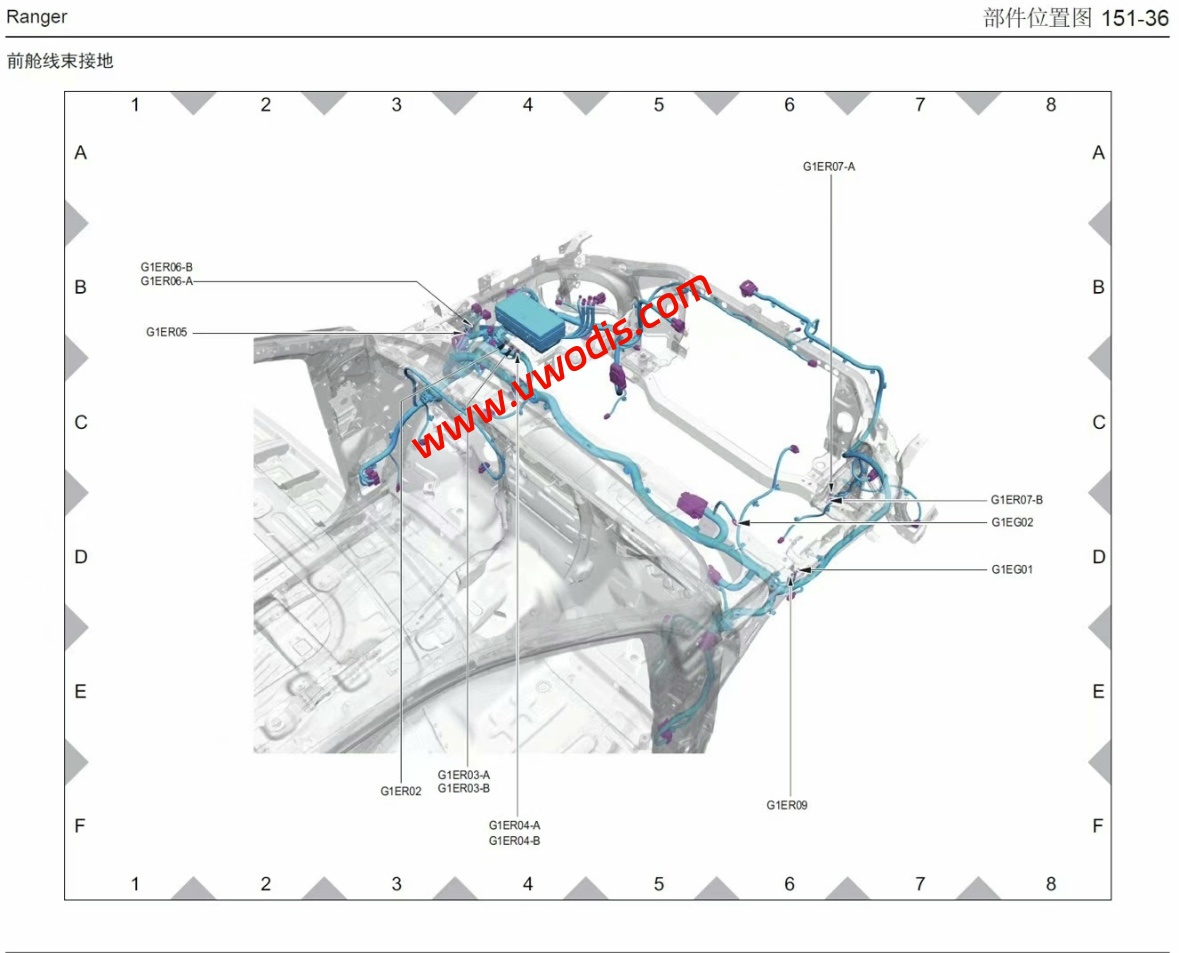
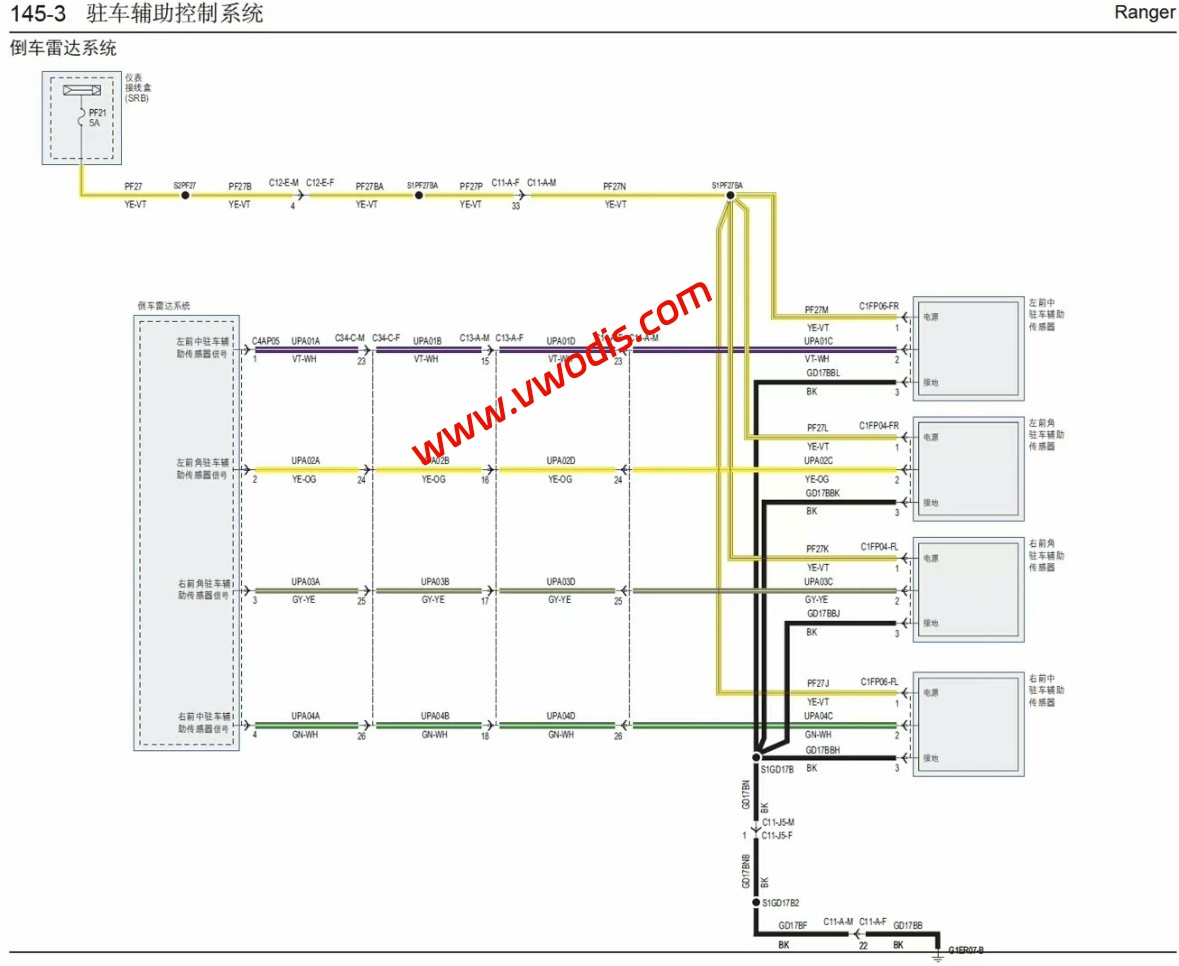
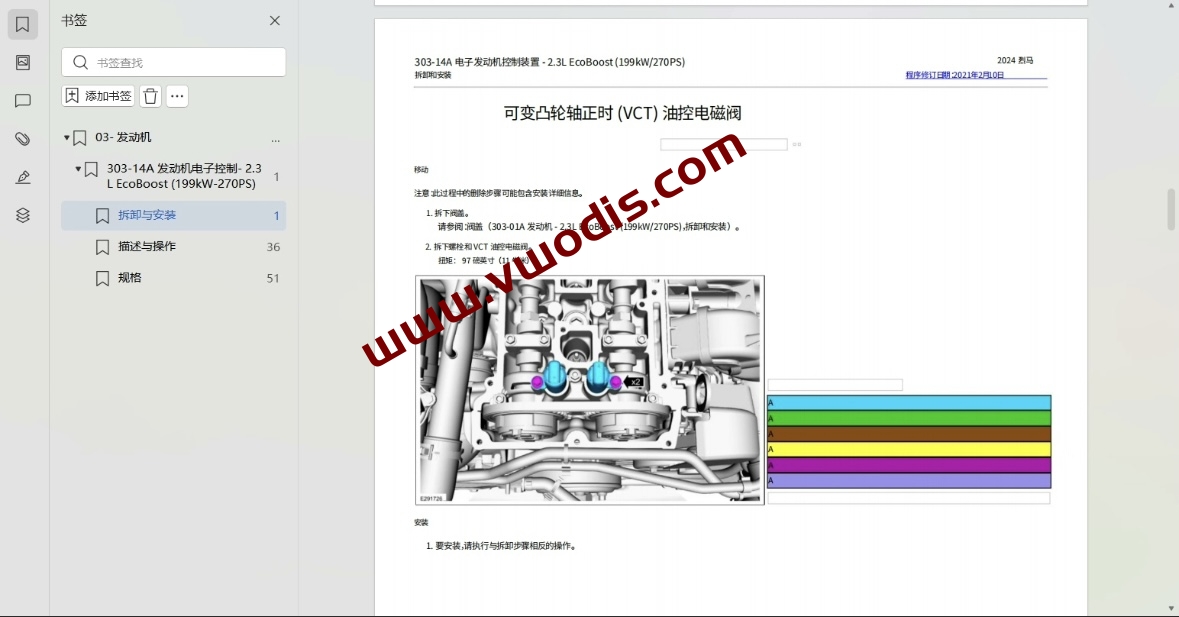
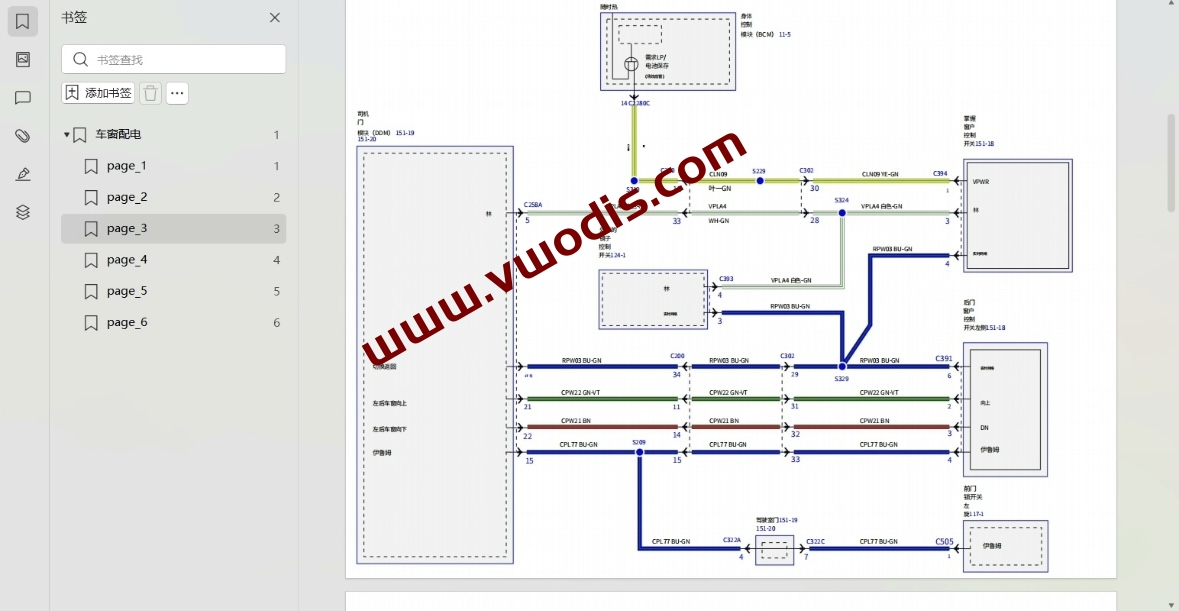
  • 【维修】福特【一车网】福特游骑侠Ranger 2023-2024电路图+维修手册

    福特【一车网】福特游骑侠Ranger 2023-2024电路图+维修手册

    福特【一车网】福特游骑侠Ranger 2023-2024电路图+维修手册

    福特【一车网】福特游骑侠Ranger 2023-2024电路图+维修手册

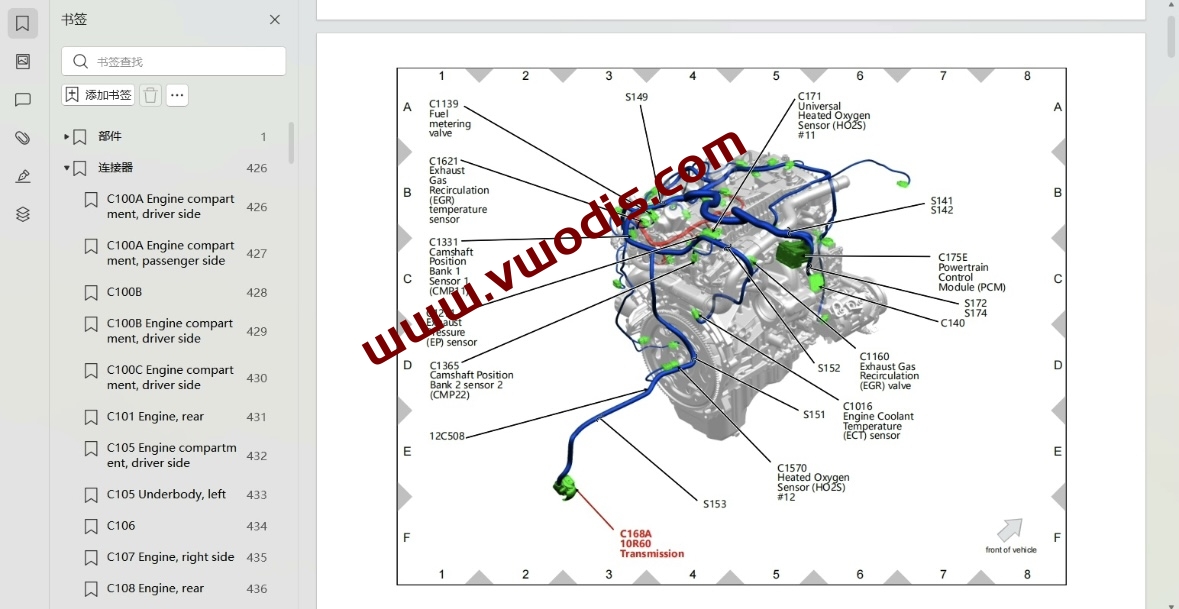
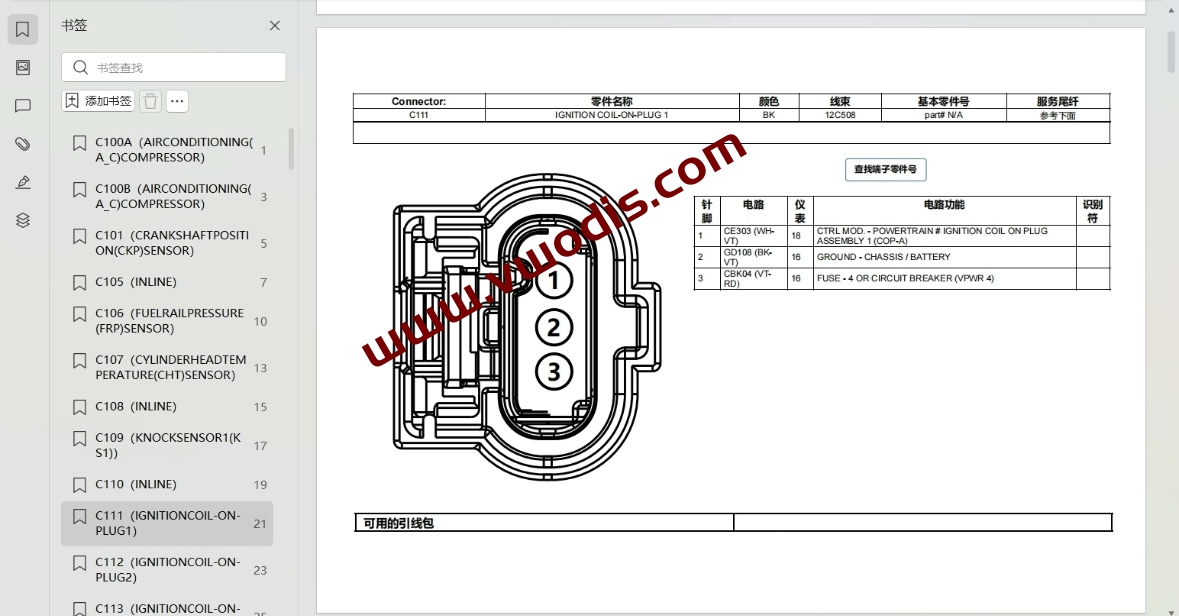
  • 【维修手册+电路图】福特【一车网】福特烈马Bronco进口国产2022-2024电路图+维修手册

    【维修手册+电路图】福特【一车网】福特烈马Bronco进口国产2022-2024电路图+维修手册

    福特【一车网】福特烈马Bronco进口国产2022-2024电路图+维修手册

    福特【一车网】福特烈马Bronco进口国产2022-2024电路图+维修手册

    福特【一车网】福特烈马Bronco进口国产2022-2024电路图+维修手册

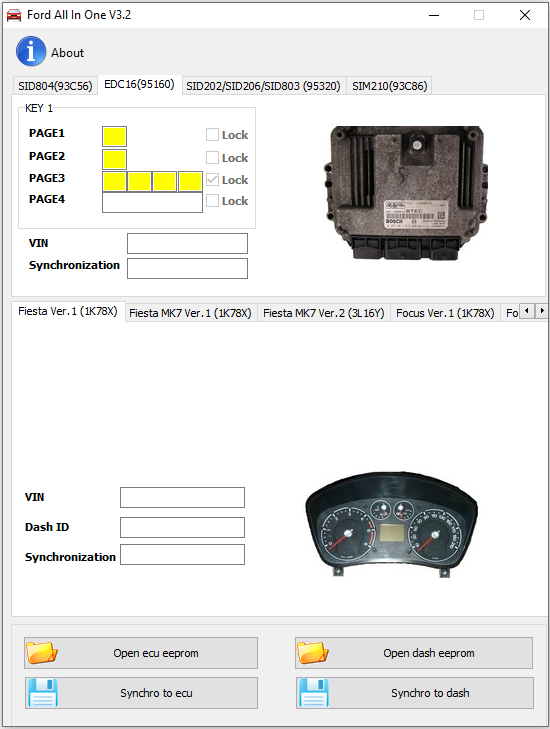
  • 【软件】福特【一车网】福特Ford All In One v3.2

    福特【一车网】福特Ford All In One v3.2

    福特【一车网】福特Ford All In One v3.2

    福特【一车网】福特Ford All In One v3.2

    支持的汽车:

    Ford Transit Connect 2005-2010, Ford Fiesta 2006-2009, Ford Fusion 2006-2009, Ford Mondeo 2008+, Ford Galaxy 2008+, Ford S-max 2008+

    支持的 ECU:

    SID804, EDC16, SID206, SID202, SID803, SIM210

    防盗器在 Ford Transit Connect 2005-2010、Ford Fiesta 2006-2009、Ford Fusion 2006-2009 上的工作原理:

    这些汽车上的防盗器数据 (PATS) 存储在仪表盘 (IC) HC12 处理器中。
    仪表盘接收来自防盗线圈的应答器密钥信号,如果密钥数据等于汽车,则IC将同步信号发送到电机ECU。
    如果应答器密钥存储在IC中,并且IC-ECU的同步数据正确,则ECU允许启动发动机。

    如果汽车应答器钥匙丢失:

    通过 OBDII 使用 CarProg 仪表盘 EEPROM 读取(或者您可以从汽车中移除 IC 并使用任何编程器(如 CarProg、XPROG 或 UPA)读取 HC12 处理器 EEPROM),保存文件并使用“打开 IC 转储”打开它。程序将向您显示应答器数据。使用任何应答器编程器(如 RW2、Codereader 或 Zedbull)将此数据写入 EH2 或 TPX4 应答器。

    如果防盗灯亮起,则电机 ECU 有缺陷/丢失:

    通过 OBDII 使用 CarProg 仪表盘 EEPROM 读取(或者您可以从汽车中移除 IC 并使用任何编程器(如 CarProg、XPROG 或 UPA)读取 HC12 处理器 EEPROM,保存文件并使用“打开 IC 转储”打开它。打开ECU(SID804,EDC16,SID206,SIM210)并读取EEPROM(使用CarProg,您可以在电路中读取)。使用“打开ECU EEPROM”按钮打开文件。现在按下按钮 Synchro 到 ecu(如果要将数据从仪表板传输到 ecu)或 Synchro 到 Dash(如果要将数据从 ecu 传输到达折号)并将保存的文件写入 dash(如果您完成了 synchro 到 dash)或 ecu(如果您完成了 synchro 到 ecu)。

    防盗器在福特蒙迪欧 2008+、Galaxy 2008+、S-max 2008+ 上如何工作:

    这些汽车上的防盗器数据 (PATS) 存储在位于乘客舱保险丝盒中的智能配电模块 (GEM) 中。GEM接收来自防盗线圈的应答器密钥信号,如果密钥数据等于汽车,则GEM将同步信号发送到电机ECU。如果应答器密钥存储在 GEM 中并且同步数据 GEM-ECU 正确,则 GEM 允许启动发动机。

    如果汽车应答器钥匙丢失:

    1.从汽车上拆下GEM(智能配电模块)。
    2. 打开并找到 25320 EEPROM。读取(使用 CarProg,您可以在电路中读取)。
    3. 保存文件并使用“Open GEM EEPROM”打开。程序将向您显示应答器数据。
    4. 使用任何应答器编程器(如 RW2、Codereader 或 Zedbull

    )将此数据写入 EH2 或 TPX4 应答器 如果电机 ECU 有缺陷/丢失:

    1.从车上拆下GEM(智能配电模块)。
    2. 打开并找到 25320 EEPROM。读取(使用 CarProg,您可以在电路中读取)。
    3. 保存文件并使用“Open GEM EEPROM”打开。
    4. 打开ECU并读取EEPROM。
    5.使用“打开ECU EEPROM”按钮打开文件。
    6. 现在使用按钮 Synchro 将同步数据从 GEM 传输到电机 ECU。
    7. 保存ECU文件并将其写回发动机控制模块

  • 【软件】Ford Mazda IDS v124.01 + Patch

    Ford Mazda IDS v124.01 + Patch

    Ford Mazda IDS v124.01 + Patch

    Ford Mazda IDS v124.01 + Patch

  • Ford Mazda Incode Outcode Offline Calculator

    Ford Mazda Incode Outcode Offline Calculator

    Ford Mazda Incode Outcode Offline Calculator

    Ford Mazda Incode Outcode Offline Calculator

  • Ford Outcode Incode Calculator Collection

    Ford Outcode Incode Calculator Collection

    Ford Outcode Incode Calculator Collection

    Ford Outcode Incode Calculator Collection

  • FORD IDS 121 FULL + VX DRIVERS + PATCH

    FORD IDS 121 FULL + VX DRIVERS + PATCH

    FORD IDS 121 FULL + VX DRIVERS + PATCH

    FORD IDS 121 FULL + VX DRIVERS + PATCH

  • FORD ETIS 2015 TIS WORKSHOP MANUALS

    FORD ETIS 2015 TIS WORKSHOP MANUALS

    FORD ETIS 2015
    In a single application workshop manuals, for FORD cars till 2015.

    Ford Etis 02/2015 includes an extensive knowledge base on repair, maintenance and diagnostics of cars of concern Ford. In the program you will find the following information: technical characteristics and specifications, manuals, repair mechanical parts of vehicles, diagnostic procedures and troubleshooting, description of functions, instructions for repair of the car body, to restore the paint and corrosion protection and geometric data of the body, and more. You will find information on the standardization of working hours for each technical procedure, which contains data for mechanical, painting and servicing, including repair of car bodies. For each type of repair and restoration work describes the special tools. Electronic knowledge base Ford Etis 02/2015 includes information on pre-sales of cars and their planned service. You’ll also find information on the computer diagnostics of electronic systems and control units of vehicles. Release 02/2015.
    Supplied with clear installation instruction in english language! Post sale tech assistance guaranteed!
    Now runs on 64bit systems also!!!
    Models Covered :

    AUTO/Cars:
    B-Max – C-MAX – Cougar – Escort/Orion – Explorer – Fiesta – Focus – Focus RS – Fusion –  Galaxy – Ikon –  Ka – Kuga – Maverick – Mondeo – Puma – Racing Puma
    Ranger – S-MAX/Galaxy – Scorpio – Streetka – Transit – Transit/Tourneo Connect – Windstar

    Requirements: Compatibile con Windows XP, Windows 7, Windows 8 (sistemi a 32bit e 64bit!!!!)

    Lingue disponibili/Languages: ITALIANO, english, french, german, spanish, portoguese, magyar, nederlands, polski, norsk, roman, suomi, greek, russian

  • 福特野马仪表汉化教程-视频

    福特野马仪表汉化教程-视频

    福特野马仪表汉化教程-视频

    福特野马仪表汉化教程-视频