Audi【vwodis】Audi FPK2 AU516 e-tron Firmware
Audi【vwodis】Audi FPK2 AU516 e-tron Firmware
Audi【vwodis】Audi FPK2 AU516 e-tron Firmware
D_AU516_0106_0401_prod.zip
D_AU516_0108_0403_prod.zip
D_AU516_0109_0420_prod.zip
D_AU516_0110_0420_prod.zip
Audi【vwodis】Audi FPK2 AU516 e-tron Firmware
Audi【vwodis】Audi FPK2 AU516 e-tron Firmware
Audi【vwodis】Audi FPK2 AU516 e-tron Firmware
D_AU516_0106_0401_prod.zip
D_AU516_0108_0403_prod.zip
D_AU516_0109_0420_prod.zip
D_AU516_0110_0420_prod.zip
Audi【vwodis】Audi AU651 A6 A7 A8 MJ 2019 Firmware
Audi【vwodis】Audi AU651 A6 A7 A8 MJ 2019 Firmware
Audi【vwodis】Audi AU651 A6 A7 A8 MJ 2019 Firmware
D_AU651_0157_1050_prod.zip
D_AU651_0158_1050_prod.zip
奥迪【一车网】奥迪Audi AU651 A6 A7 A8 MJ 2019固件
奥迪【一车网】奥迪Audi AU651 A6 A7 A8 MJ 2019固件
奥迪【一车网】奥迪Audi AU651 A6 A7 A8 MJ 2019固件
D_AU651_0157_1050_prod.zip
D_AU651_0158_1050_prod.zip
奥迪【一车网】奥迪Audi FPK2 AU651 A6 A7 A8 Q8固件
奥迪【一车网】奥迪Audi FPK2 AU651 A6 A7 A8 Q8固件
奥迪【一车网】奥迪Audi FPK2 AU651 A6 A7 A8 Q8固件
D_AU651_0212_1301_prod.zip
D_AU651_0161_1054_prod.zip
D_AU651_0154_1020_prod.zip
D_AU651_0153_1000_prod.zip
D_AU651_0155_1020_prod.zip
D_AU651_0156_1020_prod.zip
D_AU651_0211_1301_prod.zip
D_AU651_0095_0730_prod.zip
D_AU651_0159_1052_prod.zip
D_AU651_0094_0710_prod.zip
D_AU651_0096_0731_prod.zip
Audi【vwodis】Audi FPK2 AU651 A6 A7 A8 Q8 Firmware
Audi【vwodis】Audi FPK2 AU651 A6 A7 A8 Q8 Firmware
Audi【vwodis】Audi FPK2 AU651 A6 A7 A8 Q8 Firmware
D_AU651_0212_1301_prod.zip
D_AU651_0161_1054_prod.zip
D_AU651_0154_1020_prod.zip
D_AU651_0153_1000_prod.zip
D_AU651_0155_1020_prod.zip
D_AU651_0156_1020_prod.zip
D_AU651_0211_1301_prod.zip
D_AU651_0095_0730_prod.zip
D_AU651_0159_1052_prod.zip
D_AU651_0094_0710_prod.zip
D_AU651_0096_0731_prod.zip
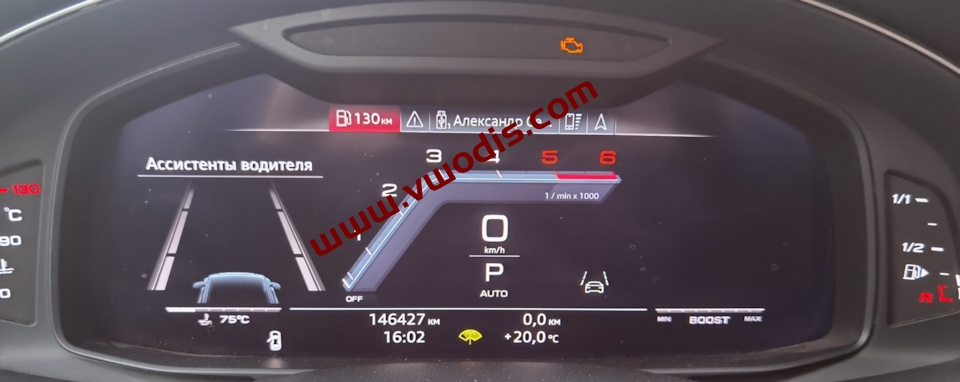
Audi【vwodis】Audi FPK2 A6 A7 A8 Q8 SW GSS D_AU651* Actation Sport Layout Firmware
Audi【vwodis】Audi FPK2 A6 A7 A8 Q8 SW GSS D_AU651* Actation Sport Layout Firmware
Audi【vwodis】Audi FPK2 A6 A7 A8 Q8 SW GSS D_AU651* Actation Sport Layout Firmware
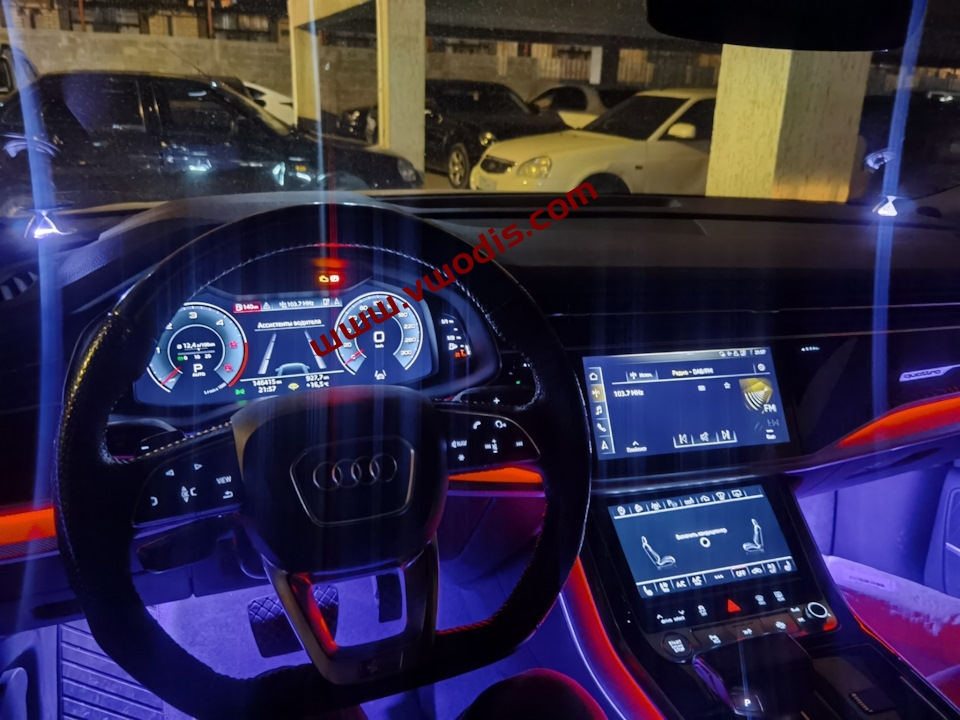
Before you are happy to update, you need to see if this firmware is suitable for you. For this reason, please put the cursor on the “vehicle computer” menu, and then hold down the left button on the steering wheel for 10 seconds:
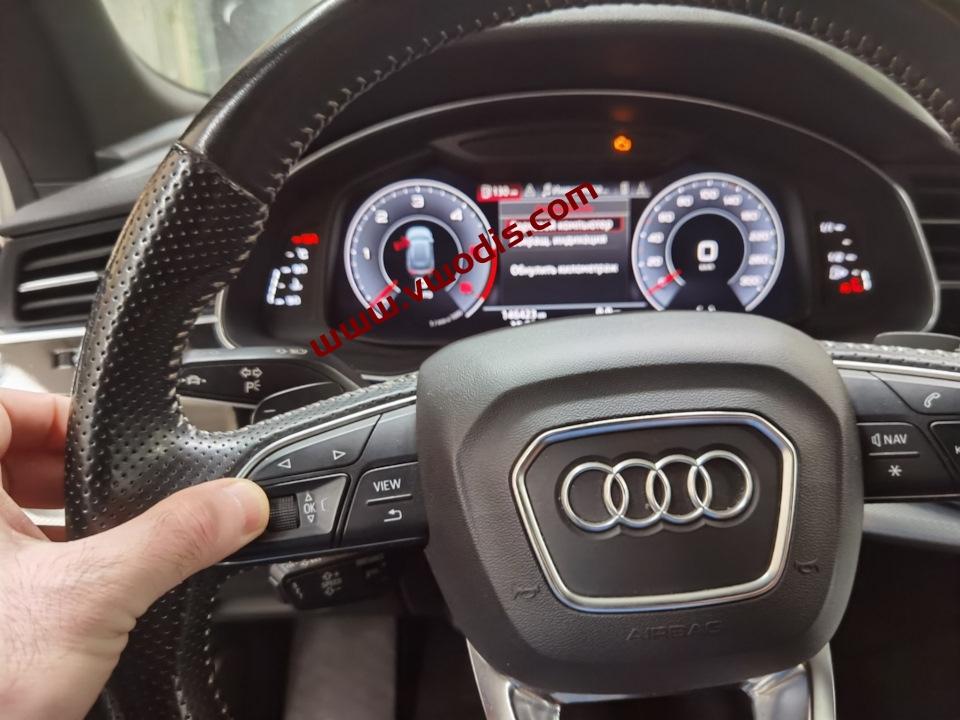
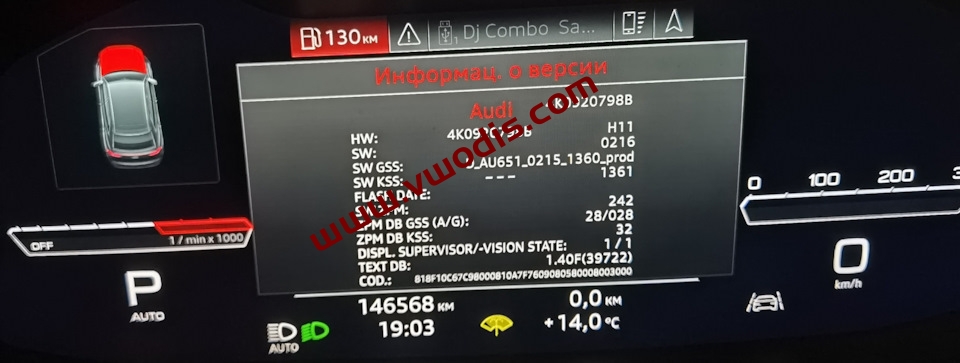
You should see the “Version Information” menu:
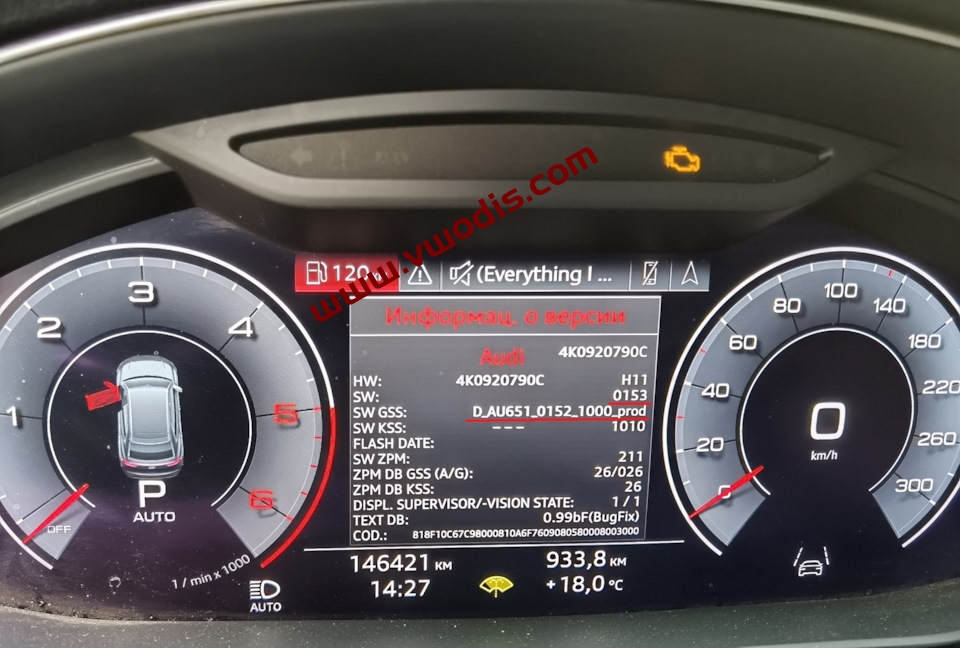
SW GSS : starts with D_AU651, SW line : for 0095, 0111, 0151, 0152, 0153, 0154, 0155, 0157, 0208, 0210, 0211, 0212, 0214, 0216? Great so you can install this update.
Important Tip! FPK1 if SW GSS starts with C1_AU37X, C1_AU491 or A_AU736
If the SW GSS starts with A_AU491 or A_AU651, it is FPK2+ and the method described in this entry does not apply to them!
Upgrade Tutorial:
1. Important! Format the SD card to FAT32!
2. Extract the upgrade package to the root directory of the SD card.
3. Insert the SD card into the SD slot of the armrest and press the SD card button in the upper right corner of the radio screen with two fingers.
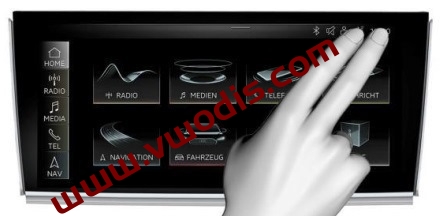
4. Next, click Update, the update process is as follows:
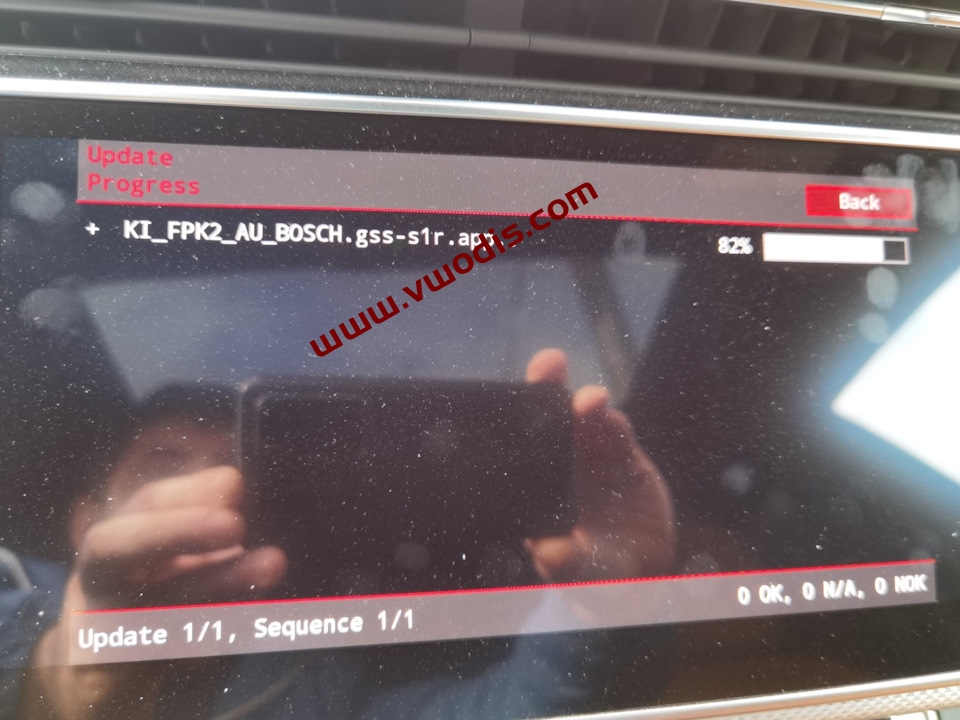
Important! It takes 10 minutes to write the process. Sometimes, the firmware may take up to 1 hour. To prevent the battery from exhausting, you can perform all operations when the engine is running! If you can’t start updating “because the BEM level is set to Level 1”, you need to suture the startup engine!
During the update, the instrument panel becomes darker
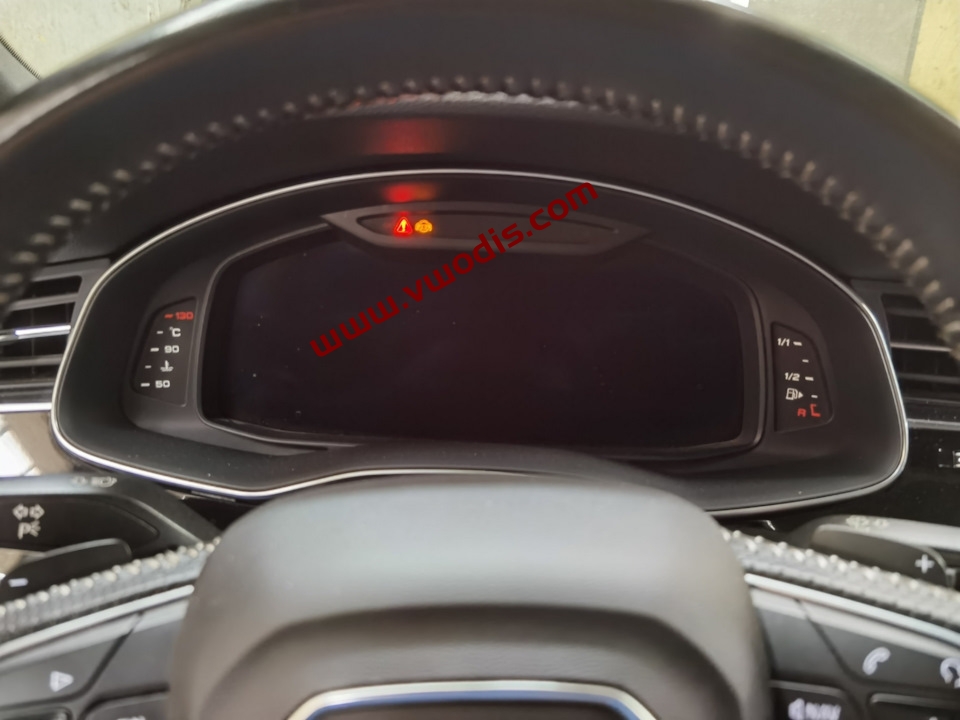
After the installation process is completed
1. Delete Data and Meta folders from SD root
2. Copy the data and meta folders from d_au651_0216_1360_prod folder to the root directory of the SD card.
3. SD card inserts into the handrail and press two fingers, as mentioned above.
4. After update, check the version menu:
During the update, the instrument panel becomes darker
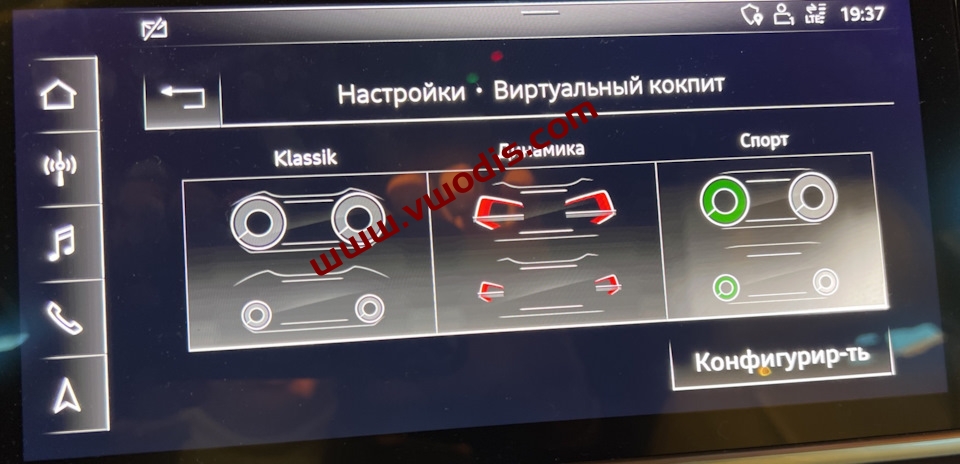
fter the update to 0216, KLASSIK, Dynamic and Sport 3 layouts appeared in the menu of the radio
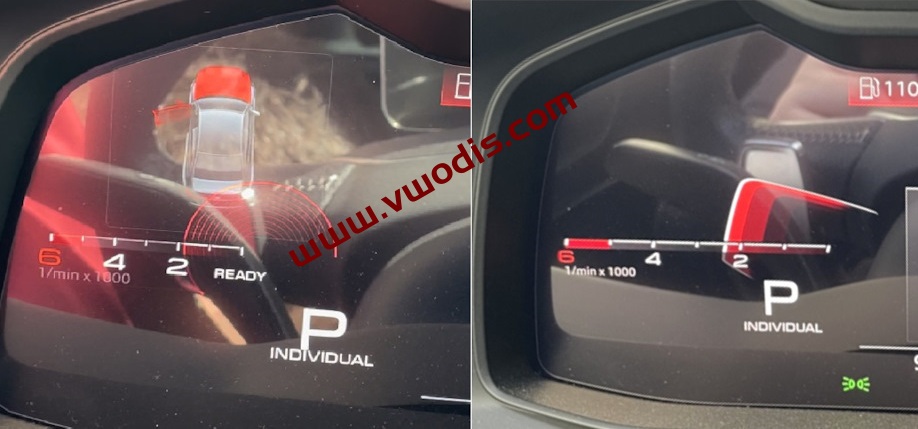
In the firmware 0157+, on the left side of the cockpit, a rotary dart is drawn (in the photo on the right) instead of the ring/circle (in the photo on the left):
Or, use ODIS-E, in block 17, you can enter the login name 20103, and you can choose to include other layouts in the adaptation:
[VN]_designvariant_activation_gen2:
[LN]_variant_1: [VN]_active
[LN]_variant_2: [VN]_not_active
[LN]_variant_3: [VN]_active
[LN]_variant_4: [VN]_active
[LN]_variant_5: [VN]_not_active
[LN]_variant_6: [VN]_not_active
[LN]_lock: [VN]_yes
Meaning:
Variant 1 — Klassik (default)
Variant 2 — Sport
Variant 3 — Dynamic
Variant 4 — S Performance
Variant 5 — RS Sport
Variant 6 — RS Performance
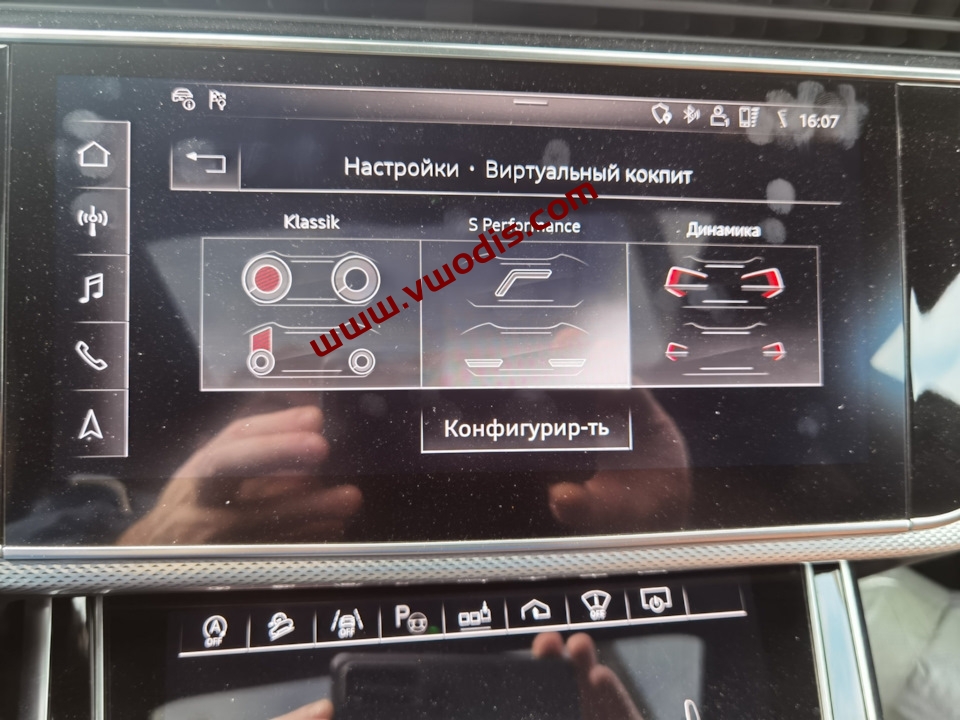
I am glad to know! It is meaningless to contain more than three options, because only three options in the selection menu are available:
The download content contains the following content, paid separately
Sport Layout fix for D_AU651.zip
D_AU651_0215_1360_prod.zip
D_AU651_0216_1360_prod.zip
奥迪【一车网】奥迪Audi在FPK2上A6 A7 A8 Q8 SW GSS D_AU651*打开运动布局教程及固件
奥迪【一车网】奥迪Audi在FPK2上A6 A7 A8 Q8 SW GSS D_AU651*打开运动布局教程及固件
奥迪【一车网】奥迪Audi在FPK2上A6 A7 A8 Q8 SW GSS D_AU651*打开运动布局教程及固件
在您开始高兴地更新之前,您需要看看这个固件是否适合您。为此,请将光标放在“车载计算机”菜单上,然后按住方向盘上的左按钮 10 秒钟:
您应该会看到 “Version Information” 菜单:
SW GSS :以 D_AU651 开头,SW 行:为 0095、0111、0151、0152、0153、0154、0155、0157、0208、0210、0211、0212、0214、0216? 太好了,因此您可以安装此更新。
重要提示!如果 SW GSS 以 C1_AU37X、C1_AU491 或 A_AU736 开头,则为 FPK1
如果 SW GSS 以 A_AU491 或 A_AU651 开头,则它是 FPK2+,此条目中描述的方法不适用于它们!
升级教程:
1.重要!已将 SD 卡格式化为 FAT32
2. 将升级包解压缩到 SD 卡的根目录
3.将 SD 卡插入扶手的 SD 插槽中,然后用两根手指按压收音机屏幕右上角的 SD 卡
4. 接下来,单击 Update(更新),更新过程如下:
重要地!刷写过程需要 10 分钟。有时,固件可能需要长达 1 小时。为防止电池耗尽,您可以在发动机运行时执行所有操作!如果出现“由于 BEM 级别设置为 LEVEL 1 而无法开始更新”字样,则还需要缝合已启动的发动机!
在更新过程中,仪表板变暗
安装过程完成后
1. 从 SD 根中删除了 Data 和 Meta文件夹
2.将 Data 和 Meta 文件夹从 D_AU651_0216_1360_prod 文件夹复制到 SD 卡的根目录。
3.SD 卡插入扶手并按下两根手指,再次如上所述更新。
4. 更新后,查看版本菜单:
更新到 0216 后,收音机的菜单中出现了 Klassik、Dynamic 和 Sport 3 种布局
在固件 0157+ 中,在驾驶舱的左侧,绘制了一个回旋镖(在右侧的照片中),而不是环/圆圈(在左边的照片中):
或者,使用 ODIS-E,在块 17 中,您可以输入登录名 20103,并可选择在改编中包含其他布局:
[VN]_designvariant_activation_gen2:
[LN]_variant_1: [VN]_active
[LN]_variant_2: [VN]_not_active
[LN]_variant_3: [VN]_active
[LN]_variant_4: [VN]_active
[LN]_variant_5: [VN]_not_active
[LN]_variant_6: [VN]_not_active
[LN]_lock: [VN]_yes
变体
1 – Klassik (默认)
变体 2 – S Performance
变体 3 – 动态
变体 4 – 运动
变体 5 – RS 运动
变体 6 – RS 性能
重要!如果在选择布局后没有将适配 [LN]_lock 设置为 [VN]_yes则由于缺少基本安装,块 17 将出现错误!
很高兴知道!包含三个以上的选项没有意义,因为选择菜单中只有三个选项可用:
下载内容包含以下内容,分别单独付费
Sport Layout fix for D_AU651.zip
D_AU651_0215_1360_prod.zip
D_AU651_0216_1360_prod.zip
【WordPress】Redis【vwodis】Redis Cache Pro v1.22.0 Nulled

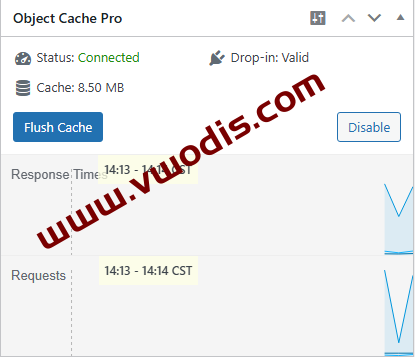
Redis【一车网】Redis Cache Pro v1.22.0企业级Redis对象缓存优化插件开心版-全球首发
Redis【一车网】Redis Cache Pro v1.22.0企业级Redis对象缓存优化插件开心版-全球首发
Redis【一车网】Redis Cache Pro v1.22.0企业级Redis对象缓存优化插件开心版-全球首发
WordPress【vwodis】WordPress WP Mail SMTP Pro 4.3.1 Nulled