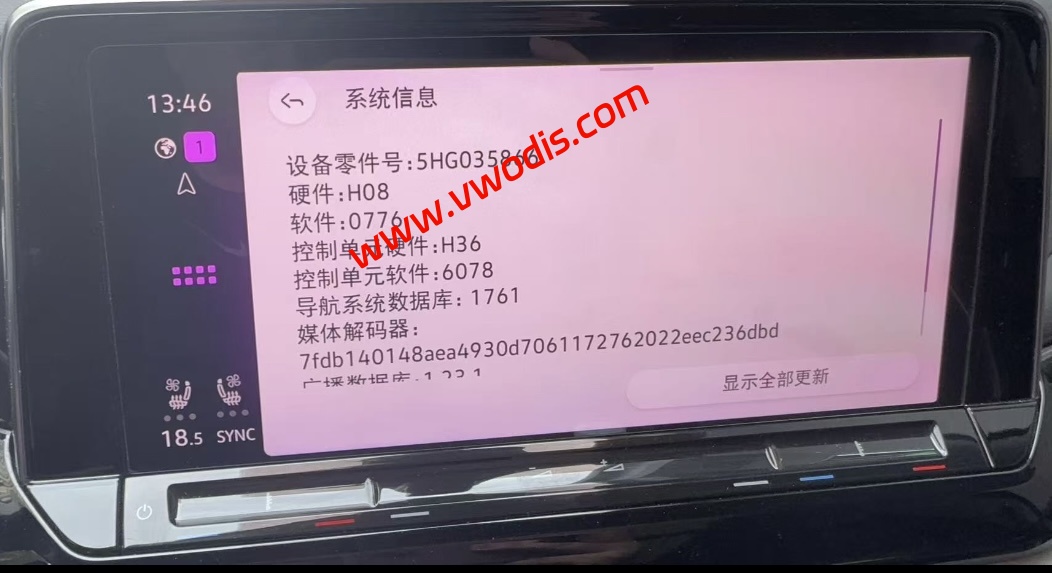
Volkswagen MQB EVO 5HG035866 5HG035866F 0776 Frimware
Volkswagen MQB EVO 5HG035866 5HG035866F 0776 Frimware
Volkswagen MQB EVO 5HG035866 5HG035866F 0776 Frimware
First, Scope of application:
1. Part number 5HG 035 866 (F) navigation main unit.
2, the original software version of the host: 0342, 0358, 0363, 0364, 0757, 0758, 0773, hardware version: H08, H10
Second, Solve the problem:
1, car networking problems
2, Occasional black screen reboot problem
3, Hotspot password automatically change problem
Third,upgrade notes:
1, try to use Type-C interface USB flash drive, do not use the adapter (adapter data transmission is not stable, sometimes will not pop up USB interface, or upgrade interrupt failure)
2, each upgrade, according to the standard process: U disk formatting a decompression package a copy of the decompression file Data and Meta folder a paste to the U disk an upgrade!
3、Confirm that there are only Data and Meta files in the USB flash disk, do not bring the upper folder, otherwise it will not be read; do not copy directly from the compressed package without decompression, it will cause incomplete files.
Don’t click the Back button during the upgrade process.
5、The upgrade process is long, it is recommended to ride on the power, so as to avoid power failure upgrade error.
6、If you encounter the upgrade process black show, do not directly disconnect the battery, you must wait for at least 30 minutes after the normal power up and down check!
发表回复
要发表评论,您必须先登录。