Delphi MST2 SD Activator UPDATE 01.02.2023
this is new AIO(All in One) package patch for delphi units
its very easy than unlocking a bootloader of android
#Needed
- Quality SD card, 4GB or more ,
- MST2 Delphi unit,
InfoWarningTip
Press and hold MENU button for 3 seconds, go to Software Update/Versions, find SW Train and confirm that it starts with MST2 and ends with D. For example: MST2_EU_VW_P0891D.
#Supported firmwares
Almost all firmwares (Audi and VW, all regions) and series like below:
- MST2_xx_xx_x02xxD
- MST2_xx_xx_x06xxD
- MST2_xx_xx_x08xxD
- MST2_xx_xx_x9xxxD
Tested and confirmed on: 220D, 231D, 628D, 635D, 642D, 9122D STD2Nav, 867D, 876D, 890D, 891D, 879D.
#Prepare SD card
- Format an SD card with FAT32 file system,
- Make sure to set the Allocation unit size to the smallest option available (example 4096B),
- Extract downloaded activator package,
- Copy content of the activator package to the SD card.
#Installation
- Turn the ignition on,
- Empty SD card ports in the main unit,
- Place the SD card in the SD1 port,
- Press and hold MENU button for 3 seconds to enter the Service Mode,
- Select Software update/versions,
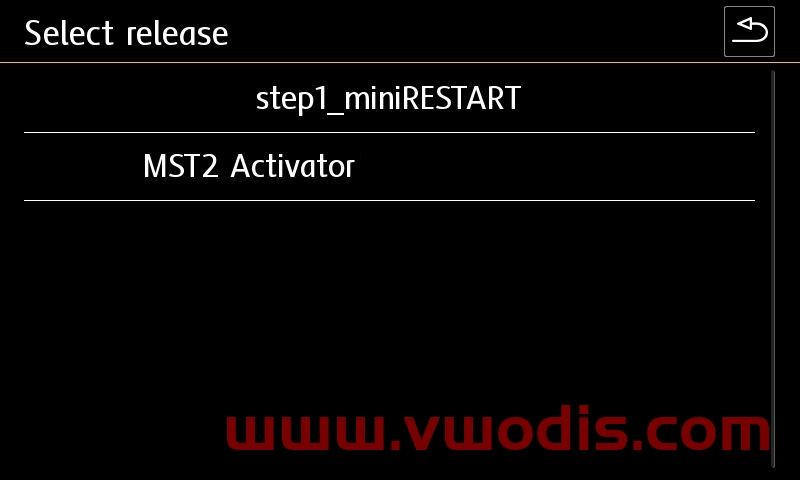
- Select Update → SD card → MST2 Activator→ Start → Next,
- Wait. During the activation will reboot 2 times,
- When the process is done you will see summary screen. Press Back in the upper-right corner,
- When you see Version back documentation screen, press Cancel,
- Wait for the final reboot of the unit.
- Review changes.
#Post-activation coding and adaptation (if required)
#CarPlay, AndroidAuto
5F → Adaptation → vehicle configuration → Apple DIO → enable
5F → Adaptation → vehicle configuration → Google GAL → enable
#B201A fault
After installation you will have B201A fault code stored in module 0x5F. Check how to clear B201A code.
发表回复
要发表评论,您必须先登录。